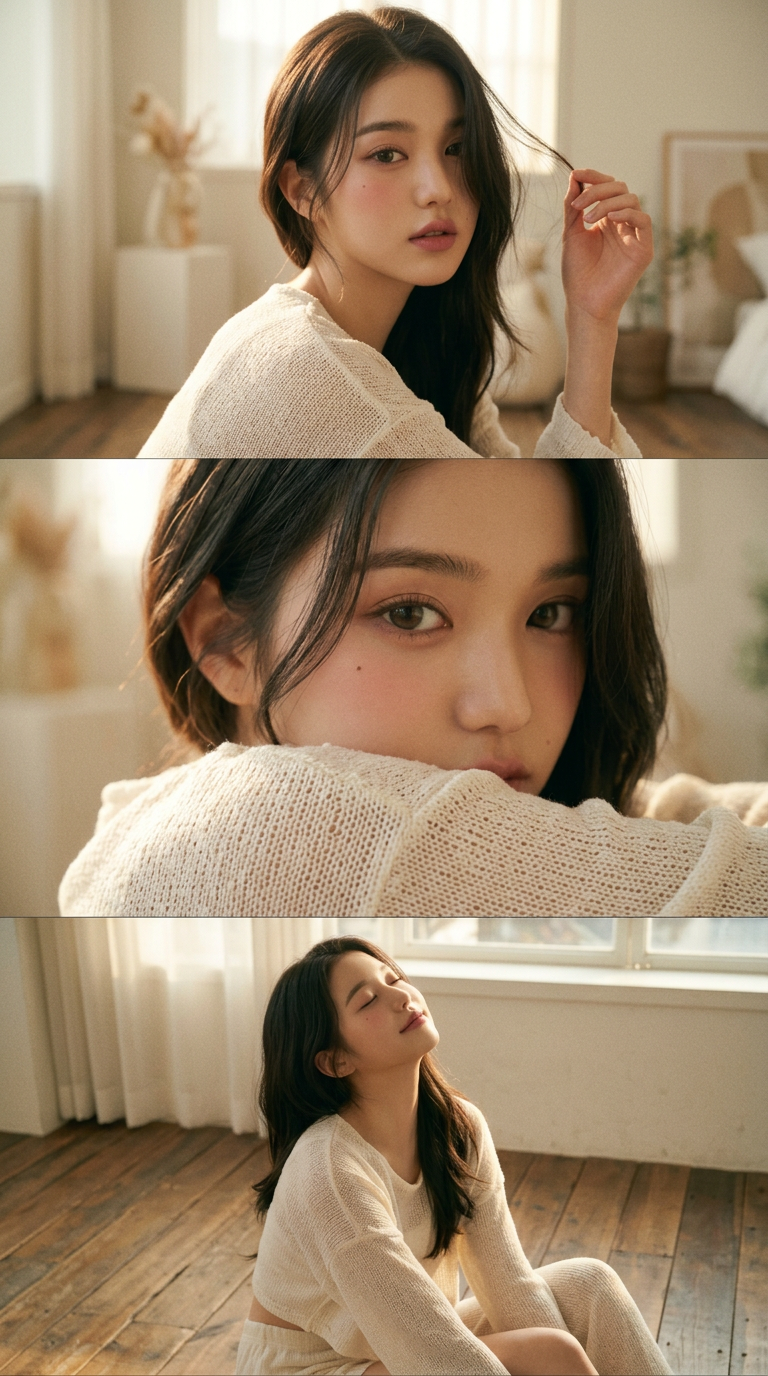
Vintage Film Look
Any aspect ratio
This portrait is created without altering the original facial features. It's a triptych style image, divided into three frames, showing a woman with 100% of her original face sitting on the floor inside her home during the Golden Hour. She's wearing loose-fitting knitted pajamas consisting of off-white shorts and a long-sleeved crop top. The fabric is soft, gentle, and comfortable. The images are of the upper half of the body. Top frame: A close-up portrait of the face. The woman sits on the wooden floor, looking at the camera with her face slightly to the side, and adjusting her hair. The background is a brightly lit room. Middle frame: A close-up of the same woman's eyes, with her body turned to the side towards the camera. Bottom frame: A close-up portrait of the same woman, her head tilted back, eyes closed, and sitting on the same wooden floor. In all frames, her hair naturally falls to partially cover her face. Color tone: A muted color palette is used. Overall atmosphere: Romantic, warm, and gentle. There is a visible film grain, and sunlight shines through all frames. Each frame has a cinematic look with added film grain. Flawless, perfect makeup. Dusty Rose (muted rose pink) lips. Additional tips for facial preservation: The original face must be maintained 100% identical to the original; no changes to facial features, eyes, nose, lips, facial proportions, or any unique characteristics. Use the original image as a facial reference only. Image size 9:16.
Tags
stylesOverview
The Vintage Film Look template allows creators to transform modern portraits into timeless, cinematic pieces reminiscent of classic films. Using the nano-banana-2 model, this tool maintains the original facial features, providing a romantic and warm atmosphere with film grain effects.
What It Does
This template is designed to give your images a cinematic look by dividing them into three distinct frames. Each frame captures a moment detailed in the text prompt, using a muted color palette and a gentle, warm tone. The effect is completed with a film grain to emulate the classic film style.
With precision, it preserves facial features, using the original image as a reference to ensure no changes occur. This is perfect for creating AI Image Editor projects that require attention to detail and authenticity in portraits.
Who It's For
This template is ideal for photographers and content creators who wish to explore storytelling through visuals without compromising the authenticity of facial features. Social media influencers wanting to create unique, vintage-style content, and photo editors looking to diversify their styling techniques will find it particularly beneficial.
For more dynamic transformations, try the AI Video Generator or the AI Photo Relighting tools to enhance your creative projects further.
Summary
The Vintage Film Look template on Magic Hour is a specialized tool for giving portraits a filmic touch while retaining the subject's natural features. It merges art and technology seamlessly, creating a film grain effect with a muted color scheme and warm lighting, ideal for personalized art projects and professional photography alike.
How-To
Choose Your Template

Customize Your Project

Generate Your Vintage Look

Use Cases
Creating Social Media Content
- Transform regular photos into cinematic posts.
- Engage followers with a nostalgic aesthetic.
Photography Portfolios
- Enhance images with a romantic film look.
- Showcase technical skill in stylistic editing.
Storytelling through Imagery
- Capture different moods in a series of frames.
- Emphasize specific details in each image.
Best Practices
Maintain Natural Features
Ensure that the original facial features are left unchanged to preserve the authenticity of the subject's appearance.Consider Lighting
The vintage look is enhanced with natural light settings, such as the Golden Hour, providing warmth and depth to images.Experiment with Angles
Create a dynamic triptych by varying angles and poses in each frame, enhancing the storytelling element.