Vhs School
Any aspect ratio
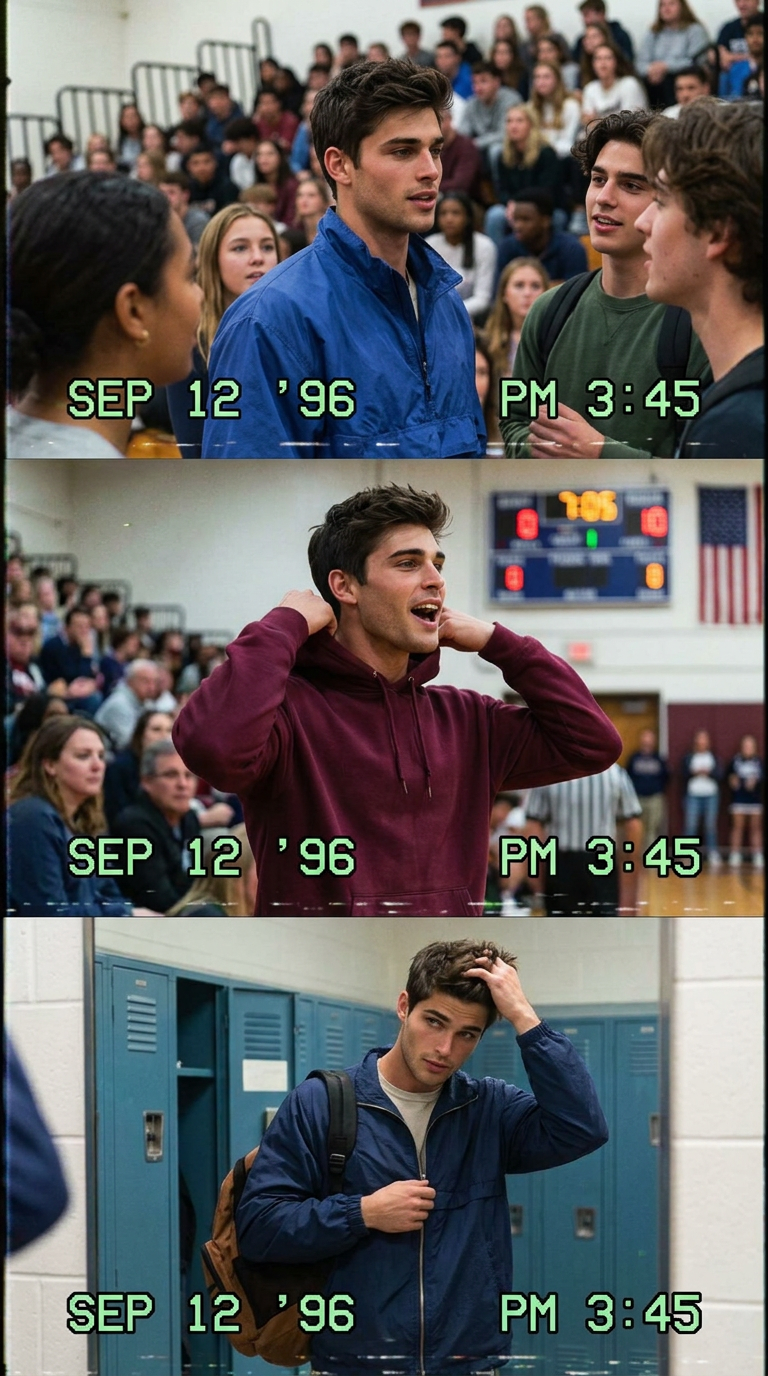
A vertical collage of 3 frames in VHS style, shot on a Hi8 camcorder (9:16). A spontaneous shot during a crowded school assembly in the gym in 1996. A spontaneous moment on the sideline during a high school basketball game with a blurred scoreboard and a moving crowd. A spontaneous shot in the locker room after gym class, adjusting his jacket near the lockers and mirrors. Style: Authentic 1996 VHS Hi8 footage, low resolution, washed-out colors, scan lines, tape noise, motion blur
Overview
The VHS School template in Magic Hour's AI Image Editor suite takes you back to the mid-90s with its authentic VHS-style visuals. Utilizing the nano-banana-2 model, this template creates a vertical collage of three frames, reminiscent of spontaneous moments captured during a school assembly, a basketball game, and a locker room setting.
What It Does
This template generates visually nostalgic images that replicate the aesthetics of a 1996 VHS recording from a Hi8 camcorder. The images reflect low resolution, washed-out colors, and characteristic VHS elements such as scan lines, tape noise, and motion blur. Perfectly designed for those who wish to add a retro flair to their projects, whether it's for meme videos or Instagram Reels.
Who It's For
The VHS School template is ideal for content creators, marketers, and nostalgia enthusiasts. It's particularly suited for those involved in projects like eCommerce ads where a retro aesthetic can enhance engagement. It's also a great fit for educators and students looking to add a unique touch to storytelling exercises or school projects.
Summary
The VHS School template taps into the charm of analog video, making it an excellent tool for various creative needs. Whether you're enhancing storyboarding for a film project or creating distinctive content for social media, this template provides an authentic retro vibe.
How to Use the VHS School Template
Choose the VHS School Template

Customize Your Input

Generate and Download

Use Cases
Social Media Content
- Instagram Stories and Reels
- TikTok videos
- Facebook ads
Memorable Presentations
- Education and training presentations
- Corporate event visuals
Cinematic Projects
- Short films
- Music videos
Best Practices
Maintain Authenticity
When customizing the prompt, ensure the descriptions align with the 1996 VHS aesthetic for a cohesive look.Combine with AI-Driven Tools
Utilize AI Image Upscaler to enhance details selectively, ensuring the key elements remain prominent without losing the retro feel.Integrate Elements Wisely
Use elements like AI Voice Changer for accompanying audio that matches the 90s ambiance.