UFO
Any aspect ratio
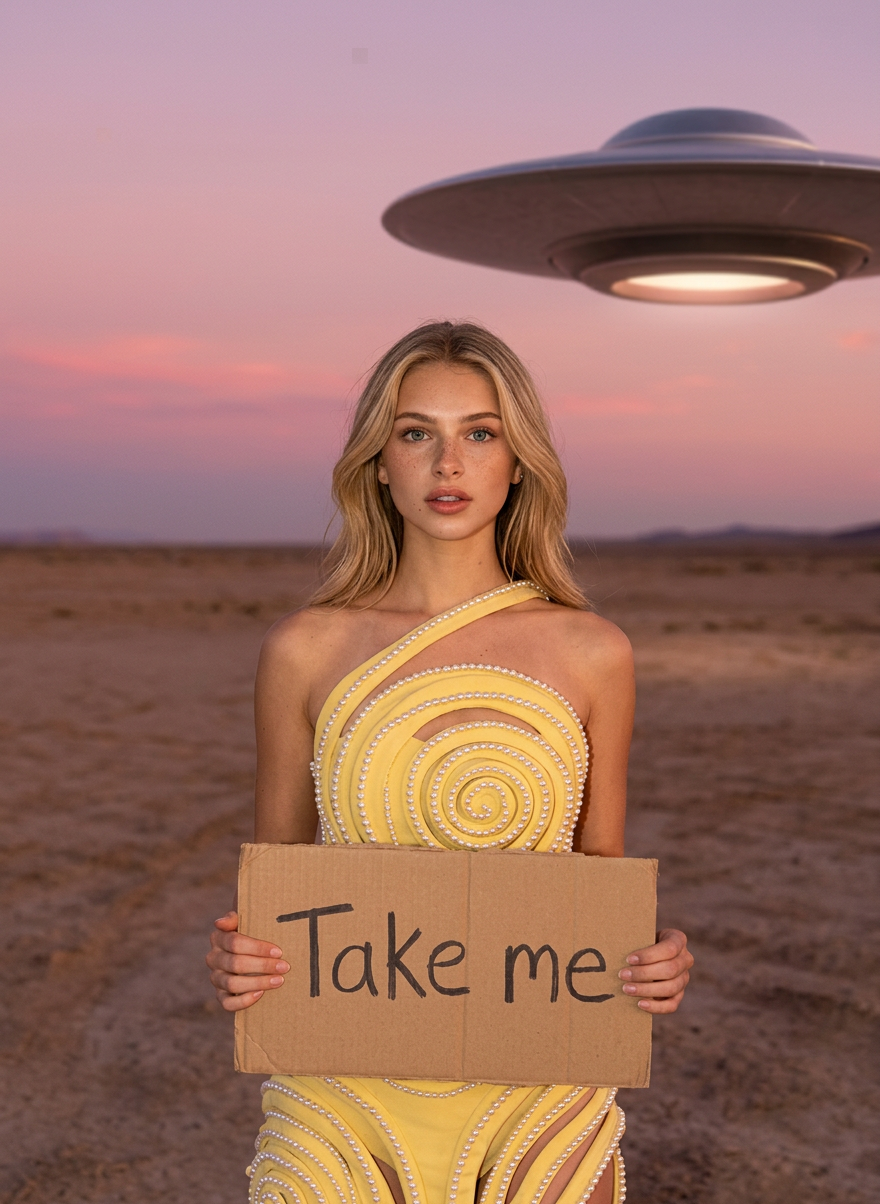
A surreal Pinterest-luxury desert editorial at dusk. In a glittering pearl-spiral yellow couture look, you appear in two shots — seated low under a massive UFO looming overhead, and standing waist-up holding a handmade "Take me" cardboard sign while a saucer hovers softly behind. Pink-mauve sky, direct flash, magazine-grade finish.
Overview
Step into the realm of the extraordinary with the 'UFO' template, part of our versatile AI Image Editor. This template leverages the power of the nano-banana-2 model to craft a surreal editorial experience. Embrace an imagined narrative set against a desert backdrop, perfect for those looking to push creative boundaries.
What It Does
The 'UFO' template transforms your images by placing them in a vivid, dreamlike setting. With scenes featuring a massive UFO and a compelling costume, it provides an exquisite magazine-grade finish. Ideal for creating visually arresting concepts, this tool empowers users to generate gripping content with ease.
Who It's For
This template is designed for creatives, marketers, and storytellers eager to explore surreal visuals. Whether you're building engaging content for social media, working on fashion editorials, or designing ecommerce ads, this template unleashes a world of luxury and intrigue.
Summary
The 'UFO' template provides a seamless way to create lavish and imaginative imagery. Utilizing the strengths of the AI Image Generator, it caters to those looking to blend luxury fashion with extraterrestrial allure in their visuals. Perfect for anyone aiming to craft standout content with style and precision.
How To

Customize Your Scene

Generate Your Image

Use Cases
Fashion Editorials
- Surreal fashion photography
- Editorial content for blogs or magazines
Social Media Campaigns
- Eye-catching social media visuals
- Brand storytelling through unique imagery
Ecommerce Visualization
- Luxurious product displays
- Enhancing product narratives with story elements
Best Practices
Align with Brand Aesthetics
Ensure the surreal elements resonate with your brand identity and message for cohesive content.Experiment with Angles
Try various perspectives in your scenes to bring out different facets of the conceptual setting.Focus on Details
Pay attention to the intricate touches like lighting and textures to achieve a professional finish.