Shadowed HI Hat
Any aspect ratio
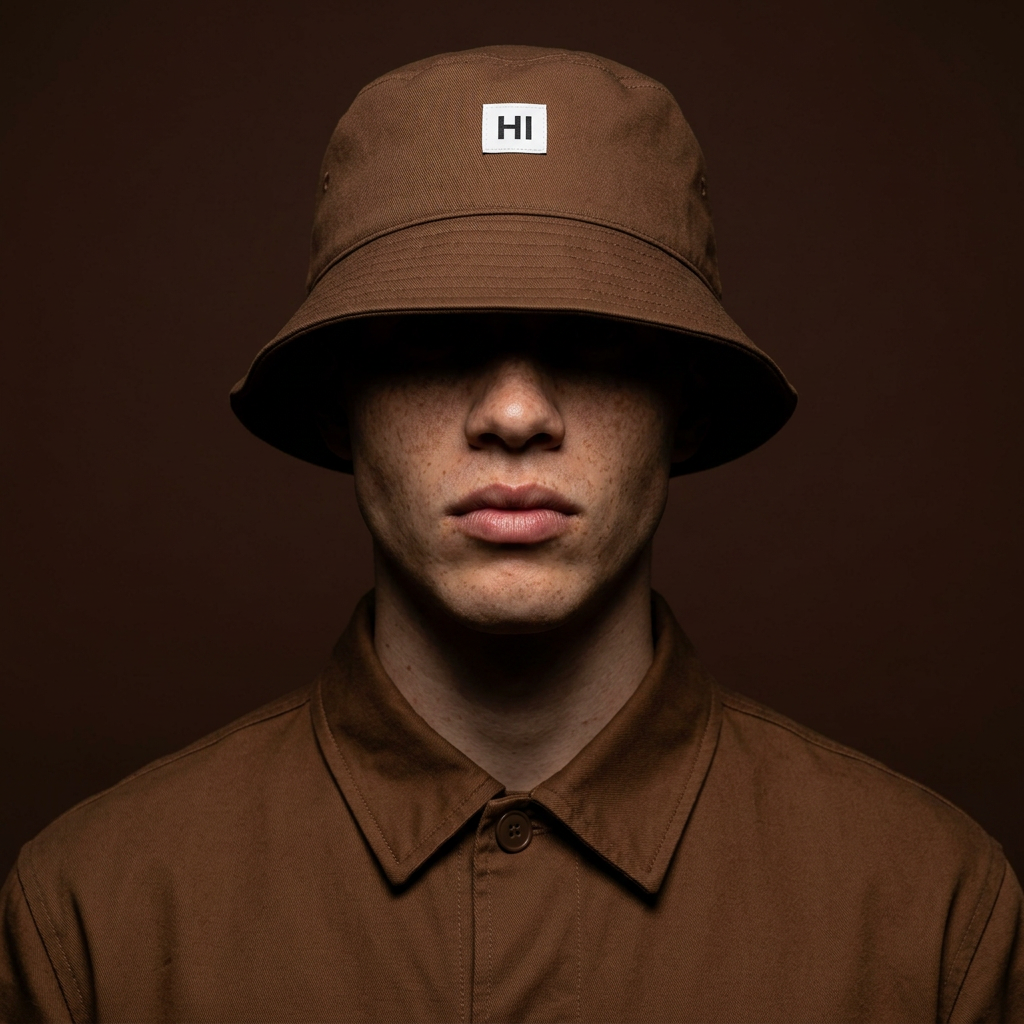
A cinematic close-up medium portrait of a subject wearing a brown bucket hat featuring a small white rectangular label with the word “HI” printed in black. The hat is pulled low over the face, casting deep shadows that conceal the eyes and upper features, leaving only the nose, lips, jawline, and chin visible. The subject has light skin with natural freckles scattered across the nose and cheeks, creating subtle texture and realism. The subject wears a structured brown collared jacket buttoned neatly to the top, blending tonally with the dark monochromatic palette. Dramatic directional lighting illuminates only the lower half of the face, creating sharp contrast and deep cinematic shadows across the hidden upper features. The background is a smooth dark chocolate-brown backdrop with no distractions, enhancing the intimate moody atmosphere. Minimal composition, soft film grain, editorial streetwear aesthetic, shallow depth of field, ultra-realistic skin texture, photorealistic 8K detail.
Overview
The Shadowed HI Hat template uses the AI Image Editor to craft dramatic and moody portraits featuring a distinctive brown bucket hat. Ideal for users aiming to convey a sense of mystery and style, this template creates an ultra-realistic portrait layered with shadows.
What It Does
The Shadowed HI Hat template enhances images by focusing on light manipulation and high-resolution detail. It casts deep shadows across the face while maintaining exceptional texture quality, thanks to powerful rendering from the nano-banana-2 model. This approach results in a cinematic portrait that accentuates mood and texture.
Who It's For
This template is perfect for fashion photographers, musicians, and filmmakers wanting to infuse an editorial streetwear aesthetic into their work. It is especially beneficial for those who aim for a sophisticated look with minimalistic design and striking yet subtle details.
Summary
Explore the artistic capabilities of the Shadowed HI Hat template within the AI Image Editor. This tool brings high cinematic quality to your images by using dramatic lighting and meticulous detail to style portraits that can transform visual storytelling in digital content creation.
How to Use
Choose Your Template

Customize Your Inputs

Generate and Download

Use Cases
Fashion Photography
- Dramatic portrait highlights
- Editorial streetwear mood
Album Covers
- Conceal identity for mystery
- Align visuals with music style
Social Media Content
- Distinctive high-contrast images
- Increase engagement with stylistic visuals
Best Practices
Consider Lighting
For optimum results, ensure your original image has some directional lighting to complement the template's effects.Highlight Textures
Leverage the high-resolution detail by using images where skin texture and fabric patterns can be accentuated.Test Different Backgrounds
Although designed for a monochromatic backdrop, experimenting with subtle background tones can add depth to your portrait.