Mystery reveal theme
ai-image-editor
Any aspect ratio
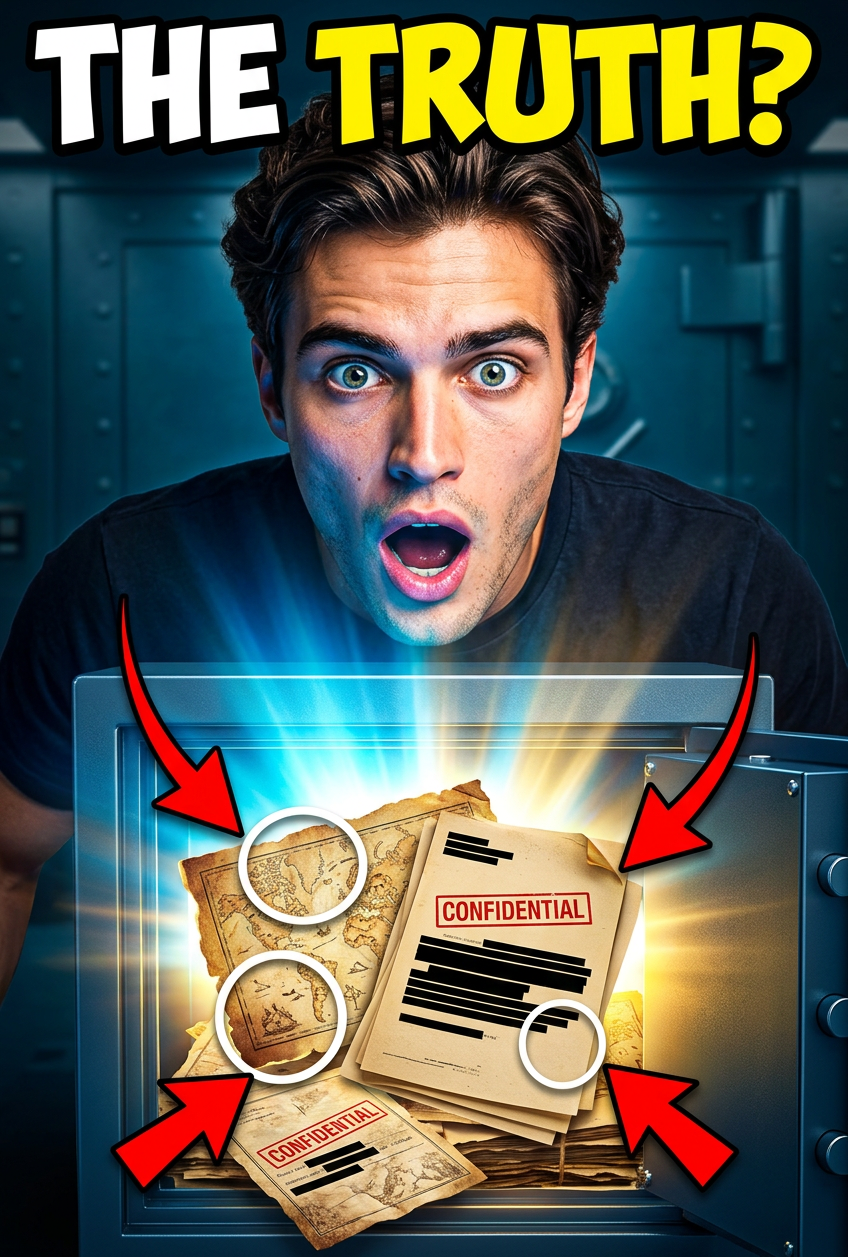
Viral YouTube thumbnail showing a surprised man opening a glowing safe filled with mysterious documents; strong MrBeast-style composition, exaggerated emotion, bright colors, arrows, circles, bold text “THE TRUTH?”; cinematic lighting, high contrast, ultra sharp.
AI Image Editor Template: Turn Any Photo Into a Clean, On‑Brand Visual in Minutes
Use this AI Image Editor–based template to quickly transform raw photos into polished, on‑brand assets for landing pages, ads, pitch decks, content marketing, and product shots—without jumping into Photoshop.
What This Template Does
This template is built on Magic Hour’s AI Image Editor, and is designed for fast, repeatable edits such as:
- Removing or replacing messy backgrounds
- Cleaning up product photos
- Adjusting composition and framing
- Swapping or refining outfits and props
- Converting casual photos into more “studio‑quality” marketing assets
It’s ideal when you already have a base image (a photo, screenshot, or render) and want to edit it intelligently, rather than generate something from scratch.
Under the hood, the editor uses image‑guided diffusion and inpainting techniques similar to the approaches described in High‑Resolution Image Synthesis with Latent Diffusion Models (Rombach et al., 2022) and related work on image editing with text prompts. In practice, that means you can specify what should change (“replace the background with a minimal white studio backdrop”) while preserving what matters (your product, subject, or layout).
How to Remix This Template in Magic Hour
You can either use this template directly or quickly fork it into your own custom workflow. To create your own version inside Magic Hour using the AI Image Editor:
Upload your base image
- Product photos, founder headshots, lifestyle scenes, UI mockups—anything you want to clean up or adapt.
- For best quality, start with the highest‑resolution source you have to reduce artifacts and preserve detail.
Define the edit you want
- Think in terms of imperfections you’re removing and the final use case:
- Landing page hero image → clean background, strong subject contrast
- Social ad creative → bolder colors, clearer focal point, less clutter
- Pitch deck visuals → neutral, minimal, consistent style across slides
- Write short, precise instructions, e.g.:
- “Remove clutter from the desk, keep only laptop and coffee cup.”
- “Replace background with a soft gradient in brand colors.”
- “Turn this selfie into a professional headshot with subtle lighting.”
- Think in terms of imperfections you’re removing and the final use case:
Use region‑based editing for precision
- Focus edits on specific areas (background, clothing, objects) rather than changing the entire image.
- This is especially effective for:
- Background cleanup
- Outfit refinement (see also the AI Clothes Changer)
- Object removal and replacement (supported more broadly by the AI Remover and Remove Object from Photo tools).
Iterate and version quickly
- Generate multiple alternatives (different backgrounds, compositions, or styles) and keep the best one for final export.
- For systematic testing (e.g., ad A/B tests), maintain versions that change only one variable—background, color, or composition—so you can measure performance differences clearly.
Export and integrate into your stack
- Download final images and plug them directly into your landing pages, ad platforms, pitch decks, or product UI.
- For consistent, “system‑level” visual language across a product or brand, create a small internal library of 5–10 template variants and reuse them across campaigns.
Practical Use Cases for Creators, Marketers, and Teams
This template is optimized for people who care about speed, quality, and brand consistency:
1. Landing page and SaaS visuals
- Clean up screenshots by removing browser chrome and distracting UI elements.
- Place app or product views on consistent backgrounds (e.g., gradient backdrops or device mockups).
- Combine with AI Background Generator or AI Art Generator to create reusable branded backdrops.
2. Paid ads and social content
- Turn user‑generated photos into high‑performing ad creatives by simplifying surroundings and highlighting the product.
- Generate multiple background/environment variants tailored to different audiences or platforms.
- Pair with Thumbnail Maker or Album Cover Generator to build visually strong hooks for YouTube, TikTok, and podcasts.
3. Product and ecommerce imagery
- Replace inconsistent lighting and messy real‑world scenes with clean, studio‑like backgrounds.
- Use AI Image Upscaler to sharpen low‑resolution catalog images and Photo Colorizer for older assets.
- Maintain a uniform look across marketplaces, landing pages, and pitch materials.
4. Founder, team, and personal branding
- Upgrade selfies or informal photos into consistent, professional‑looking portraits.
- Combine this template with AI Headshot Generator or AI Selfie Generator to rapidly refresh your About page, LinkedIn, and press kit.
5. Content, newsletters, and decks
- Turn raw photos into simplified, high‑contrast visuals that read well in slides, PDFs, and mobile email clients.
- Use AI Illustration Generator or Comic Book Generator for more stylized editorial visuals, then refine with this AI Image Editor template for consistency.
How to Build Related Templates by Remixing
Once you’re comfortable with this template, you can fork it into adjacent workflows without starting from scratch:
Talking visuals & explainer content
- Start with edited images, then animate them using:
- AI Talking Photo to give static characters or faces realistic lip‑synced speech.
- Lip Sync for turning a refined headshot into an explainer or testimonial video.
- Image‑to‑Video or Text‑to‑Video to build short marketing clips.
- Start with edited images, then animate them using:
Face‑focused remixes
- Use the cleaned, edited image as a base for:
- Face Swap or Face Swap GIF to place a subject into new scenes.
- Face Swap Video Templates if you want the same visual identity extended into motion content.
- AI Face Editor and AI Face Generator for controlled adjustments or synthetic personas.
- Use the cleaned, edited image as a base for:
Stylized brand and IP expansion
- Turn your base photo into different stylistic universes:
- AI Anime Generator or Manga Generator for stylized character versions.
- Disney AI Generator, Dark Fantasy AI, or Superhero Generator for campaign‑specific creative.
- Animated Characters Generator or Animation Templates to bring stylized characters to life.
- Turn your base photo into different stylistic universes:
Brand systems and UI‑ready assets
- Build a full asset pipeline:
- Generate logos or icons with AI Logo Generator and AI Icon Generator.
- Use the AI Image Editor template to integrate these elements into product shots, device mockups, or marketing visuals.
- Upscale and unblur noisy images with Unblur Image and Video Upscaler for cross‑channel consistency.
- Build a full asset pipeline:
Tips for Better Results (Based on How Diffusion Editors Work)
Be explicit about what should stay the same.
Specify both the change and the constraint: “Change the background to a light grey studio wall, keep the person’s clothing, pose, and facial expression exactly the same.”Describe the use case, not just the style.
Phrases like “suitable for a B2B SaaS landing page hero section” or “optimized for small mobile ad thumbnail” help produce clearer composition and contrast.Avoid conflicting instructions.
Combine a small number of clear goals:- Good: “White background, soft light, keep original colors, remove all clutter.”
- Risky: “Moody cinematic lighting, but also bright flat studio look, and neon accents.”
Think in systems, not one‑offs.
If you’re a founder, marketer, or designer, treat your first few images as templates you’ll reapply. Maintain a shared internal doc with example prompts and “before/after” pairs to reduce decision‑making and keep collaborators aligned.
For deeper background on the techniques that power tools like this, see work on diffusion‑based image editing such as:
- Rombach et al., High‑Resolution Image Synthesis with Latent Diffusion Models (CVPR 2022)
- Meng et al., SDEdit: Guided Image Synthesis and Editing with Stochastic Differential Equations (ICLR 2022)
Where This Template Fits in the Magic Hour Ecosystem
This AI Image Editor template is a mid‑pipeline tool:
Create new visuals from scratch
Refine and standardize with this AI Image Editor template
- Clean, align, and brand your assets for real‑world use.
Extend into motion, voice, and interactive formats
- Video‑to‑Video Templates
- Image‑to‑Video and AI GIF Generator
- AI Talking Photo, AI Voice Generator, and AI Voice Cloner
- Auto Subtitle Generator for accessibility and engagement.
By treating this template as the “editing and alignment” layer in your workflow, you can move from rough ideas and raw assets to production‑ready visuals that are consistent, fast to produce, and easy to remix across campaigns and channels.