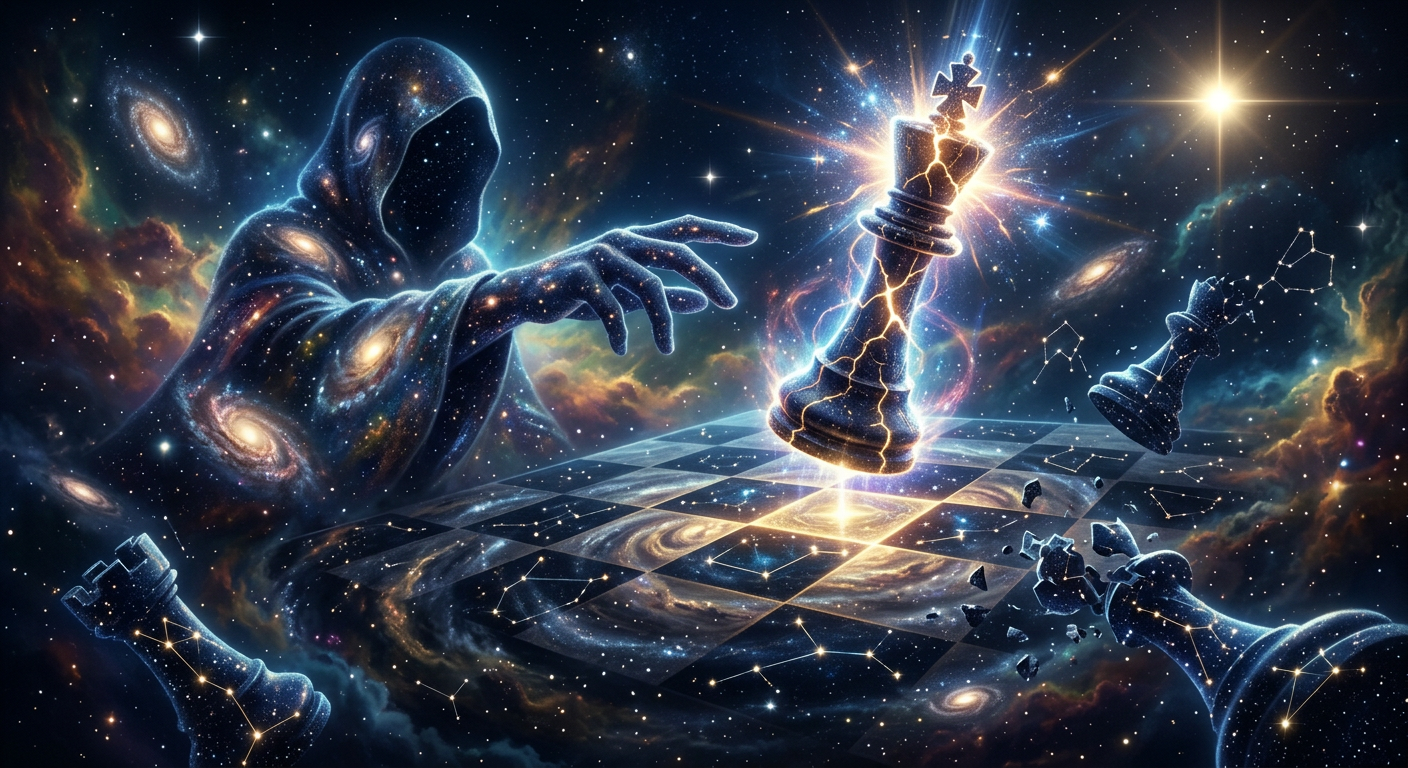
Eternity’s Checkmate
ai-image-editor
Any aspect ratio
Eternity’s Checkmate, a massive cosmic chessboard floating in deep outer space, final move frozen in time, a radiant cracked king chess piece emitting starlight energy, a mysterious hooded cosmic subject formed from galaxies and nebula dust reaching forward to deliver checkmate, shattered chess pieces transforming into constellations, swirling colorful nebula clouds, deep space background with stars, cinematic wide-angle view, dramatic volumetric lighting, ultra detailed, epic scale, surreal symbolism, sharp focus, high dynamic range, dark blue and gold color scheme, professional digital art, 8k, masterpiece quality.
AI Image Editor Template: Turn Any Photo into a Studio-Grade Visual in Minutes
Use this AI Image Editor–powered template to clean up, enhance, and transform your images directly in the browser. Whether you’re a marketer optimizing creatives, a founder polishing a pitch deck, or a creator building a visual brand, this template gives you a fast, repeatable workflow you can remix for your own use cases.
What This Template Does
This template is built on the AI Image Editor and is designed for:
- Background cleanup & replacement – Turn busy or low‑quality backgrounds into clean, on‑brand scenes using tools like AI Background Generator or Image Background Remover.
- Object and distraction removal – Remove unwanted people, logos, text, or artifacts with AI Remover or Remove Object from Photo.
- Face and portrait refinement – Gently improve faces for campaigns, decks, and profiles using AI Face Editor, AI Headshot Generator, or AI Selfie Generator.
- Resolution and clarity upgrades – Upscale low‑res or compressed assets with AI Image Upscaler or sharpen soft images via Unblur Image.
- Style and brand adaptation – Re‑style images to match brand guidelines, campaign themes, or content formats using AI Art Generator, AI Illustration Generator, or AI Logo Generator.
The result: a single, reusable flow for “fix this photo and make it look pro” that you can adapt for product shots, social graphics, UGC, thumbnails, and more.
How to Remix This Template in Magic Hour
You can treat this template as a starting point and quickly build your own variant inside Magic Hour:
Start from this template
- Open the template in Magic Hour.
- Duplicate or “Remix” it to create your own version so you can adjust steps without affecting the original.
Swap in your own source images
- Use product photos, lifestyle shots, portraits, or design mockups.
- For new concepts (e.g., you don’t have a base photo yet), generate one first with:
Add clean‑up and enhancement steps
Typical high‑value steps to include in your remix:- Background removal or replacement with Image Background Remover or AI Background Generator.
- Object/logo/text removal with AI Remover or Remove Object from Photo.
- Upscaling and sharpening via AI Image Upscaler and Unblur Image.
Layer on brand and use‑case specific edits
Adapt the same flow to different outputs:- Social & growth content: finalize crops and styling for posts, stories, or carousels; add variants for A/B tests.
- Thumbnails & covers: integrate Thumbnail Maker or Book Cover Generator for YouTube, podcasts, and lead magnets.
- Ads & landing pages: generate multiple on‑brand visual directions with AI Art Generator, AI Fashion Generator, or AI Outfit Generator.
- B2B decks & profiles: standardize team photos with AI Headshot Generator and AI Selfie Generator.
Export and reuse the workflow
- Save your remixed template as your “standard” image‑cleanup pipeline.
- Reuse it across campaigns so every image that ships has consistent quality and style.
Practical Use Cases for Builders and Teams
This AI Image Editor template is optimized for people who ship quickly and care about visual quality:
For marketers and growth teams
- Turn UGC and influencer photos into on‑brand creatives without booking reshoots.
- Localize visuals for different markets by swapping backgrounds and styles in minutes.
- Rapidly prototype and test creatives for performance campaigns, then upscale winners for production with AI Image Upscaler.
- Generate ad‑ready assets from static images by extending into motion via Image to Video or AI GIF Generator.
For founders and startups
- Clean up pitch deck visuals, product screenshots, and team photos with a repeatable flow.
- Create consistent branding across website, one‑pagers, and social channels using AI Logo Generator, AI Icon Generator, and this editing pipeline.
- Quickly produce investor‑ready, press‑ready images without design bottlenecks.
For creators and content studios
- Standardize your editing process for clients: one template per brand, niche, or show format.
- Use AI Meme Generator, Avatar Generator, or AI Anime Generator to spin fun variants while keeping a polished base image via this editor.
- Turn static characters or scenes into motion or talking content via:
Combine With Other Magic Hour Tools for Full Pipelines
This template is a strong core for richer, multi‑step AI workflows. Common combinations:
Face & performance workflows
- Clean source faces with this template, then animate or swap them using:
Brand & product storytelling
- Start from product images, refine them with the AI Image Editor template, then turn them into short videos with:
Creative & niche content
- Use this template to clean your base art or photos, then stylize or extend them with niche generators such as:
Why Use an AI Image Editor Template Instead of Manual Editing?
Compared to manual editing in traditional tools:
- Speed – Routine clean‑up (backgrounds, blemishes, distractions) becomes a one‑click, repeatable operation across entire batches of images.
- Consistency – Every image follows the same logic and steps, which matters for brand systems, campaigns, and production workflows.
- Non‑destructive iteration – You can version, remix, and roll back changes without re‑doing work from scratch.
- Accessibility for teams – Non‑designers can still produce high‑quality visual outputs using pre‑defined templates created by designers or creative leads.
Backed by modern diffusion and generative models, AI‑powered editing now reliably handles tasks like object removal, background synthesis, super‑resolution, and style adaptation that used to require manual retouching and specialist skills. For references on how these approaches work in practice, see overviews of diffusion‑based image editing in recent computer vision literature (e.g., papers on inpainting, super‑resolution, and style transfer from top conferences like CVPR, ICCV, and NeurIPS).
Ideas for Advanced Remixes
If you’re comfortable experimenting, you can push this template further:
Data‑driven brand testing
- Clone the template per brand or campaign concept.
- Change only the style/scene components (backgrounds, color mood, illustration style).
- Run these variants into your usual A/B testing setup.
Content systems for recurring formats
- Create distinct template variants for:
- Product announcements
- Feature highlights
- Founder/brand storytelling
- Educational or carousel posts
- Keep the same structure, but update art direction and typography with AI‑generated assets from tools like Album Cover Generator or AI Art Generator.
- Create distinct template variants for:
Cross‑channel repurposing
- Start with one high‑quality edited base image.
- Generate channel‑specific crops and stylings via the same template for:
- Website hero sections
- Paid social
- Email headers
- App store screenshots
Get Started
- Open this AI Image Editor template in Magic Hour.
- Remix it with your own assets, brand style, and downstream tools (e.g., Animation, Face Swap Video, Image to Video).
- Save your customized version as a reusable workflow for your team.
Use this template as your default “make this image ready for production” pipeline—and evolve it as your brand, product, and content strategy grow.