AI Image Editor · 18362.jpg
ai-image-editor
Any aspect ratio
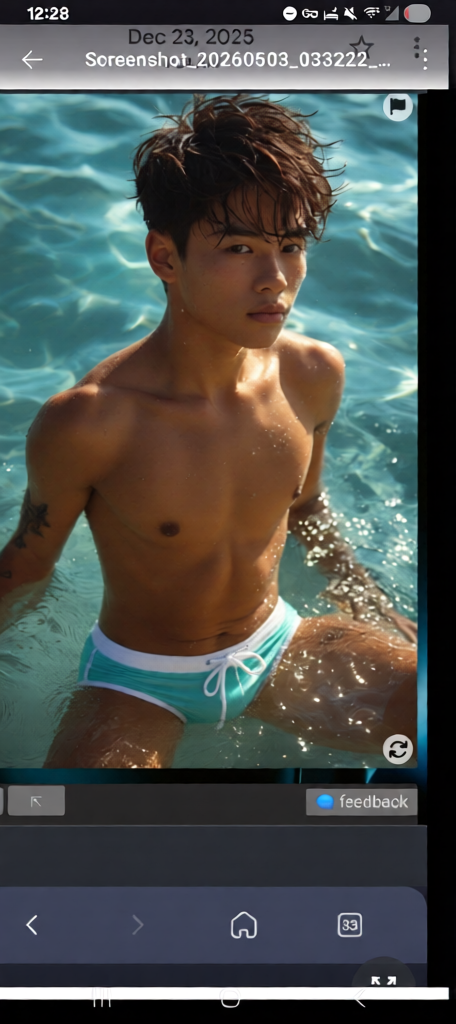
Subject is a high end model for ultra designer wear like Prada, he is wearing aqua and white thong with drawer strings by Dolce & Gabbana
Transform any image in a few clicks with this Magic Hour template powered by the AI Image Editor. Use it as-is or remix it into your own reusable workflow for product shots, social posts, memes, ad creatives, or content experiments.
What this template does
This template shows how to:
- Upload any image (photo, design, screenshot, illustration)
- Edit or replace elements with AI (objects, backgrounds, text, styles)
- Export a polished, high-resolution version for web, social, or video
It’s built on the same engine that powers Magic Hour’s AI Photo Generator, AI Face Editor, and Image Background Remover, so you get consistent, production-ready results.
Typical use cases:
Marketing & growth
- Clean up product photos, remove clutter, and harmonize backgrounds
- Create multiple campaign variants from one base image
- Rapidly test different visual angles for ads, landing pages, or social
Creators & designers
- Concept art, moodboards, storyboards
- Quick “what-if” visual iterations before committing to a design
- Thumbnail, cover, and banner variations for YouTube, TikTok, and blogs
(pair this with the Thumbnail Maker or Album Cover Generator)
Founders & product teams
- Update UI mockups without redoing full design files
- Produce investor deck visuals, mock landing-page screenshots, or hero images
- Clean screenshots for documentation or support
How to use this template in Magic Hour
Open the template in Magic Hour
Start from this page and click to open the template directly in the AI Image Editor.Upload your base image
- Product photo
- Portrait / headshot
- UI or dashboard screenshot
- Artwork, sketch, or moodboard
For higher final quality, sharp, well-lit images work best.
Describe the edit you want
Use clear, specific instructions. Examples:- “Remove the background and replace it with a clean, light grey studio backdrop.”
- “Turn this office into a modern co-working space with large windows and plants.”
- “Replace the T-shirt logo with a minimal geometric icon.”
- “Convert this photo into flat illustration style with bold colors.”
Refine and iterate
- If the output is close but not perfect, adjust your description and run again.
- Try multiple variations: different backgrounds, styles, or compositions.
- Save the best versions as your own templates so your team can reuse them.
Export and use in your pipeline
Download your edited image for:- Ad platforms (Meta, Google, TikTok)
- Landing pages and product sites
- Presentation decks, one-pagers, or investor updates
- Input into other Magic Hour tools (see below)
Remixing this template for your own workflow
You can turn this template into a repeatable workflow for your specific use case:
Brand-locked product imagery
- Use this template to define a consistent background, lighting, and framing.
- Save a version for each product line or category.
- Pair with the AI Image Upscaler to get crisp assets for print or high-density screens.
Social content & memes at scale
- Build a “meme-ready” base image with space reserved for captions.
- Use the AI Meme Generator for text ideas, then finish the visuals in this editor.
Creator & influencer pipelines
- Design repeatable layouts for thumbnails and covers (face placement, background, style).
- Feed outputs into:
- AI Talking Photo to animate portraits
- Image to Video or Text to Video for short-form content
- Auto Subtitle Generator for rapid publishing
Team templates for growth & performance marketing
- Create a template for each funnel stage (awareness, retargeting, offer, testimonial).
- Lock in a rough visual system (color, layout, environment) so anyone on the team can create “on-brand” visuals without a designer.
- Test variants quickly: swap backgrounds, props, or scenes in seconds.
To remix: open this template in Magic Hour, make your changes, and save as a new template under your workspace. Over time, you’ll build a private library of reusable, domain-specific templates.
Example projects you can build from this template
Use this AI Image Editor template as a starting point for:
AI headshots and profile images
- Clean up a basic selfie, refine lighting and background.
- For fully synthetic professional portraits, use the AI Headshot Generator, then tweak results here for final polish.
Fashion and outfit visualization
- Swap clothing styles, patterns, or colors on models or yourself.
- Combine with:
Product and packaging mockups
- Place your logo or design on bottles, boxes, or apparel.
- Use the AI Logo Generator to create brand marks you can then apply to product shots.
Concept art & worldbuilding
- Generate base scenes or characters with:
- Refine, extend, or restyle them in this AI Image Editor template.
Technical / product documentation
- Clean up cluttered screenshots, remove sensitive info using the AI Remover or Remove Object From Photo.
- Standardize backgrounds and annotations.
Combine with other Magic Hour tools
This template is most powerful when combined with other products in the Magic Hour ecosystem:
From static images to dynamic content
- Turn edited images into short animated clips with Image to Video.
- Create talking avatars from portraits with AI Talking Photo.
- For more complex animations and transformations start from:
Advanced face workflows
- Use this template for background, lighting, or style edits, then:
- Apply face changes with the AI Face Editor
- Create synthetic portraits via the AI Face Generator
- Generate GIFs with swapped faces using Face Swap for GIF
- Use this template for background, lighting, or style edits, then:
Upscaling, restoration, and cleanup
- Sharpen low-res or blurry images with Unblur Image and the AI Image Upscaler.
- Restore old or damaged photos with Old Photo Restoration.
- Remove watermarks or unwanted elements using the Watermark Remover and Image Background Remover.
Tips for getting high-quality AI edits
Be specific in your descriptions
“Replace the messy living room with a minimal white studio background with soft shadows” is more effective than “make it look better.”Mention composition and mood
If it matters, specify framing (close-up, wide shot), camera angle, color palette (muted, pastel, neon), and mood (professional, playful, cinematic).Start with good input
AI editing performs best with:- Clear subjects
- Reasonable lighting
- Minimal compression artifacts
Create reusable “patterns”
Once you find a visual system that works, save your edited outputs and use them as references for future prompts to keep your brand consistent.
Who this template is for
This Magic Hour AI Image Editor template is built for:
- Creators who need fast, repeatable ways to produce high-impact visuals.
- Marketers and growth teams who care about test velocity, ad performance, and brand consistency.
- Startup founders and builders who want production-quality visuals without a full design team.
- Developers and technical users exploring AI-native content pipelines, from static images to video and interactive experiences.
Use this template as a practical starting point, then remix it into your own internal “visual system” in Magic Hour. Over time, it becomes a compounding asset: a living template that encodes what “good” looks like for your brand or product.