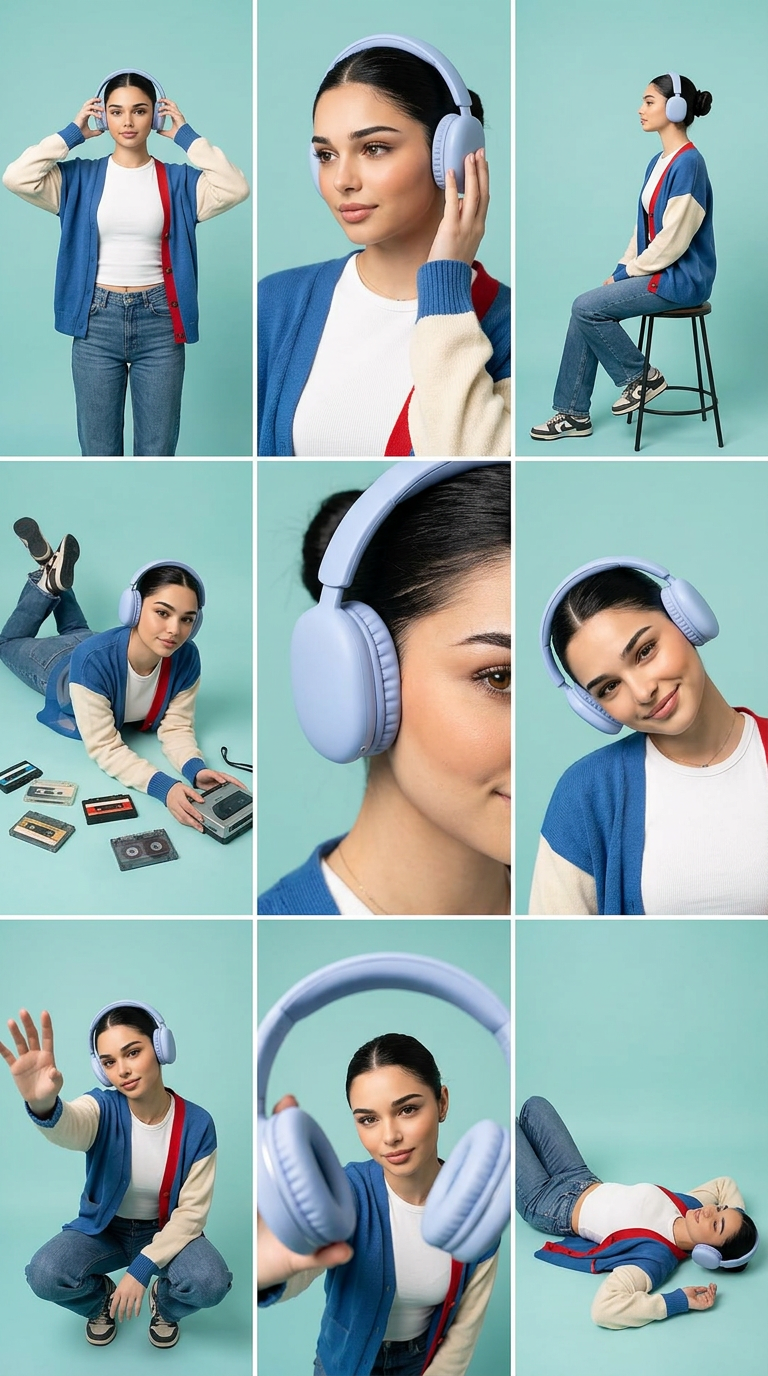
Teal Studio Headphones Storyboard
Any aspect ratio
3×3 storyboard grid (9 panels) featuring the same subject and outfit in a consistent teal studio background with soft diffused lighting, clean editorial lifestyle photography. Subject: subject with natural makeup, black hair tied back, wearing a white fitted top, blue/cream color-block cardigan with red strap, blue jeans, sneakers, and pastel blue over-ear wireless headphones. Panel sequence (left to right, top to bottom): standing front view adjusting headphones; close-up touching earcup; side profile sitting on tall stool; lying on stomach with cassette tapes and retro player; extreme close-up of headphones and face detail; tilted head smiling portrait; low-angle crouch reaching headphones toward camera; forced perspective product shot with headphones near lens; lying on back in a relaxed pose. Style: minimal pastel tones, soft shadows, sharp focus, commercial product photography, consistent framing, balanced grid layout, mix of wide/medium/close shots.
Overview
Discover the Teal Studio Headphones Storyboard template designed to offer meticulously crafted AI image editing capabilities. This 3×3 storyboard grid consists of nine panels, all featuring a consistent teal studio background and editorial lifestyle photography.
This template leverages the AI Image Editor and the nano-banana-2 model to deliver stunning visuals that stay true to the aesthetic of minimal pastel tones and sharp commercial focus.
What It Does
This template enables users to create a storyboard highlighting a subject with detailed attributes in a structured grid layout. Customize panels for varying compositions from a front view leaning toward headphones to a relaxed lying pose. The output offers a series of consistent, sharply focused commercial shots emphasizing product visibility and lifestyle appeal.
The template utilizes advanced AI editing to mix wide, medium, and close shots that maintain balanced framing. It is perfect for adding dynamic flair to multimedia projects or enhancing visual storytelling in promotional materials.
Who It's For
This template is ideal for creatives, marketers, and anyone working in visual content creation who require polished, editorial-ready images. It's particularly useful for branding professionals seeking to showcase wearable tech products like wireless headphones in an engaging way.
Whether you're a freelancer working in advertising or part of a team tasked with producing lifestyle-driven content, the Photo Colorizer integration potential makes this an excellent tool for adding depth and creativity to your projects.
Summary
With the Teal Studio Headphones Storyboard template, elevate your visual content to a new level. This tool integrates with cutting-edge AI models to produce a set of nine unique, yet consistent, lifestyle-oriented images. Highlighting a coherent theme and balanced grid, this template is a must-have for anyone looking to capture and convey the essence of a lifestyle product story.
For even more creative control, consider pairing it with our AI Image Upscaler for crisp, high-resolution outputs that enhance every detail of your storyboard panels.
How-To
Choose the Template

Customize Input

Generate and Review

Use Cases
Lifestyle Branding Campaigns
- Highlight wearable tech in a relatable lifestyle setting.
- Use consistent framing to deliver a cohesive campaign.
Social Media Content
- Leverage the balanced grid for carousel posts.
- Apply consistent styling to align with brand aesthetics.
Product Launch Visuals
- Showcase key features in varied settings.
- Maintain focus on the product's role in daily life.
Best Practices
Maintain Consistency
Ensure the visual style is consistent across all panels to create a cohesive story.Focus on Detail
Each image should clearly convey its part of the story, paying attention to detail in wardrobe and styling.Utilize AI Tools
Use AI tools like the AI Image Generator to enhance visual elements and achieve desired aesthetic qualities.