Progressive Motion Study
Any aspect ratio
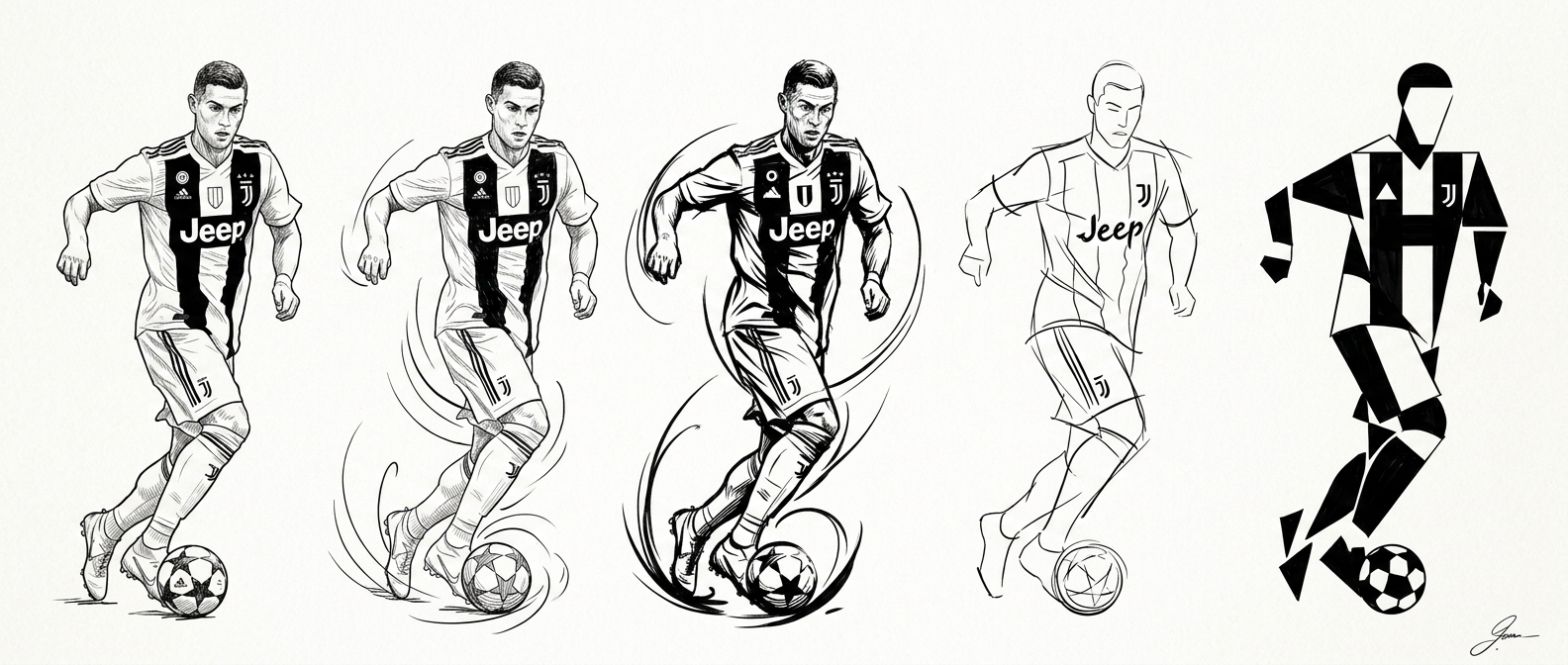
A horizontal sequence of five progressive sketches on a clean white background, showing the evolution of a subject’s motion from realism to abstraction; starting with a detailed realistic figure in an initial stance, followed by dynamic motion phases with curved gesture lines, then a peak action pose with expressive arcs, transitioning into a simplified line sketch, and ending with a bold, geometric abstract form; rendered in hand-drawn black ink style with strong contrast, clean linework, and expressive gesture drawing; professional concept art with clear visual progression and ample white negative space; small signature in the bottom right.
Overview
The Progressive Motion Study template in the AI Image Editor family is tailored for generating visual sequences. Using the Nano Banana 2 model, it creates a horizontal sequence of sketches that depict a motion's evolution, from realism to abstraction. This template is perfect for concept artists and animators looking to visually explore motion dynamics.
What It Does
This template takes a subject and transforms it through a series of progressive sketches, highlighting the motion from a realistic initial stance to a fully abstract form. The sequence ends with a bold, geometric abstract form, all rendered in a hand-drawn black ink style. With its strong linework and expressive detailing, the template offers an engaging way to explore transitional movements in art.
Who It's For
Designed for artists, animators, and designers, the Progressive Motion Study template is suited for those who want to create dynamic visual narratives. Whether you're developing concept art or working on storyboarding, this AI tool provides a seamless way to visualize motion.
Summary
Utilize the Progressive Motion Study template to produce engaging motion-focused art pieces, ideal for concept art and educational presentations. This template offers professionals in the creative industry the flexibility to visualize and iterate motion studies efficiently, enhancing projects with its artistic flair.
How-To
Select the Template

Input and Customize

Generate and Download

Use Cases
Concept Art Development
- Research exploratory sketches
- Visual impact sessions
Animation Planning
- Frame key motion scenes
- Enhance animation quality
Educational Resources
- Dynamic drawing workshops
- Art class aids
Best Practices
Define the Motion
Prior to using the tool, clearly define the motion path you want to explore. This will guide your customizations and improve results.Leverage Gesture Lines
Use curved gesture lines to add dynamism to your sequences. These lines guide the viewer's eye through the motion path.Focus on Contrast
Ensure that your black ink style maintains strong contrast against the white background for clarity and impact.