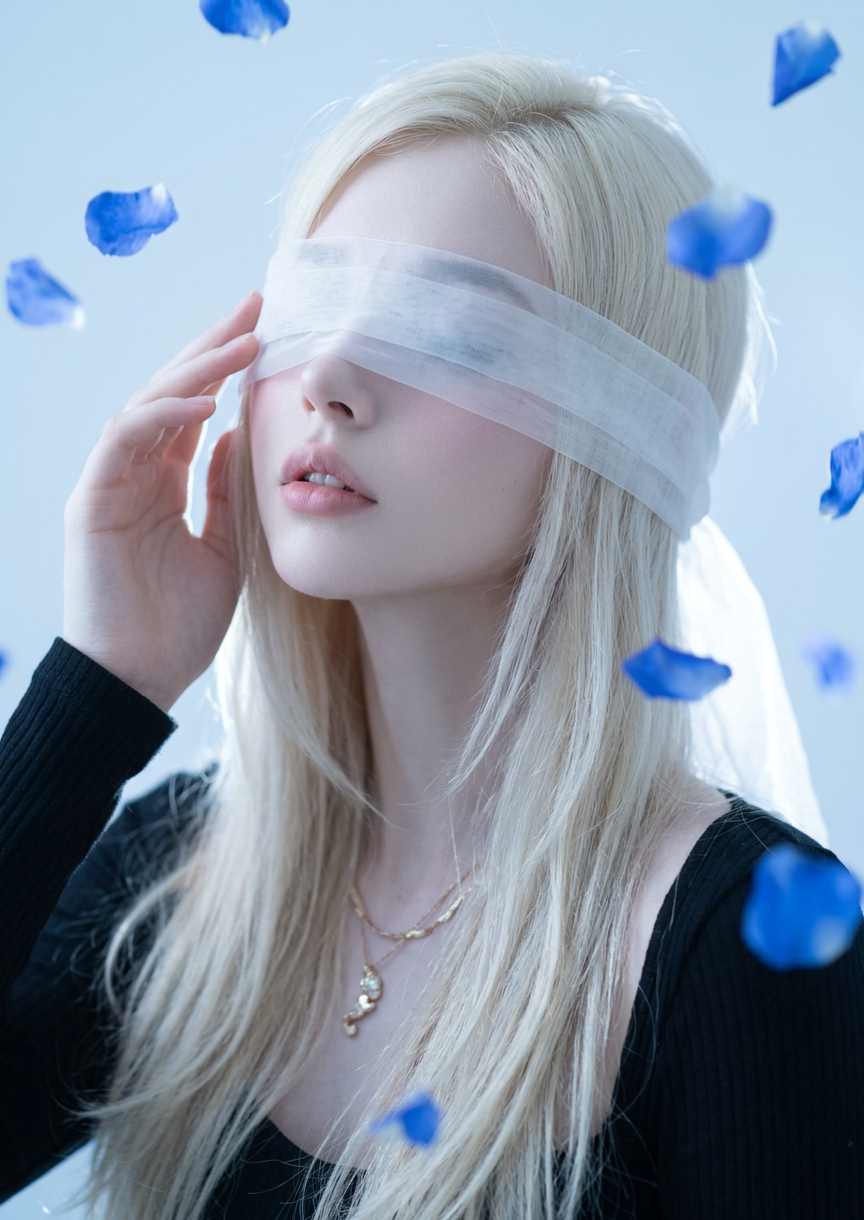
Blindfolded Serenity

Blindfolded Serenity

ai-image-editor

1 clip
5 uses

Any aspect ratio

Prompt

Close-up portrait of a subject with flowing white hair, blindfolded with translucent white fabric; head slightly tilted back, revealing a soft jawline and parted lips, one hand gently touching the blindfold; photorealistic artistic photography style with soft, ethereal lighting; cool light-blue background contrasted by vivid blue flower petals drifting through the scene; dark clothing frames the shoulders; delicate features, smooth skin, and a mood of quiet vulnerability, grace, and mystery.

AI Image Editor Template: Enhance, Fix, and Transform Any Image in Minutes

Use this template to quickly clean up, enhance, and creatively transform photos with the AI Image Editor. It’s designed for fast, practical workflows: removing objects, changing backgrounds, swapping elements, and upgrading image quality without manual Photoshop work.

This page explains:

  • What this template is for
  • Who it’s ideal for
  • How to remix it inside Magic Hour
  • How to chain it with other Magic Hour tools for full image → video → content pipelines

What this template does

This template is built on the AI Image Editor and is optimized for:

  • Removing distractions from photos (people, logos, power lines, clutter)
  • Replacing or refining backgrounds (studio-style, branded, cinematic, product-ready)
  • Face and portrait cleanup using tools like the AI Face Editor and AI Headshot Generator
  • Product photo upgrades for ecommerce, ads, and social media
  • Creative transformations for marketing campaigns, pitch decks, and social content
  • Preparing assets for downstream video, GIFs, and animations

Instead of starting from a blank canvas, this template gives you a pre-structured editing flow you can remix for your own use cases.


Who should use this template

This template is built for:

  • Marketers & performance teams
    Clean product shots, remove clutter, localize campaigns, and generate variants for A/B tests.

  • Startup builders & founders
    Turn rough photos into investor-ready pitch visuals, app-store imagery, and landing page assets.

  • Creators & influencers
    Upgrade thumbnails, social posts, channel art, and branded content using tools like the Thumbnail Maker and Album Cover Generator.

  • Designers & content teams
    Rapidly iterate concepts, comp scenes, and create client-ready imagery without opening heavy desktop tools.

If you need fast, high-quality image cleanup and transformation with minimal manual editing, this template is for you.


How to remix this template in Magic Hour

You can turn this template into your own reusable workflow inside Magic Hour in a few steps:

  1. Start from this template

    • Open the template in Magic Hour.
    • Upload your base image (portrait, product shot, illustration, etc.).
  2. Decide the primary edit goal
    Common patterns you can remix:

    • Object removal / cleanup
    • Background replacement or refinement
    • Face & portrait improvements
    • Brand or campaign-specific visual style
    • Preparation for video or animation
  3. Chain the right Magic Hour tools

    Here are practical “remix recipes” you can build on top of this template:

    A. Clean product photo → ad-ready creative

    B. Portrait / headshot upgrade

    C. Social content & thumbnails

    D. Concept art, covers, and brand visuals

  4. Save your remix as a reusable workflow

    • Once you’ve built a flow that works (e.g., “Product Photo Cleanup” or “Founder Headshots”), save it so your team can reuse it as a template for future images.

Recommended workflows that pair with this template

To turn a single edited image into a full content system, combine this template with:


Specific use cases and practical examples

1. Ecommerce product cleanup and localization

2. Professional headshots for teams

  • Start from casual or low-quality photos.
  • Clean, enhance, and standardize using this template plus AI Selfie Generator and AI Headshot Generator.
  • Use consistent backgrounds and framing for your website, pitch decks, and LinkedIn profiles.

3. Creators building brand-safe thumbnails and memes

4. Visual experiments and IP-safe creative work


Advanced editing use cases supported by this template

This template is compatible with a wide range of specialized Magic Hour tools:

All of these can be brought into the AI Image Editor flow that this template uses, allowing precise final control over each asset.


How to get the most out of this template

  • Think in systems, not single images
    Define a repeatable pipeline: e.g., “user photo → cleanup → headshot → talking avatar → short video”. This template is the cleanup and transformation layer in that system.

  • Standardize for your brand
    Use this template to normalize lighting, background, and framing across all your assets. That consistency improves brand perception and performance metrics in ads.

  • Leverage multi-modal workflows
    Combine this image-editing template with video (Image to Video, Video to Video), audio (AI Voice Generator, AI Voice Changer), and text (Text to Video) for fully automated content generation.


Start remixing this AI Image Editor template

Use this template as your base layer for:

  • Cleaning up and enhancing existing photos
  • Creating consistent, on-brand image assets at scale
  • Preparing visuals for video, animation, and multi-channel campaigns

Once you’ve customized it for your workflow, save your version and reuse it for every new project—so your team can ship higher-quality visuals in a fraction of the time.

More Like This

Insufficient credits