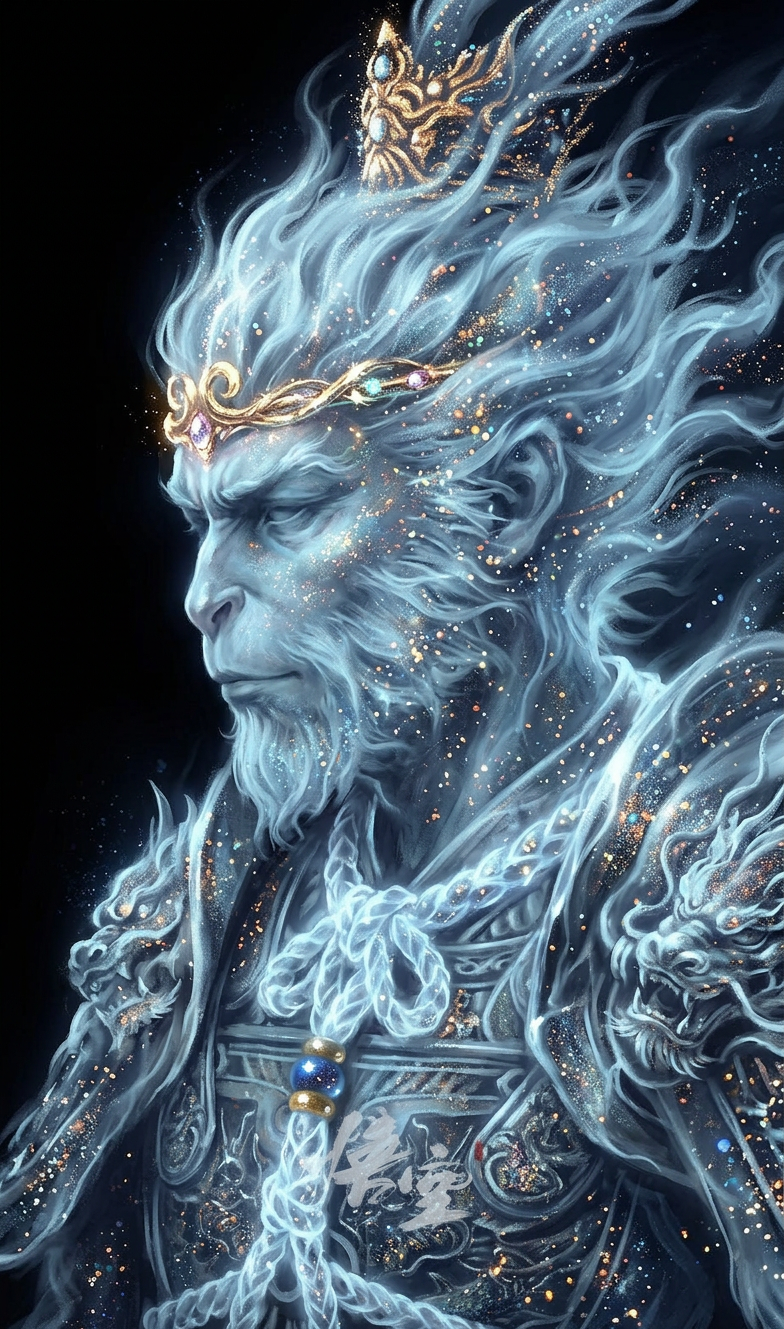
Ethereal Monkey King In Cosmic Light
Any aspect ratio
A majestic, ethereal portrait of Sun Wukong, the Monkey King, in profile, looking left. His form is rendered with flowing, luminous light blue and white energy, resembling smoke or clouds, emanating a soft glow. The art style is a blend of digital painting and impressionistic brushstrokes, with a cosmic, celestial feel. He wears a subtle, glowing golden circlet. The Monkey King's fur is made of shimmering particles and light, with a dense scattering of small, colorful, glitter-like specks in shades of gold, orange, blue, and white, creating a magical, sparkling effect. The background is a deep, dark black, emphasizing the luminosity of his form. The mood is mystical, powerful, and serene. Soft, ambient lighting highlights his features.
Overview
Dive into the realm of mythical artistry with the "Ethereal Monkey King in Cosmic Light" AI Image Editor template. This tool allows creators to bring to life a majestic portrayal of Sun Wukong, the legendary Monkey King, rendered in luminous, ethereal blue and white hues. The fusion of digital painting and impressionistic styles ensures a celestial aesthetic that enhances any creative project with its soft, mystical flair.
What It Does
This template leverages the power of the AI Image Editor to transform your vision into a vivid portrayal of the Monkey King using the advanced capabilities of the nano-banana-2 model. The template adapts your inputs to create a glowing illustration, capturing the magical and serene aura of the character, and emphasizing his features with soft, ambient lighting against a cosmic background.
Who It's For
Designed for digital artists, fantasy lovers, and creative professionals seeking to enhance their projects with an ethereal touch, this template suits anyone in need of distinctive, mythological visuals. Whether you're crafting digital art or enhancing marketing content, this tool provides the ideal blend of creativity and technology.
Summary
Enhance your artistic endeavors with the "Ethereal Monkey King in Cosmic Light" template. By choosing this unique AI Image Editor format, you gain access to a template that blends advanced AI modeling with creative flexibility. Perfect for adding mythical flair to any project, it stands out in the vast realm of image editing tools.
How to Use the Template
Choose Your Template

Customize Your Inputs

Generate Your Image

Use Cases
Digital Artwork Enhancement
- Add a mythical flair to digital paintings
- Enhance fantasy-themed illustrations
- Create visually striking concept art
Marketing and Promotions
- Use in fantasy-themed marketing campaigns
- Incorporate in product launches subtly highlighting mythical elements
Creative Projects and Portfolios
- Develop a series of themed artworks
- Support storytelling with cosmic backgrounds
Best Practices
Emphasize the Glow
To achieve the ethereal effect, focus on adjusting the brightness and contrast of the luminous elements to highlight the Monkey King's form.Use High-Quality Inputs
Start with high-resolution images to ensure your final output is sharp and detailed.Blend with Backgrounds
Integrate cosmic elements in the background for a cohesive appearance ensuring that the main subject stands out without overpowering the scene.