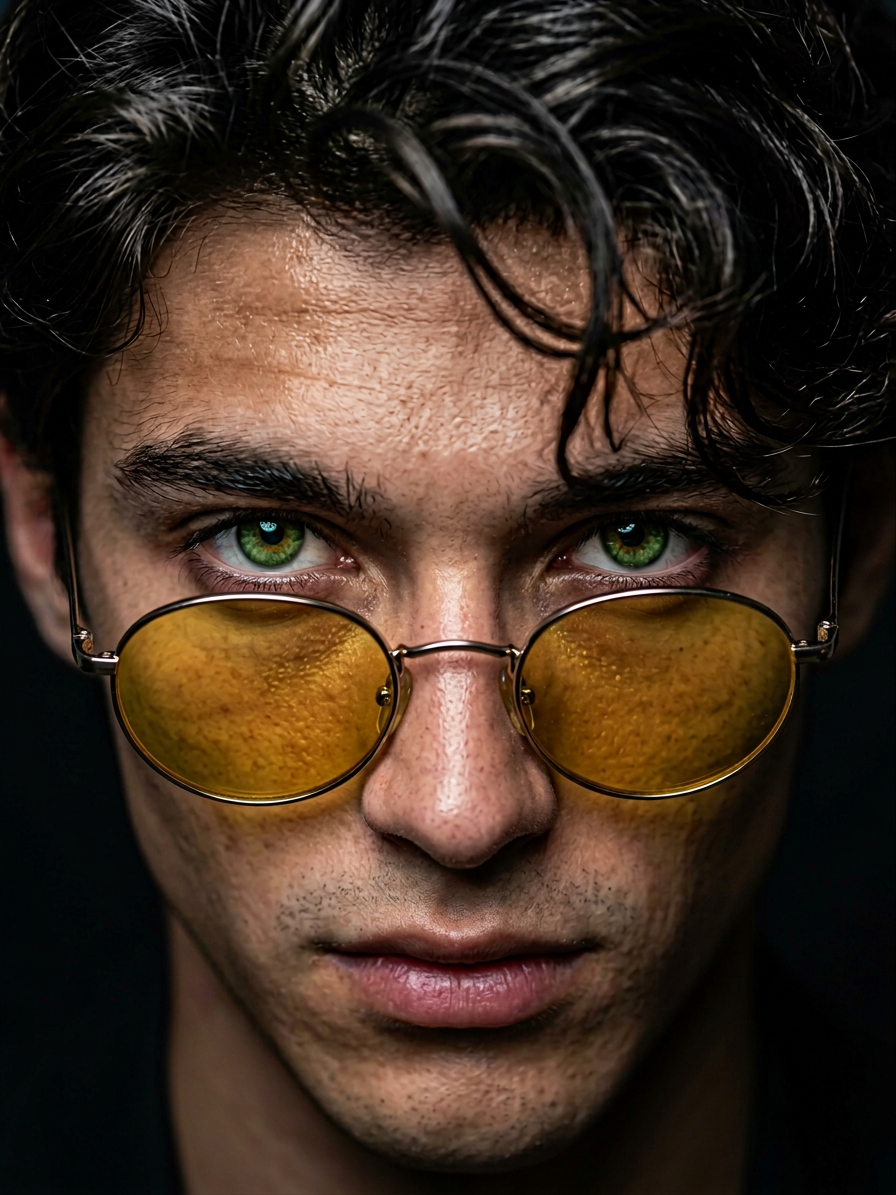
Chiaroscuro Gaze
Any aspect ratio
An extreme close-up portrait of a subject with the exact same face as the reference image, looking intensely over the rim of small round yellow-tinted metal sunglasses. The subject has piercing green eyes in sharp focus, making direct eye contact, with messy dark wavy hair falling onto the forehead. The yellow lenses cast a subtle warm glow on the upper cheeks. Background is dark and out of focus (bokeh) to isolate the face. Dramatic chiaroscuro lighting with strong contrast, a hard light source hitting the center of the face, highlighting skin texture, nose bridge, and forehead, with deep shadows on the sides. Shot with 85mm lens, f/1.8, shallow depth of field, photorealistic, Unreal Engine 5 render style.
Overview
The Chiaroscuro Gaze template, powered by the innovative Nano-Banana-2 model, is designed to transform any portrait into a masterpiece with dramatic lighting and intense focus. Emulating the chiaroscuro technique, this AI Image Editor enhances your images by manipulating light and shadow for an unparalleled photorealistic effect.
What It Does
The Chiaroscuro Gaze template creates striking portrait aesthetics using high contrast lighting and bokeh effects. It integrates advanced features of the AI Image Editor to focus light sharply at the center, highlighting textures and expressions while casting deep shadows for a three-dimensional effect. The result is a highly detailed photorealistic image resembling an Unreal Engine 5 render.
Who It's For
This template is perfect for photographers, artists, and digital content creators who seek to add a dramatic flair to their portraits. Whether you're a professional looking to enhance your portfolio or a hobbyist aiming to experiment with cutting-edge image editing tools, the Chiaroscuro Gaze is a versatile tool for achieving stunning visual storytelling.
Summary
With Chiaroscuro Gaze, elevate your portraits with cinematic lighting effects that bring focus and drama to your subjects. Easily achieve a sophisticated artistic style that highlights facial features and textures, perfect for both personal projects and professional work using AI Image Editor's advanced capabilities.
How To
Choose the Template

Customize Your Image

Generate and Export

Use Cases
Photography Portfolio Enhancement
- Increase depth and dimension
- Emphasize textures and expressions
Social Media Visuals
- Dramatically improve engagement
- Showcase unique personal style
Digital Art Projects
- Enhance realism in character renders
- Generate mood and atmosphere
Best Practices
Choose Suitable Images
Select high-quality portraits with clear facial features and contrasting elements to best utilize the chiaroscuro effect.Experiment with Shadows
Modify shadow intensity settings to highlight different parts of the subject's face for a more personalized effect.Use in Conjunction With Other Tools
Combine with other AI Image Editor tools to refine and balance lighting dynamics for cohesive visual outputs.