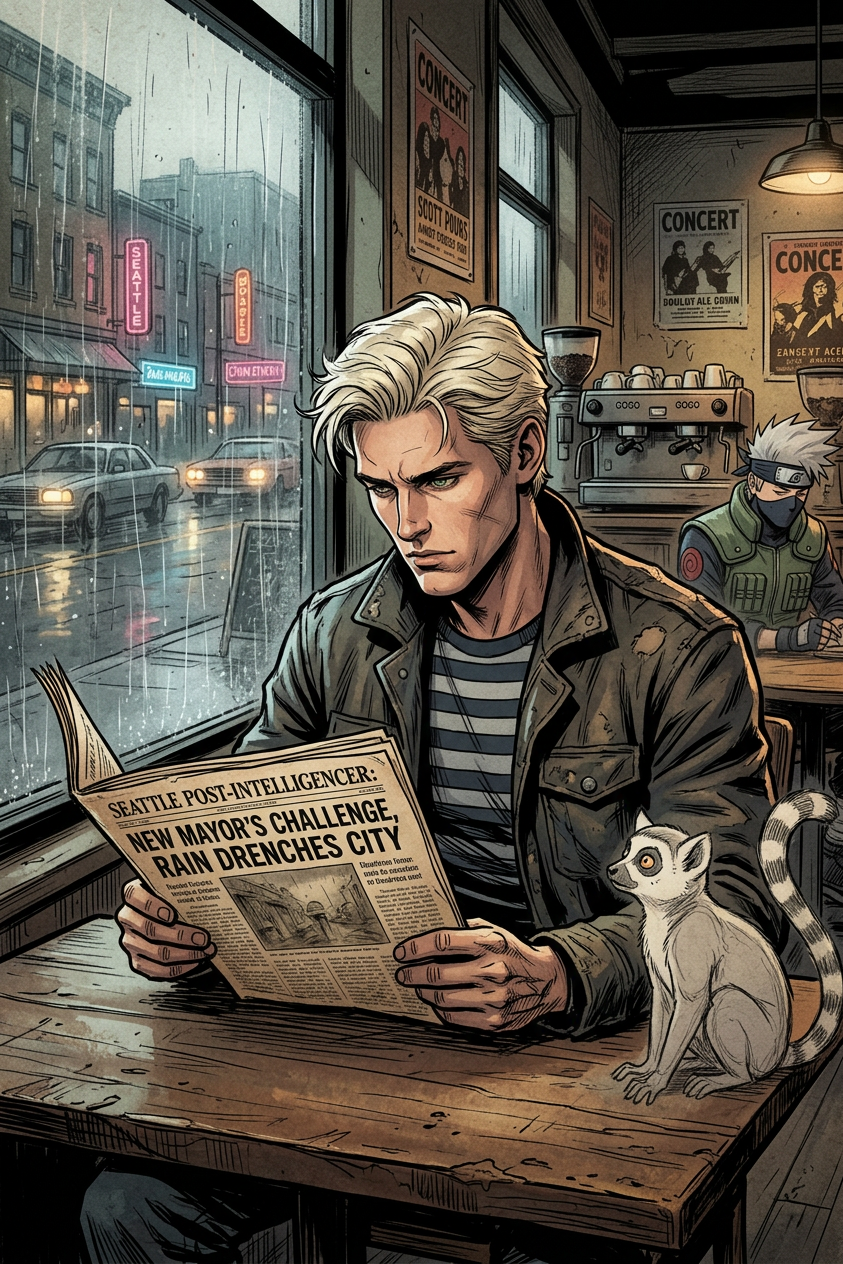
Seattle Comic Sketch Café

Seattle Comic Sketch Café

ai-image-editor

1 clip
1 uses

Any aspect ratio

Prompt

Candid 2006-style scene inside a Seattle coffee shop showing a subject in a striped shirt reading a newspaper at a worn wooden table, with rain streaks on the window obscuring the street outside. Comic book style (Marvel/DC-inspired) with strong bold linework and clear shading, combined with pencil sketch cartoon texture for a rough hand-drawn feel. Behind the subject, a faint stylized Naruto-inspired figure appears in the background as part of the comic composition. Moody rainy atmosphere, dramatic contrast, slightly gritty paper texture, cinematic framing, hybrid illustration style mixing sketch and inked comic art.

Tags

styles

Design Product Mockups with AI (Template)

Turn rough ideas into polished product mockups in minutes. This template uses Magic Hour’s AI Image Editor to help you quickly iterate on packaging, UI, branding concepts, and marketing visuals—without needing a designer or complex tools.


What this template is for

Use this template to:

  • Test multiple visual directions for a new product or feature
  • Drop your design onto realistic scenes (devices, packaging, posters, billboards, merch, etc.)
  • Clean up and refine early design explorations for stakeholder reviews
  • Generate on-brand visuals for pitch decks, landing pages, emails, and ads
  • Create variants for A/B tests (colors, layouts, typography, backgrounds)

It’s especially useful for:

  • SaaS and app mockups (mobile, desktop, web UI)
  • Consumer product packaging (CPG, DTC, cosmetics, food & beverage)
  • Brand collateral (social posts, ads, out-of-home, trade show materials)
  • E‑commerce listing images and hero shots

How to remix this template in Magic Hour

You can build your own version of this template by starting with any image (wireframe, sketch, screenshot, or photo) and refining it in the AI Image Editor:

  1. Import a base image

    • Use an existing product photo, Figma export, UI screenshot, or even a quick phone photo of a sketch.
    • Square, vertical, or horizontal images all work; choose what best matches your intended use (ad, landing page hero, app store listing, etc.).
  2. Define the concept clearly in text

    • Write a concise description of the mockup you want (e.g., “Minimalist SaaS dashboard on a laptop on a founder’s desk,” “Matte black skincare bottle on concrete with soft lighting”).
    • Include key attributes: industry, target audience, aesthetic (minimal, playful, premium), and context (website hero, Instagram ad, investor deck).
  3. Edit locally or globally

    • Use the editor to transform the whole image (overall style, environment, lighting) or specific regions (logos, labels, screens, text, background elements).
    • You can iteratively refine: remove distractions, adjust layout, change colors, or enhance realism.
  4. Keep key structure, change the styling

    • Preserve layout and composition, but explore different looks:
      • Brand colors vs. neutral
      • Light vs. dark mode
      • Clean studio renders vs. lifestyle photography
    • This is ideal for internal reviews and marketing experiments.
  5. Export and reuse across channels

    • Download the final mockups and reuse them in decks, ads, landing pages, and social.
    • If needed, upscale them using the AI Image Upscaler for print or high-resolution campaigns.

Practical tips for strong product mockups

To get mockups that look credible and ready for production:

  • Reference real-world patterns

    • For UI: think in terms of known design systems and SaaS dashboards (widgets, charts, navigation, clear hierarchy).
    • For packaging: consider standard packaging formats in your category (bottles, boxes, pouches, labels).
  • Control the visual hierarchy

    • Emphasize the primary call-to-action (e.g., “Start free trial,” key metric, brand name).
    • De-emphasize secondary details (fine print, microcopy) unless they’re central to your concept.
  • Match your brand positioning

    • B2B SaaS: clean, minimal, high-contrast, lots of whitespace.
    • Consumer lifestyle: warm lighting, real-world environments, props that signal use cases.
    • Premium: controlled color palette, subtle textures, low noise, consistent shadows.
  • Think multi-channel from the start

    • Generate variants in different aspect ratios for:
      • Website hero sections
      • Social feeds and Stories
      • Presentation slides
      • App store listings and promo banners

Example use cases

Here are a few real-world ways teams use this kind of template:

  • Startup founders

    • Create believable product visuals before full implementation, for investor decks or early landing pages.
    • Quickly test three to five visual directions without committing design resources.
  • Marketing and growth teams

    • Generate image variants for A/B tests across ads and email campaigns.
    • Produce channel-specific creatives faster than working through a full design cycle.
  • Product and UX teams

    • Visualize future features, layouts, or “vision” concepts for roadmap discussions.
    • Align cross-functional teams around a shared visual narrative.

Pair this template with other Magic Hour tools

You can extend this template into richer campaigns and assets with other Magic Hour products:

If you’re working with video-first content, you can also explore templates for Face Swap Video, Lip Sync, Video to Video, and Animation to build full creative flows around your product visuals.


Why use AI Image Editor for mockups?

Traditional mockup workflows rely on stock photos, manual Photoshop work, or waiting on design resources. With AI Image Editor, you can:

  • Rapidly iterate through dozens of visual directions
  • Align stakeholders around a shared visual concept earlier in the process
  • Reduce dependency on stock assets that don’t fit your brand
  • Keep a single source file and evolve it as your product and branding change

For product-led teams, this template offers a fast, repeatable way to go from idea → visual → asset, entirely inside Magic Hour.

More Like This

Insufficient credits