Pop Art Sky Hero
ai-image-editor
Any aspect ratio
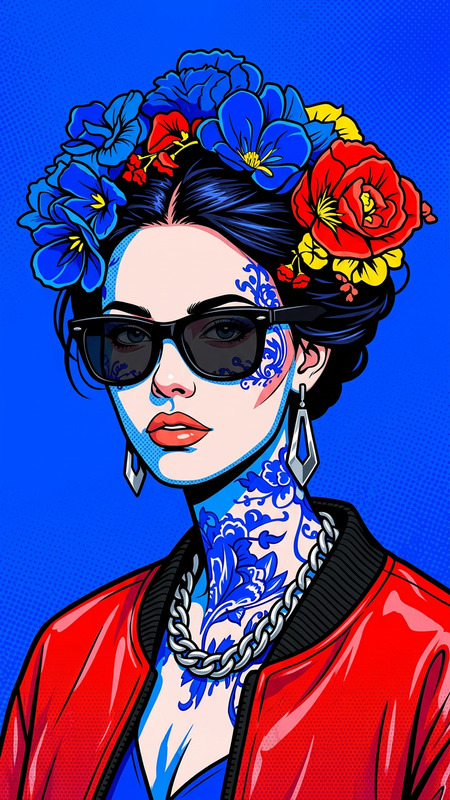
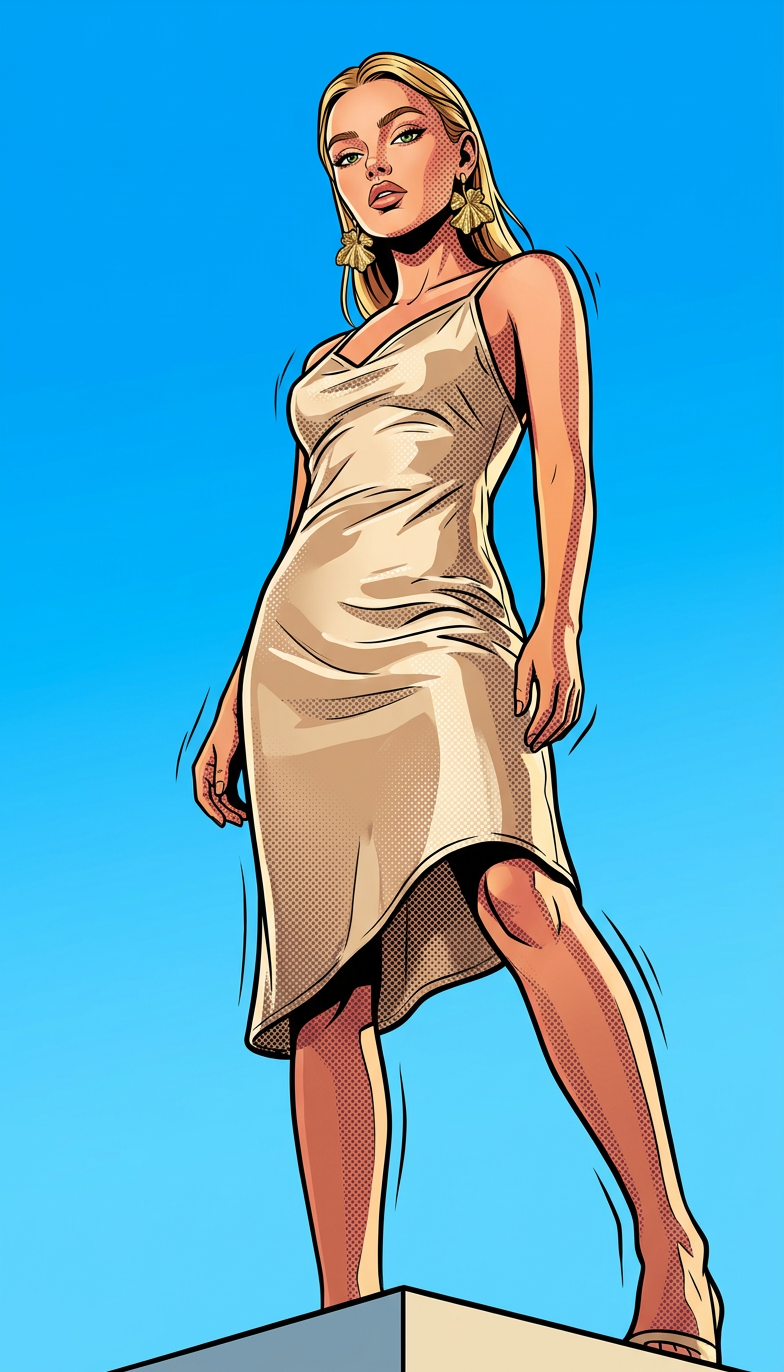
Subject in an extreme low-angle full-body shot (cropped upper thigh), standing confidently with subtle weight shift and one leg slightly bent. Set outdoors under a vast, perfectly clear cerulean blue sky with no clouds, creating a bold graphic backdrop. Stylized in vibrant pop art animation style with bold outlines, halftone textures, and saturated colors. Ultra-wide cinematic perspective exaggerating scale and presence, dynamic comic-book energy, high contrast lighting, clean minimal environment, empowering heroic mood.
Tags
stylesAI Image Editor Template: Smart, Precise Visual Editing in Your Browser
Use this template to turn any image into a polished, on-brand asset using Magic Hour’s AI Image Editor. It’s designed for creators, marketers, founders, and technical teams who need fast, repeatable edits that still look human-made—not generic AI.
What this template is best for
This AI Image Editor–based template is ideal when you need to:
- Clean up or refine product shots (e-commerce, SaaS UI mockups, marketing visuals)
- Remove distracting objects or fix backgrounds using tools like the AI Remover and Image Background Remover
- Generate multiple creative variations of a single asset for A/B tests or campaigns
- Localize visuals (language, culture, context) without rebuilding from scratch
- Quickly produce social, ad, or landing-page images that stay on brand
- Turn rough concepts into production-ready visuals before handing off to design
Because it’s built on top of the AI Image Editor, this template is especially useful when you want fine-grained control over the existing image rather than generating something random from scratch.
How to remix this template in Magic Hour
You can use this template as-is, or treat it as a starting point for your own editing workflow. To create your own version:
Open the AI Image Editor
Go to the AI Image Editor. Upload the base image you want to work with (product photo, portrait, UI screenshot, illustration, etc.).Define your “edit intent” clearly
Before you start, decide what this template should always do. For example:- “Clean, minimal e-commerce product photos on white or light neutral backgrounds”
- “Professional SaaS UI mockups for landing pages”
- “Natural, flattering portraits that keep identity consistent”
This clear intent is what makes your remix reusable and predictable.
Apply your core edit operations
Use the editor to perform the steps you want the template to standardize, such as:- Background cleanup and replacement using AI Background Generator or Image Background Remover
- Object removal and cleanup with Remove Object from Photo or AI Remover
- Face or body refinement with AI Face Editor, AI Face Generator, or Full-Body Generator
- Detail enhancement via the AI Image Upscaler or Unblur Image
- Style unification by pairing with AI Art Generator, AI Illustration Generator, or AI Manga Generator to nudge everything toward a consistent visual language
Document your use case “contract”
In your own version of this template, add short guidance for your team about:- What types of input images this template expects (e.g., “single subject, center-framed, reasonable lighting”)
- What the output should look like (“ready for high-converting product pages”, “LinkedIn-ready headshot”, “app-store-quality icon,” etc.)
- When not to use the template (e.g., low-res group photos, screenshots with complex overlays)
Save and reuse across your workflow
Once you’re happy with the behavior, keep using this template as your default entry point for similar tasks. You can chain it with:- AI Image Generator or AI Photo Generator to create the initial asset
- Image-to-Video or Text-to-Video to animate the final result
- Thumbnail Maker for YouTube or social previews
- AI Meme Generator when you want on-brand, fast-turnaround meme content derived from the same base images
Example workflows using this template
1. Performance marketing creatives
- Start with a clean product or lifestyle shot.
- Use this template to:
- Remove clutter, adjust background, and enhance clarity.
- Generate 3–5 slightly different crops / angles / contexts.
- Output variations for:
- Ad thumbnails via Thumbnail Maker
- Social variations with AI GIF Generator or AI Meme Generator
- Optionally convert winners into short motion spots using Image-to-Video.
2. Founder / team headshots at scale
- Start from candid photos or basic portraits.
- Use the template plus:
- AI Headshot Generator to standardize composition and lighting
- Photo Colorizer and Old Photo Restoration if you’re working with legacy photos
- Output: consistent, professional headshots for decks, landing pages, and press kits.
3. Productized design systems
- Define one or more “brand styles” using AI Art Generator, AI Logo Generator, and AI Icon Generator.
- Use this AI Image Editor template to apply that style to:
- Interface mockups
- Marketing visuals
- Social campaigns and pitch deck slides
- This lets non-designers keep assets visually aligned with your design system.
Connecting with other Magic Hour templates
This AI Image Editor template plays well with Magic Hour’s video and animation templates when you want to go beyond static images:
- Turn your edited portraits into talking clips with AI Talking Photo, then sync with the Lip Sync template.
- Use this template to prep clean character or avatar images, then animate them using:
- Animation template
- Animated Characters Generator
- AI Anime Generator or Disney AI Generator for stylized looks
- For creators running face-based content workflows, pair with:
- Face Swap, Face Swap Video template, or Face Swap GIF
- Gender Swap and AI Clothes Changer
- AI Voice Generator or AI Voice Cloner to complete the character
Practical tips for better results
- Start with the highest quality image you have. If your input is low-res or blurry, run it through the AI Image Upscaler or Unblur Image first.
- Keep subject structure intact when it matters. For photography, portraits, or product shots, aim to preserve the original composition; use this template to refine, not to entirely reinvent.
- Be consistent with context. If this template is “for e-commerce,” avoid feeding it images with wildly different styles (e.g., complex illustrations, screenshots) unless you’re explicitly testing an edge case.
- Chain tools intentionally. Common high-performing chain:
- Generate → Edit → Enhance → Animate
- Example: AI Photo Generator → AI Image Editor Template → AI Image Upscaler → Image-to-Video or Video-to-Video template
Who uses this kind of template effectively
- Growth and performance marketers: standardizing ad creatives, landing hero images, social promos.
- Startup founders and operators: quickly turning rough ideas into investor-ready visuals and pitch collateral.
- Content creators and YouTubers: thumbnails, channel art, and short-form visuals, often in combination with Thumbnail Maker and AI GIF Generator.
- Product teams and designers: rapid iteration on UI mockups and marketing visuals, using AI as a “fast first draft” layer over which they can then iterate.
Where to go next
- For image creation from scratch, try AI Image Generator or AI Art Generator, then refine with this template.
- To turn your edited images into motion, explore:
- To build full characters or personas around your edited images, combine with:
Use this AI Image Editor template as your reusable “editing brain” inside Magic Hour—then keep remixing it as your brand, product, and creative strategies evolve.