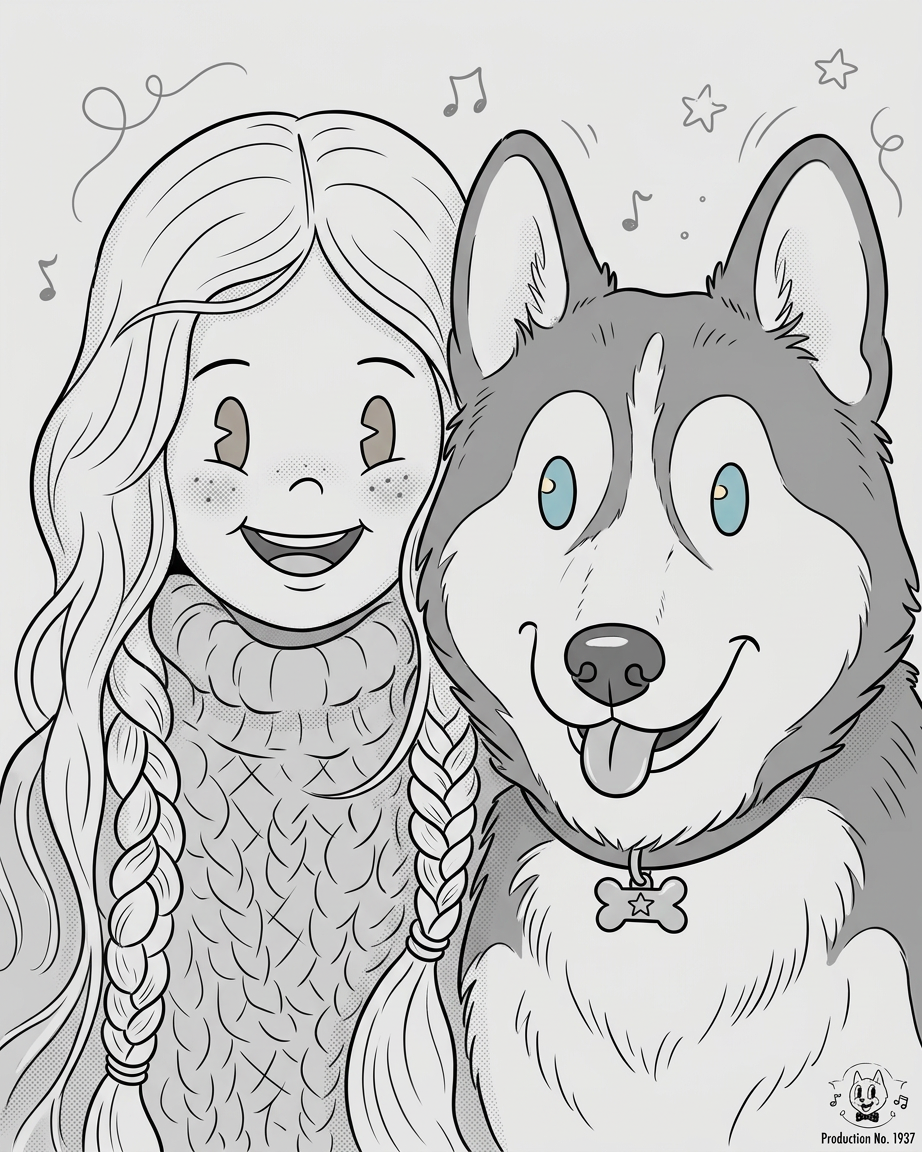
Vintage Rubber Hose Whimsy
Any aspect ratio
Subject and background transform into a cute black-and-white vintage rubber hose cartoon scene. Subject becomes a cheerful character with simple oval eyes, smiling face, blushing cheeks, and playful expression, with soft bouncy proportions and flexible limbs. Minimal background with subtle elements, clean line art, soft shading, grayscale tones. 1930s animation aesthetic, whimsical and charming mood, smooth hand-drawn cartoon feel, ultra clean and highly detailed vintage style.
Tags
stylesOverview
Transform your imagery into captivating black-and-white animations with the Vintage Rubber Hose Whimsy AI template. This AI Image Editor brings the playful essence of 1930s cartoons to life, perfectly capturing whimsical and charming moods. Ideal for creators looking to inject a sense of nostalgia and charm into their content.
What It Does
The template transforms subjects and backgrounds into cute, vintage-style cartoons, featuring cheerful characters with exaggerated expressions and flexible limbs typical of classic rubber hose animation. Leveraging the nano-banana-2 model, this template maintains an ultra-clean, highly detailed style with soft shading and clean line art, ideal for projects styled in a 1930s animation aesthetic.
Who It's For
Whether you're an animator, content creator, or social media influencer, the Vintage Rubber Hose Whimsy template is perfect for those looking to add a nostalgic flair to their images. It's an excellent choice for projects in educational content, entertainment, or personalized profile pictures with a fun twist.
Summary
With the Vintage Rubber Hose Whimsy template, you can easily create delightful animations that evoke the charm of early cartoons. This tool allows you to transform any subject into a loveable character set against minimalistic backgrounds, making it ideal for storytellers and educators aiming to engage their audience through unique visual styles. Explore other innovative styles in the AI Image Generator offerings to diversify your creative projects.
How-To
Choose Your Template

Customize Your Scene

Generate and Download

Use Cases
Social Media Content
- Instagram stories with a nostalgic twist
- Unique TikTok video covers
Education and Training
- History or art lessons with cartoon illustrations
- Training materials with entertaining graphics
Children's Entertainment
- Digital storybooks illustrations
- Animation sequences for kids' shows
Marketing Campaigns
- Promotional videos with vintage flair
- Ads for retro-themed products
Best Practices
Matching Aesthetic
Ensure the original image composition aligns with the vintage style by avoiding overly modern elements or cluttered backgrounds.Consistent Expression
For best results, match the character's expression with the playful and cheerful mood outlined in the template prompt.Use in Series
Consider creating a series of images or animations with consistent themes to strengthen your visual storytelling. Explore tools like Audio to Video to add soundtracks to your animations.