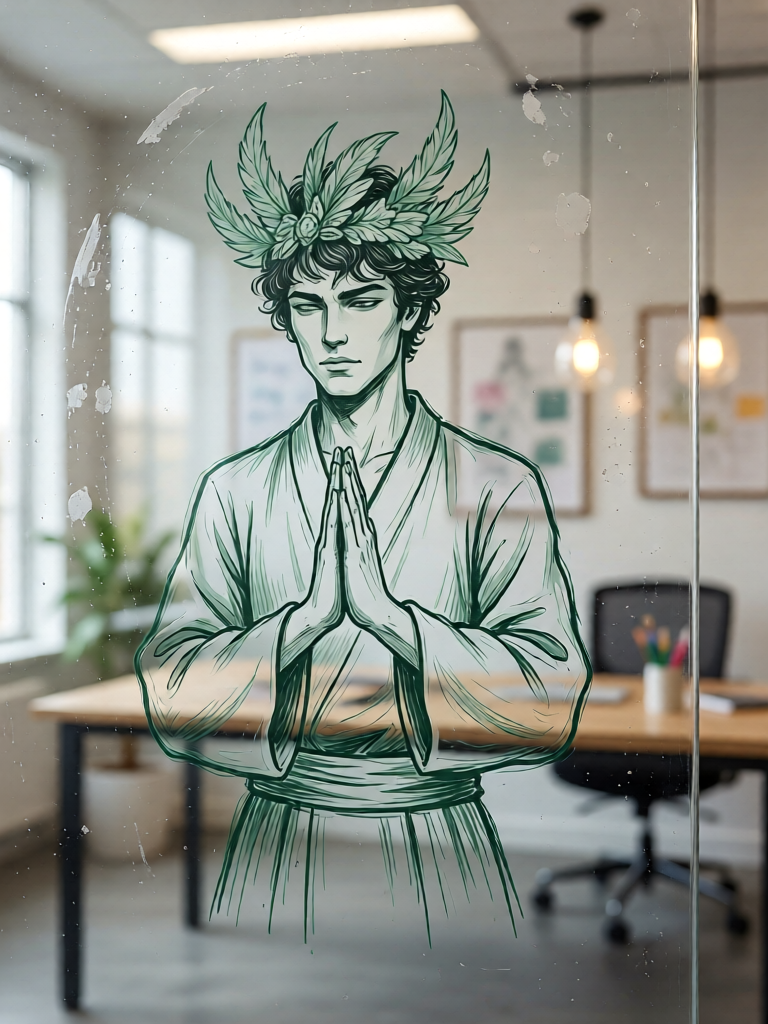
Green Marker Glass Sketch
ai-image-editor
Any aspect ratio
Create a photo-realistic scene of a glass whiteboard with a hand-drawn illustration in slightly faded green marker. The drawing shows a wandering samurai-inspired warrior in a calm praying pose. The sketch should look like rough concept art with visible marker strokes, light smudging, and natural imperfections. Capture reflections on the glass surface, soft indoor lighting, and a minimal modern workspace background. The overall aesthetic should feel like an artist’s quick conceptual study.
Cinematic AI Portrait Transform (Magic Hour Template)
Turn any photo into a high-end, cinematic portrait in seconds using the Magic Hour AI Image Editor. This template is built to give you film-grade color, lighting, and styling without manual retouching or Photoshop skills.
What this template does
This template uses AI to:
- Transform a basic headshot or selfie into a dramatic, cinematic portrait
- Refine lighting, contrast, and mood for a “movie still” look
- Enhance facial details while keeping your identity recognizable
- Add subtle depth, atmosphere, and polish for professional use
It’s ideal for:
- Creators and influencers who need consistent, on-brand visuals
- Founders and marketers refreshing profile photos, landing pages, or pitch decks
- Production teams mocking up key art, posters, or thumbnails fast
- Anyone upgrading casual photos into polished, cinematic portraits
If you’ve used tools like Midjourney, DALL·E, or Lightroom presets, this template gives you a focused, “ready-to-use” workflow for cinematic portraits without prompt engineering or manual grading.
How to remix this template in Magic Hour
You can use this template as-is or turn it into your own reusable workflow. To create your own version inside Magic Hour:
Open AI Image Editor
Go to the AI Image Editor. This is the core product behind this template and supports:- Style transfer and visual restyling
- Local and global edits
- Non-destructive experimentation (you can duplicate and iterate on designs)
Upload a base portrait
For best results:- Use a clear, well-lit photo with your face fully visible
- Avoid heavy filters, extreme compression, or very low resolution
- Make sure the subject is the primary focus (minimal clutter in the background)
Apply the cinematic look
Use the Image Editor to:- Shift the overall mood (e.g., warm “golden hour” or cool “neo-noir”)
- Refine skin, sharpness, and contrast
- Add visual depth with subtle vignettes, atmosphere, and focus control
Since Magic Hour is prompt-friendly across products, you can also combine the editor with detailed prompts inspired by:
- “cinematic portrait photography”
- “Rembrandt lighting”
- “35mm film still, shallow depth of field”
- “Hollywood key art photography, dramatic lighting”
Save as your own template for reuse
Once you’ve dialed in a look you like:- Save or duplicate the output and use it as a reference image for future edits
- Re-apply the same style to new photos so your brand or channel stays visually consistent
- Create multiple variants (e.g., warm, cool, high-contrast, muted) for different campaigns
Extend it into motion or other formats
After you’ve created your cinematic still, you can push it further with other Magic Hour tools:- Turn portraits into short video clips with Image to Video
- Animate a talking version of your cinematic headshot with AI Talking Photo
- Build full characters and storyboards with the AI Character Generator and Comic Book Generator
Advanced use cases for creators, teams, and startups
1. Branded founder / team portraits
- Use this template to create a consistent cinematic style for all team members
- Combine with the AI Headshot Generator to quickly produce professional-grade images from casual photos
- Upscale final portraits with the AI Image Upscaler for pitch decks, PR, and conference materials
2. Thumbnails, ads, and landing pages
- Feed your cinematic portraits into the Thumbnail Maker for high-impact YouTube or course thumbnails
- Pair with the AI Art Generator to design backgrounds and scenes that match your brand
- Use the Image Background Remover to isolate portraits and place them into ad creatives or product visuals
3. Characters and narrative content
- Combine cinematic portraits with the Animated Characters Generator to prototype film, game, or comic characters
- Use the AI Manga Generator or AI Anime Generator to reinterpret the same subject in different visual universes
- For fantasy, gaming, and TTRPG teams, integrate with the Fantasy Map Generator or DnD AI Art Generator to visualize entire worlds around your characters
4. Social, personal branding & content stacks
From a single portrait, you can spin out a whole content stack:
- Cinematic profile picture with this Image Editor template
- A dynamic avatar with the Avatar Generator
- Branded social banners using the AI Background Generator
- Short vertical clips using Image to Video
- Clips with auto-captioning via the Auto Subtitle Generator
Pairing this template with other Magic Hour products
To build more complex pipelines around your cinematic portraits, consider chaining:
Face & identity tools
- AI Face Editor for fine-grained facial adjustments
- AI Face Generator or AI Face Editor to explore alternate looks while keeping identity in-range
- Gender Swap for exploratory or creative concepts
Style & fashion
- AI Outfit Generator or AI Clothes Changer to test different wardrobes on the same cinematic pose
- AI Fashion Generator to build full lookbooks around your portrait style
Story-first assets
- Book Cover Generator for authors or newsletter writers who want cinematic covers featuring themselves or their characters
- Album Cover Generator to adapt the same cinematic style to music or podcast branding
- AI Meme Generator if you want a more playful take on your cinematic shots
Motion & voice
- Text to Video and Image to Video to move from still portraits to stylized motion
- AI Voice Generator or AI Voice Cloner to match visuals with synthetic narration
- AI Voice Changer for experimental, character-driven content
Quality, restoration, and production-readiness
If you’re working with older or lower-quality source images, you can improve them before applying this cinematic template:
- Recover and enhance legacy or scanned photos with Old Photo Restoration and Photo Colorizer
- Deblur and sharpen with Unblur Image and AI Image Upscaler
- Clean up distractions using AI Remover or Remove Object from Photo
- Remove unwanted watermarks from your own assets with the Watermark Remover
These steps are especially useful if you’re preparing founder portraits, investor decks, conference bios, or press kits where clarity and consistency matter.
How this template compares to other workflows
Traditional cinematic portrait workflows often involve:
- Manual lighting setups (key, fill, rim lights)
- Dedicated color grading in tools like Lightroom, Capture One, or Resolve
- Retouching (skin, eyes, micro-contrast) by hand or via Photoshop actions/presets
This template compresses much of that into an AI-first workflow inside the AI Image Editor, giving you:
- Repeatable results — you can reapply the same “look” to new photos
- Fast iteration — duplicate, compare, and refine multiple visual directions
- Compatibility — outputs play well with Magic Hour’s broader ecosystem (video, avatars, covers, memes, etc.)
Example remix ideas
To get the most value from this template, you can:
Build a “studio look” for your brand
- Create one master cinematic style for your face
- Apply it across headshots, thumbnails, course previews, and landing pages
Create character boards
- Use this template plus the AI Character Generator and AI Art Generator
- Generate cinematic portraits for each character, then extend them into concept art, scenes, and covers
Design experimental or stylized series
- Explore dark fantasy portraits with the Dark Fantasy AI
- Turn portraits into stylized graffiti with the Graffiti Generator
- Create surreal or optical-illusion-style poster art via the Optical Illusion Generator
Related Magic Hour templates and tools to explore next
If you like this cinematic portrait template, you may also want to try:
- Face Swap Video Template – drop your cinematic face into existing footage
- Lip Sync Template – make your cinematic portrait “perform” to any audio
- Video to Video Template – restyle an entire clip to match your cinematic look
- Animation Template – animate scenes and characters with coherent motion and style
Getting started in under 5 minutes
- Open the AI Image Editor
- Upload a clear portrait or selfie
- Apply a cinematic style, refine mood and detail
- Save your result as a reusable visual reference for future edits
- Chain into other Magic Hour tools (Image to Video, AI Talking Photo, Thumbnail Maker, etc.) to build out full campaigns
This template is designed to give creators, marketers, and builders a production-ready starting point: fast to use, easy to remix, and powerful enough to anchor a consistent visual identity across your entire content ecosystem.