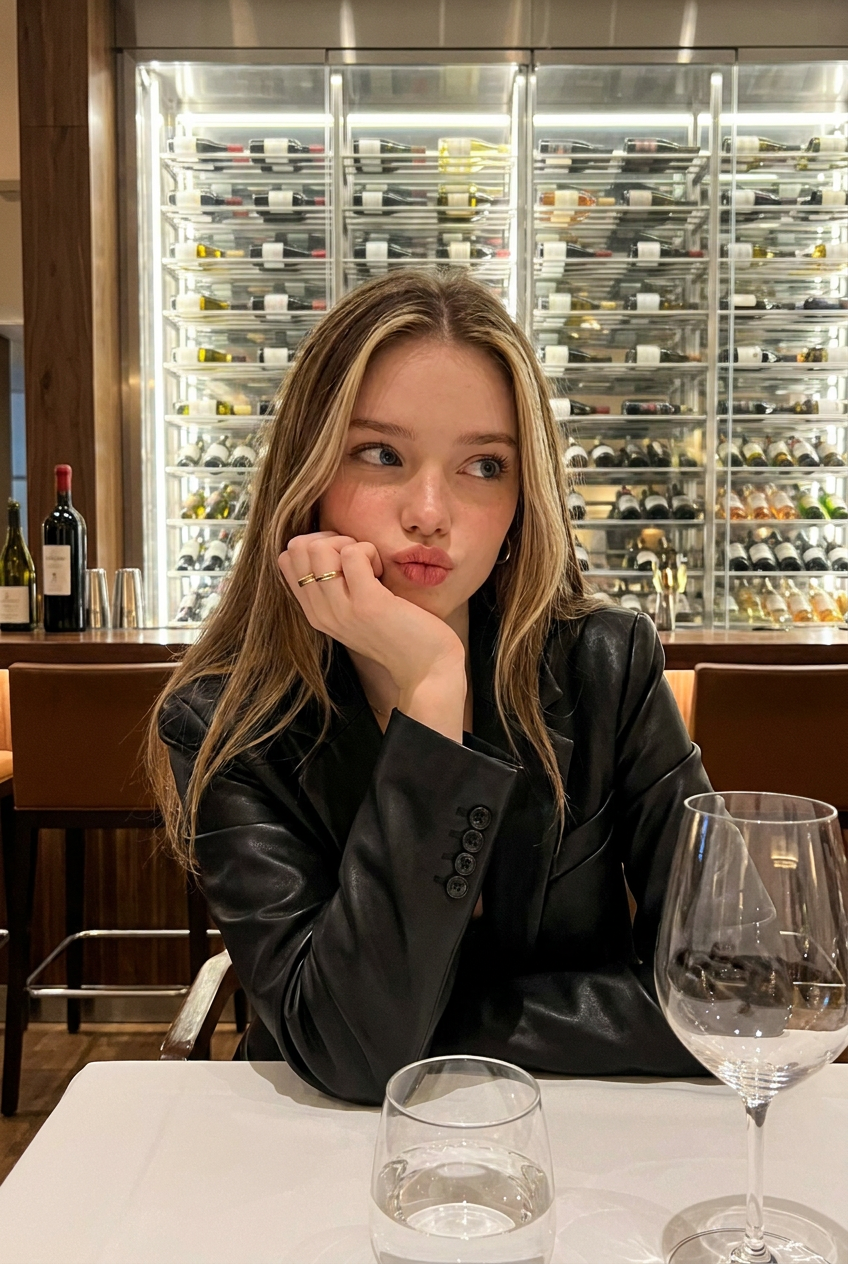
Wine Night
Any aspect ratio
In a realistic and casual cell phone photo, a young woman with long, blonde-streaked hair sits at a bar table. She wears a black leather blazer, her right hand supporting her chin, a simple gold ring adorning her finger. She pouts playfully, her gaze drifting to the side. In the foreground, a water glass and a large wine glass sit on a white tablecloth. The background features a brightly lit, modern wine rack filled with various types of wine. The interior lighting is warm and comfortable.
Tags
stylesOverview
The "Wine Night" template, built on the advanced nano-banana-pro model, offers an immersive AI Image Editor experience. Featuring a young woman in a stylish setting, it allows creative modification of realistic images captured in casual environments. Enhance or alter style aspects with unmatched precision.
What It Does
This template empowers users to transform images by modifying elements of style and composition. With a focus on realism, it allows users to adjust hair color, clothing, jewelry, and more. The template maintains a high level of image authenticity, tailored for lifestyle or fashion projects.
Who It's For
The "Wine Night" template is ideal for content creators, fashion bloggers, and marketers aiming to enhance lifestyle imagery. It's equally beneficial for agencies crafting personalized AI Ad Creative content or social media influencers wanting high-quality visual narratives.
Summary
Used within the AI Image Editor, "Wine Night" is perfect for refining and altering photographic details with professional quality. Capture the essence of a relaxed yet stylish night out, and adjust elements as needed for various applications.
How To
Choose

Customize

Generate

Use Cases
Fashion Content Creation
- Alter outfit styles
- Refine color schemes
Social Media Marketing
- Stylize images for brand consistency
- Highlight products in lifestyle settings
Advertising
- Tailor images for specific ad demographics
- Customize product placement
Best Practices
Focus on Realism
Ensure modifications retain a natural look to maintain the image's authenticity.Consider Composition
Balance elements within the image to enhance visual storytelling.Experiment with Styles
Explore different fashion elements to see what fits best with your brand or message.