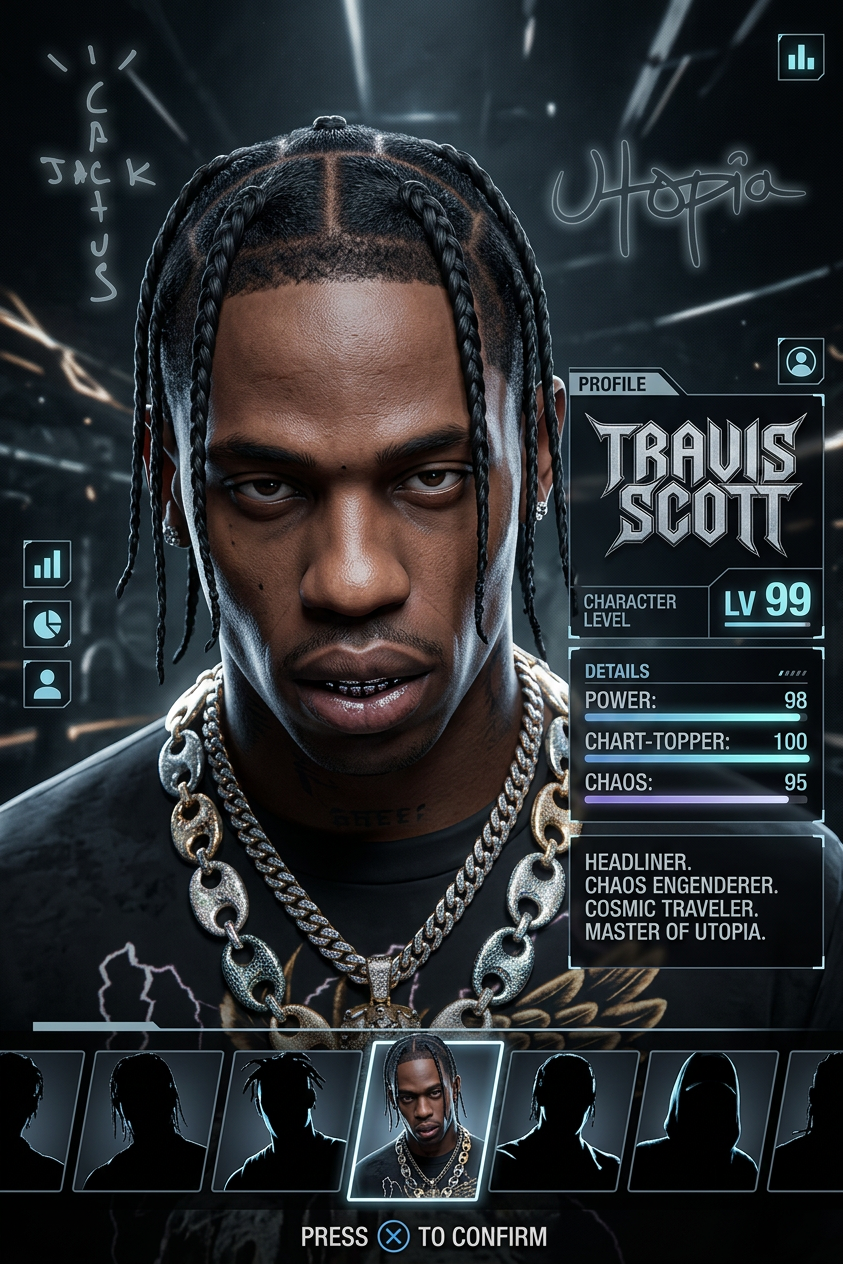
Video-game character
Any aspect ratio
Make Travis Scott as a video-game character select portrait.”
Overview
Turn your favorite personalities into compelling video-game characters with our AI Image Editor template designed for unique artistic creations. Leveraging the power of the AI Image Editor, this tool uses the nano-banana-2 model to convert real-life images into stylized portrait art. Ideal for digital artists and game developers looking to enhance their creative projects.
What It Does
This template transforms images, like Travis Scott's portrait, into stylized video-game character concepts. By integrating advanced AI algorithms, it captures unique facial features and expressions, turning them into artistic renderings suitable for digital artwork or concept development. You can further enhance and manipulate these images with add-ons like the AI Face Editor to refine specific details.
Who It's For
This tool is crafted for game developers, digital artists, and content creators looking to expand their design portfolio. Whether you are creating assets for a new game, designing promotional materials, or experimenting with new aesthetics, the template simplifies the process of creating vivid, engaging characters. Integrating with tools like the AI Image Generator enhances your ability to consistently produce high-quality designs.
Summary
Our Video-game Character template offers a straightforward approach to character design. Transform real-life icons into video-game style art using the AI Image Editor, perfect for developers and artists aiming to elevate their creative output. Discover new styles and expressions quickly, enhancing both professional projects and personal art.
How-To
Choose the template

Customize your input

Generate your artwork

Use Cases
Game Development
- Add distinctive visuals to your game's art
- Create character concepts swiftly
Digital Art
- Craft unique digital portraits
- Expand your artistic horizons
Social Media Content
- Generate buzz with unique Swag
- Share captivating artwork with followers
Best Practices
Select high-quality images
Choose images with good resolution and clear facial details for the best conversion results.Experiment with prompts
Adjust the prompt text to explore various thematic elements and generate different artistic styles.Combine with other tools
Use complementary tools like the AI Photo Relighting to enhance lighting effects and the AI Clothes Changer for added creative dimensions.