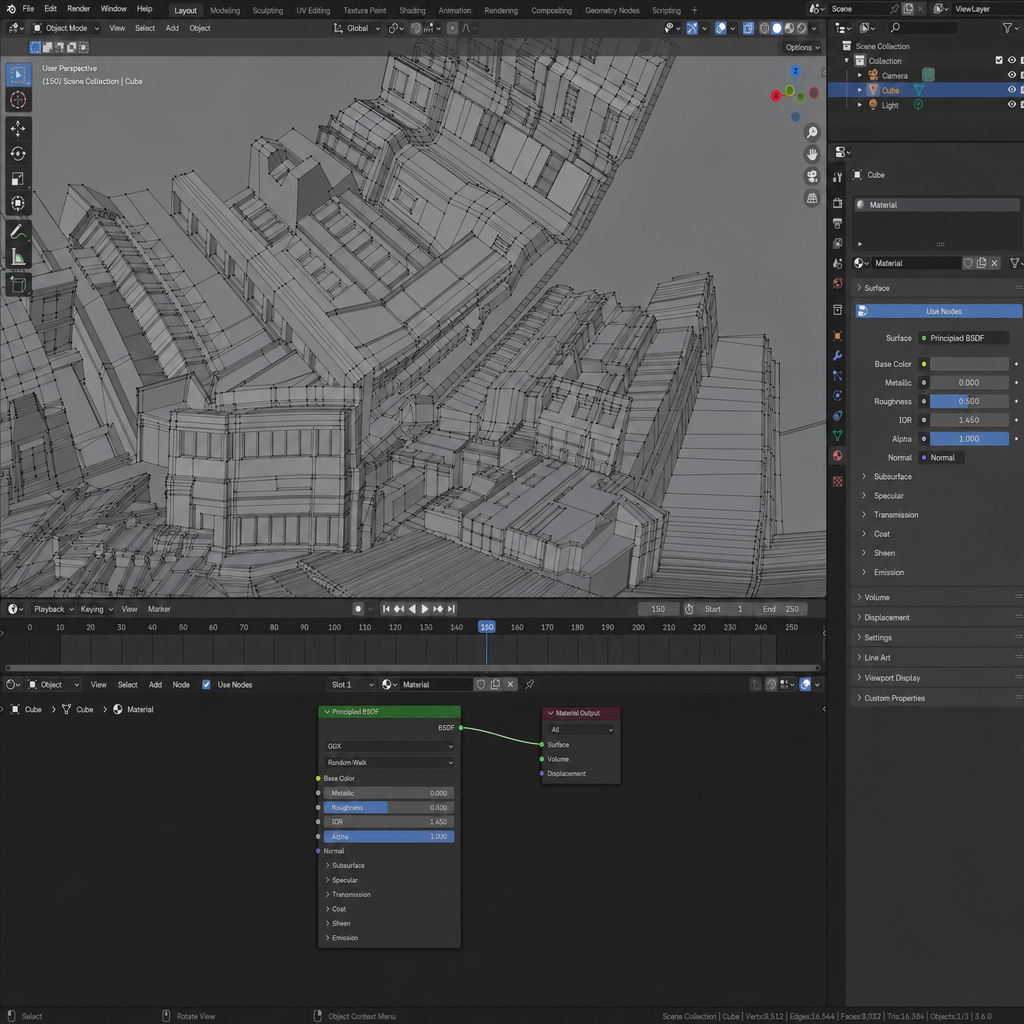
Blender 3D interface
Any aspect ratio
“A screenshot of the Blender 3D interface showing a polygonal low-poly city scene inspired by the folding Paris effect from Inception. The viewport displays a subdivided urban block with buildings bending upward and folding over onto themselves in sharp geometric angles. All structures are made of visible polygonal faces, wireframe edges, and flat shaded surfaces. The Blender UI elements must be clearly visible: toolbars, sidebar, timeline, outliner, shader editor panels. The scene is shown in ‘Solid’ shading mode with wireframe overlay on, displaying vertices, edges, and polygons. Camera perspective matches the original folding city shot, looking upward as the city curls overhead. No textures, only flat materials, clean low-poly shapes, accurate Blender environment.”
Overview
Dive into the virtual world of 3D design with our Blender 3D Interface template. This AI Image Editor template, powered by the GPT Image 2 model, lets you create stunning low-poly city scenes reminiscent of the iconic folding city from "Inception." Experience the Blender interface in detailed screenshots featuring clearly visible UI elements and scene details.
What It Does
The Blender 3D Interface template produces high-quality images of Blender's environment, focusing on the creation of intricate low-poly scenes. Featuring a polygonal city that seems to fold onto itself, it displays essential UI components like toolbars, shader editor panels, and timelines. These elements make it easy to demonstrate Blender's capabilities in 3D modeling and scene setup without involving complex textures.
For users looking to enhance their 3D rendering projects, explore our AI Image Upscaler to refine the details of your generated images.
Who It's For
This template is tailored for 3D artists, educators in digital design, or anyone interested in visualizing complex 3D concepts using Blender. It's particularly useful for those who want to showcase Blender's unique interface in educational materials, tutorials, or presentations. This tool is also ideal for creators working on AI Talking Photo projects requiring high-fidelity background imagery.
Summary
Whether you're a seasoned 3D artist or a beginner, this template captures the essence of Blender's modeling environment in a captivating low-poly scene. The template aids those engaging in AI Product Photography by offering visually compelling environments that enhance digital storytelling without needing elaborate textures or scenes.
How To Use
Choose Template

Customize Elements

Generate Image

Use Cases
Educational Materials
- Visually explain Blender's interface.
- Demonstrate 3D concepts with clarity.
Digital Art Creation
- Experiment with geometry and perspective.
- Focus on abstract cityscapes.
Presentation Environments
- Showcase 3D design capabilities.
- Elevate presentation quality.
Best Practices
Focus on Clarity
Keep UI elements prominent in screenshots to provide clear instructional visuals.Experiment with Angles
Explore different camera perspectives to find the most dramatic and educational views.Leverage Wireframes
Utilize wireframe overlays to highlight the underlying structure of your models.