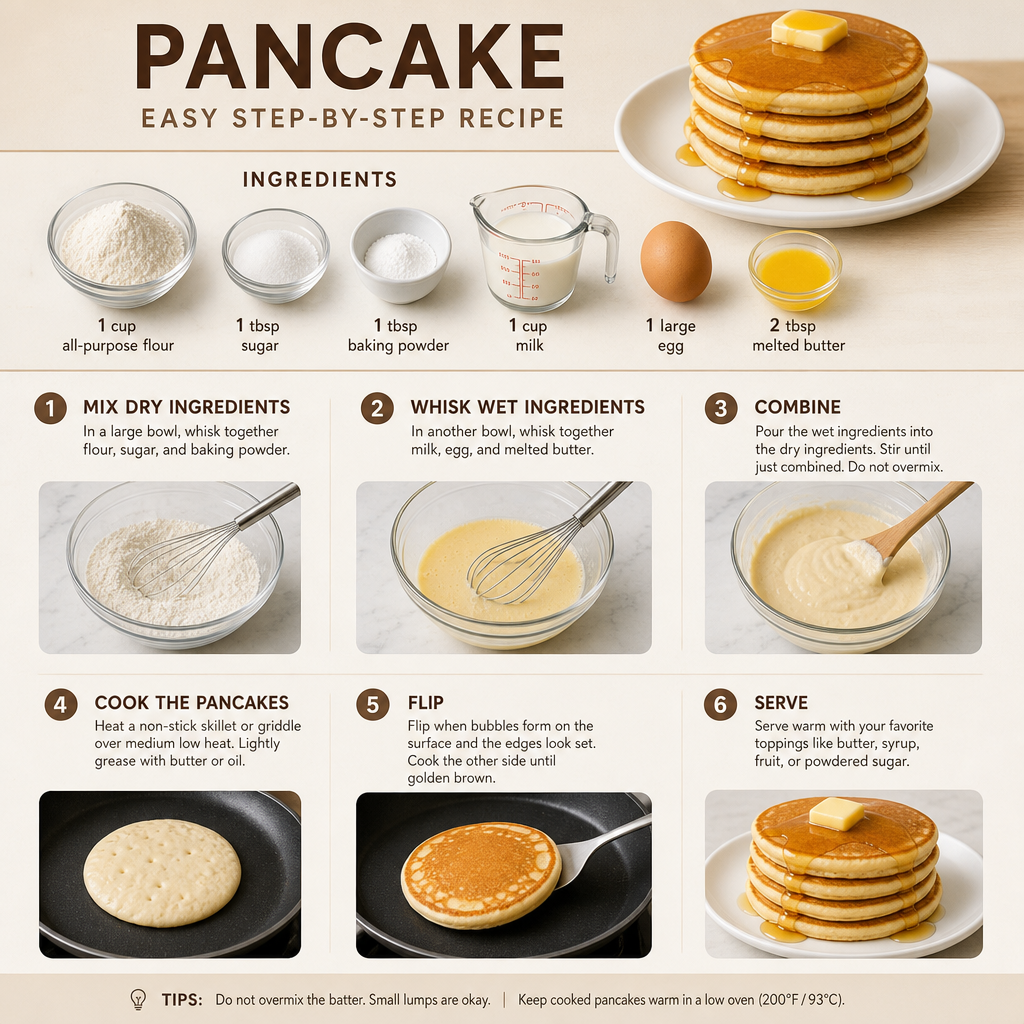
Pancake recipe
Any aspect ratio
Generate a step by step infographics with realistic images, an instruction how to make this dish
Overview
Create delicious-looking pancake recipe infographics with the AI Image Editor using the gpt-image-2 model. This template helps generate step-by-step instructions alongside realistic images, perfect for food bloggers, chefs, or social media influencers looking to engage their audience.
What It Does
This AI Image Editor template converts your pancake recipe into a captivating visual story. By using AI Image Editor, it transforms text-based instructions into a detailed infographic with eye-catching imagery. Enhancing readability and engagement, it's ideal for digital content creators aiming to boost audience interaction.
Who It's For
Designed for food enthusiasts, bloggers, and culinary professionals, this tool is excellent for anyone seeking to enhance their recipe presentation. Whether you're an influencer aiming to improve your Instagram content or a chef documenting recipes, this template is key to visually impactful narrative creation. Pair it with our AI Talking Photo tool to add audio descriptions of each step.
Summary
The Pancake Recipe template uses AI Image Generator capabilities to provide a seamless way to bring food preparation steps to life through visuals. This template is your gateway to creating visually compelling content, making any recipe easier to follow and more enticing to cook.
How To
Choose Your Template

Customize Your Inputs

Generate Visuals

Use Cases
Food Blogging
- Improves reader engagement
- Increases shareability
Social Media Content
- Boosts visual appeal
- Attracts new followers
Culinary Presentations
- Simplifies complex recipes
- Engages the audience
Best Practices
High-Quality Images
Utilize high-resolution images to ensure infographics are clear and professional.Consistent Branding
Incorporate your logo or brand colors to maintain brand consistency across your content.Clear Instructions
Phrase instructions clearly and concisely to aid understanding. Use bullet points for easy readability.