Where's Wally
Any aspect ratio
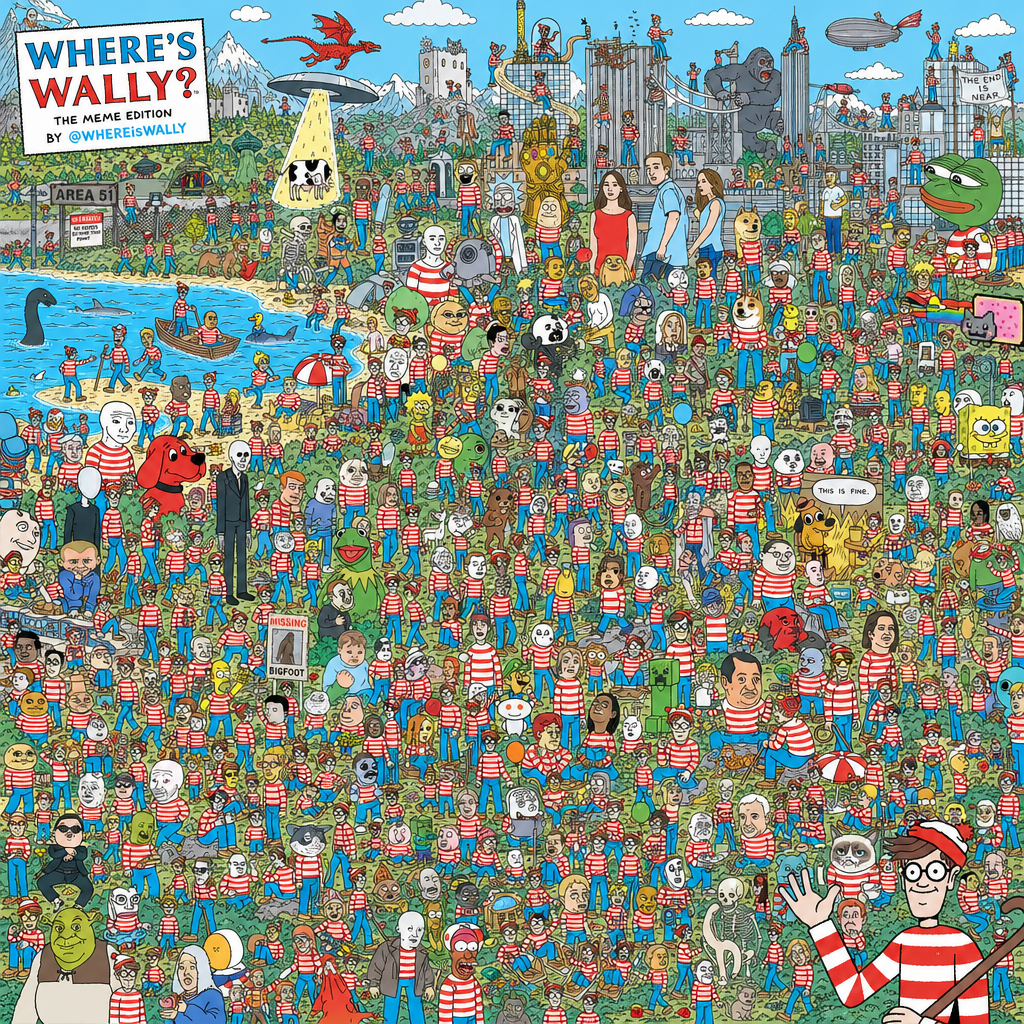
every known meme character in the style of "Where's Wally"
Overview
The "Where's Wally" AI Image Editor template recreates the iconic seek-and-find puzzles with a modern twist. You can insert numerous meme characters into a single image using the AI Image Editor, giving your projects a unique and humorous touch.
What It Does
This template places well-known meme characters into a detailed image designed in the style of "Where's Wally." Users can leverage this for creative projects that require humor and complexity. The AI Image Generator bundled with this tool helps you rapidly develop these intricate compositions with minimal effort.
Who It's For
Perfect for digital creators, marketers, and meme enthusiasts, this template delivers engaging content quickly. Those managing social media platforms can use it to create viral posts, while educators might find it useful for interactive learning materials. Explore more through our AI Talking Photo for even more dynamic content.
Summary
The "Where's Wally" template in the AI Image Editor allows you to creatively blend humor with artistry. By placing popular meme figures into a classic format, it provides a playful canvas that appeals to a wide audience. Whether for entertainment or education, its uses are vast and varied.
How-to
Choose the Template

Customize Your Design

Generate Your Image

Use-Cases
Social Media Content
- Viral meme challenges
- Community engagement threads
Educational Games
- Visual quizzes
- Interactive storyboards
Marketing Campaigns
- Themed promotions
- Brand storytelling
Best Practices
Select Relatable Characters
Choose meme characters that are currently trending to increase relatability and engagement with your audience.Balance Complexity
Ensure the image is sufficiently complex to challenge viewers but not so dense that it becomes visually overwhelming.Use High-Resolution Images
Opt for high-resolution meme character images to maintain clarity and detail within your composite image.