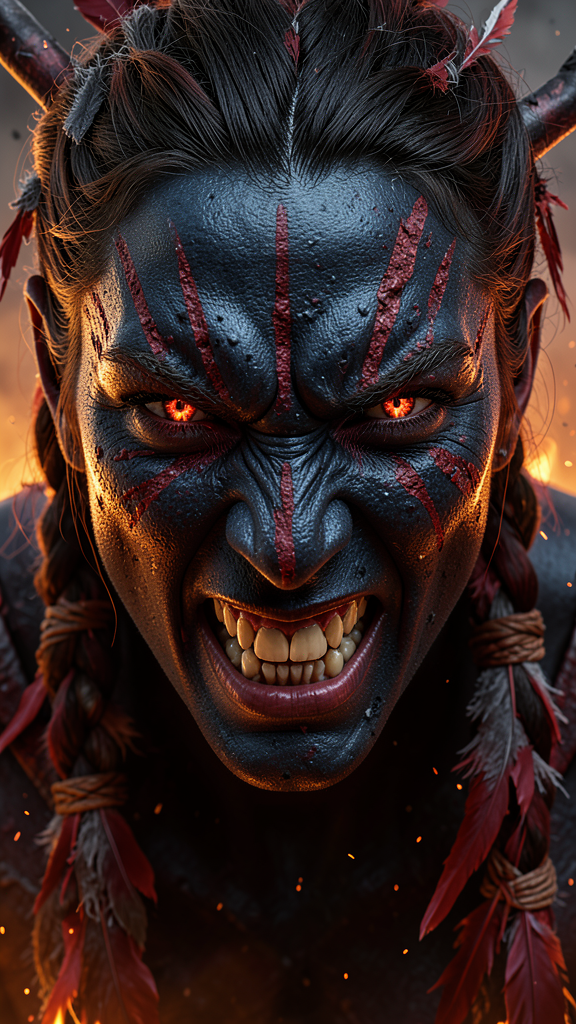
Fire Avatar
Any aspect ratio
Create an extreme close-up, high-angle portrait of a fiery, aggressive Fire Nation hero inspired by Avatar: Fire and Ash (2025). The face, framed tightly edge-to-edge, shows raw rage with a snarling mouth, bared teeth, and a predatory, intense gaze matching the original eyes’ shape and color with subtle ember highlights. The skin is Na’vi blue fading to jet black, marked by worn, mineral red warpaint in ritualistic, vertical strokes along the center and uneven patches on brows and cheeks, with faint natural freckles beneath. Hair remains true to the original texture and style but braided in tight Fire Tribe Na’vi fashion, adorned with frayed, ash-darkened red feathers and sinew-wrapped bracers. Lighting is cinematic and low-contrast, with warm firelight casting deep shadows and subtle rimlight, while ash and embers drift against a smoky, volcanic heat-haze background, emphasizing primal, hostile intensity and photorealistic detail.
Overview
The Fire Avatar template allows creators to craft strikingly vivid close-ups of an imagined Fire Nation hero, combining unique features like Na'vi blue skin and fiery warpaint with an intensely aggressive gaze. Designed for fans and creators inspired by fantasy worlds, this template leverages the flux-2-klein model from Magic Hour's AI Image Editor suite.
What It Does
This template transforms your images into dramatic portrayals of fierce Fire Nation warriors. It maintains facial authenticity by keeping the original eyes' color and shape, enhancing them with ember highlights. The character's visage includes ritualistic warpaint and intricate Na'vi-style hair adorned with details like feathers and wire wraps, all against a cinematic fiery background.
Who It's For
This tool serves digital artists, content creators, and fantasy enthusiasts aiming to bring their fiery characters to life. Whether you're designing for games, animated films, or creative campaigns, the template is a perfect fit for environments demanding intense, photorealistic character portraits.
Summary
The Fire Avatar template integrates advanced features of Magic Hour's image editing capabilities. It supports workflows in character design, enabling creators to deliver high-quality, imaginative visuals efficiently. Explore more about this process using our AI Multi-Angle Generator and enhance images with complementary tools such as the AI Photo Relighting product.
How-To
Select the Fire Avatar Template

Customize Your Image

Generate Your Image

Use Cases
Fantasy Game Characters
- Develop character backstories with visual flair.
- Implement unique fan art projects.
Film Storyboards
- Visualize key scenes with cinematic detail.
- Strengthen pre-visualization efforts.
Creative Marketing Campaigns
- Enhance social media engagement.
- Differentiate product launches with custom visuals.
Best Practices
Align with Thematic Elements
Ensure the warpaint and costume details reflect your overall narrative and thematic choices for branding consistency.Leverage Lighting Effectively
Cinematic, low-contrast lighting enhances the dramatic feel; adjust warmth and shadows for maximal depth.Integrate with Other Tools
Utilize the AI Video Generator for dynamic content creation by converting your static images into animated sequences.