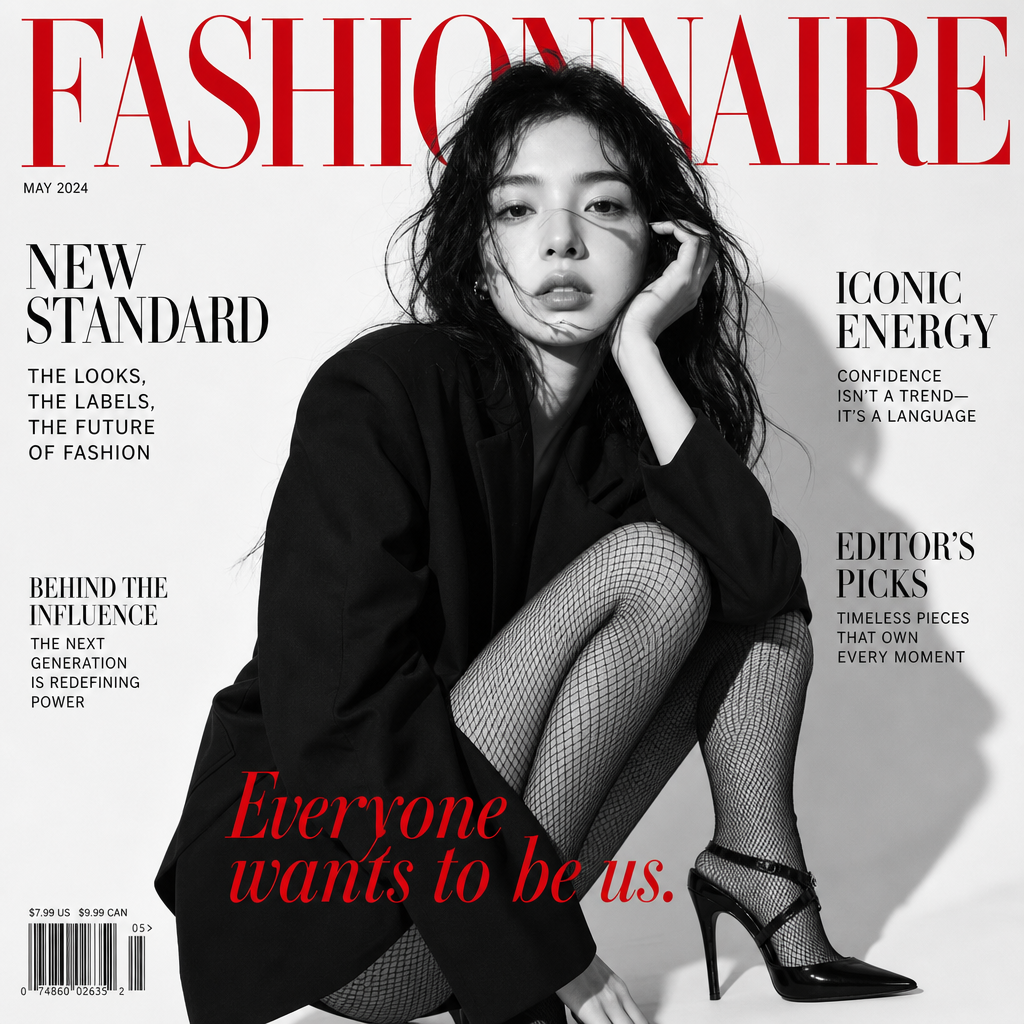
Runwai Cover
Any aspect ratio
A black-and-white high-fashion portrait of a woman in a dynamic, confident pose, wearing an oversized black jacket accented with fishnet tights and stiletto heels, against a crisp white background with soft, directional lighting. The magazine cover features the red RUNWAI logo and typography: contrasting headlines and the slogan "Everyone wants to be us."
Overview
The Runwai Cover template elevates your creative projects with stunning, high-fashion portraits. Using the AI Image Editor capabilities, this template transforms ordinary images into captivating magazine covers. It leverages the gpt-image-2 model to create a dynamic, confident image in black-and-white that emanates high-fashion aesthetics and editorial quality.
What It Does
The template uses advanced AI algorithms to generate a sophisticated fashion portrait that serves as a magazine cover. The template incorporates elements like a striking pose, dramatic lighting, and fashionable attire, all in grayscale, that mimic high-fashion editorials. The composition is crowned with the iconic red RUNWAI logo and stylish typography, ensuring the final product is ready for print or digital sharing.
Who It's For
This template is perfect for fashion designers, photographers, and marketers looking to create high-impact visuals. It is also ideal for content creators and influencers wanting to enhance their personal brand with AI-generated imagery that stands out. Agencies can effortlessly incorporate this template in their visual campaigns for an elevated look.
Summary
The Runwai Cover template provides a unique tool for producing stunning, editorial-grade images. Supported by Magic Hour's AI Image Editor, it offers a hassle-free way to produce professional magazine covers that are both visually compelling and commercially viable. Perfect for promotions, portfolios, and publications alike.
How-To
Choose the Runwai Cover Template

Customize Your Inputs

Generate Your Fashion Cover

Use Cases
Fashion Magazine Covers
- High-quality, editorial-style portraits
- Customizable text and logos
Portfolio Development
- Quickly update and refresh portfolios
- Distinctive imagery that captures attention
Social Media Marketing
- Increase engagement and followers
- Brand-aligned fashion visuals
Best Practices
Choose High-Resolution Images
Start with high-quality photos to ensure the final output is clear and detailed.Experiment with Poses and Lighting
Use the template's prompt to explore different poses and lighting setups for unique results.Integrate Brand Elements
Incorporate your brand's logos and color schemes to tailor the final cover to your marketing needs.