PlumBob
Any aspect ratio
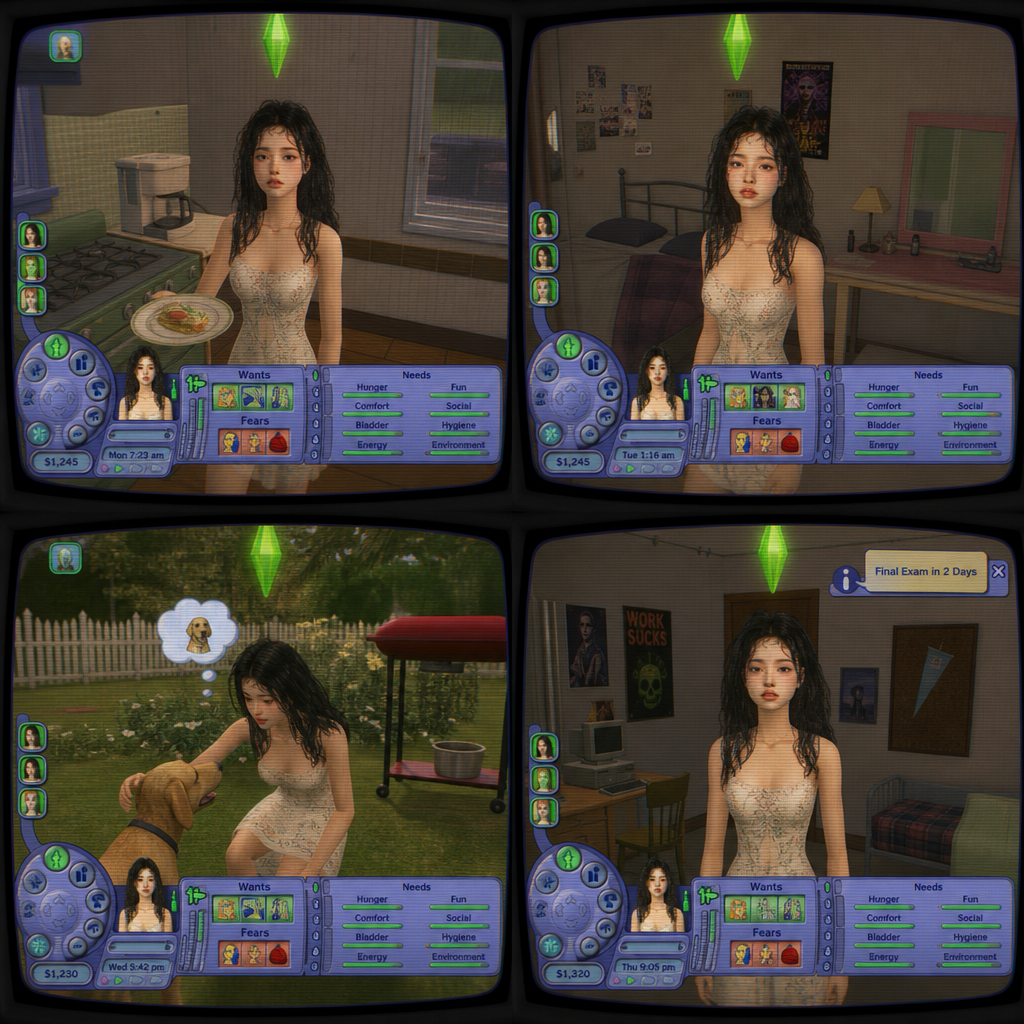
Turn yourself into a The Sims 2 character: low-poly Maxis look, green plumbob, authentic UI, and early-2000s interiors. Each generation drops you into a random gameplay scene (kitchen, bedroom, backyard, dorm) with different angles and everyday Sims situations. Your face and outfit from the photo are preserved, shown on a convex CRT screen with scanlines and nostalgic glow.
Overview
Transform your photos into the iconic world of The Sims 2 with the PlumBob AI Image Editor. Using the advanced gpt-image-2 model, this template captures the essence of the low-poly Maxis style combined with the nostalgic features of early-2000s gaming. Relive your favorite Sims moments, complete with a green plumbob overhead, as you appear in various everyday scenarios.
What It Does
The PlumBob template transforms your images into scenes from The Sims 2. This editor maintains your facial features and clothing, integrating them into random in-game settings like kitchens and backyards, rendered with a charmingly retro CRT look. Each scene showcases different Sims interactions, ensuring a unique snapshot with every generation.
Discover the power of AI with the AI Image Generator and push your creative boundaries. Create personalized Sims-style images with just a photo and our precise prompts.
Who It's For
This tool is perfect for Sims enthusiasts, nostalgia seekers, and content creators looking to inject a playful twist into their projects. Whether you're crafting content for social media or adding a quirky element to a personal project, PlumBob brings a unique edge. It's also a fun choice for artists wanting to explore retro-style imagery.
Summary
With PlumBob, turn yourself into a character straight out of The Sims 2 for a distinctive visual experience. The easy integration of facial features and settings makes it perfect for anyone looking to explore or share the joy of Sims-esque creations. Enhance your project with other tools like the Face Swap or the AI Clothes Changer to extend the creative possibilities.
How to Use
Choose Your Photo

Customize Settings

Generate Image

Use Cases
Social Media Posts
- Stand out with unique Sims aesthetics
- Connect with fellow nostalgia lovers
Personal Art Projects
- Explore new artistic styles
- Combine with digital art projects
Online Communities
- Join theme weeks or challenges
- Gather feedback on your creations
Best Practices
High-Quality Images
Use high-resolution images for the best detail retention in the simulation scenes.Experiment with Scenes
Try different Sims scenarios to see how varied your output can be across different gameplay angles.Combine with Other Tools
Enhance your creations using products like the AI Image Upscaler.