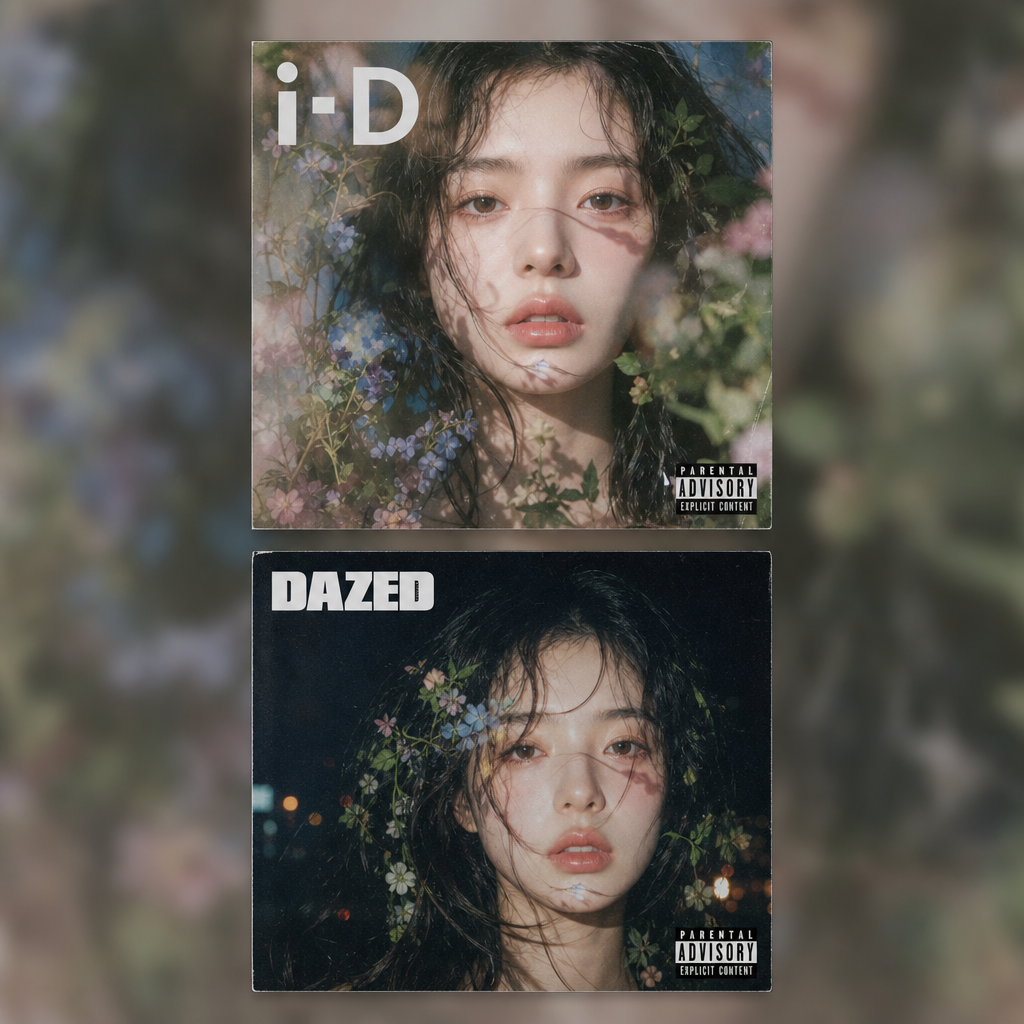
Advisory Cover
Any aspect ratio
Turn your portrait into a square CD album cover centered in a vertical 9:16 frame, with the background as a blurred extended version of the same artwork. Two variants: a soft double-exposure floral editorial vibe, and a moody indie sleaze night-flash cover story. A clean ADVISORY label sits in one corner. i-D and Dazed-inspired editorial energy.
Overview
The Advisory Cover template in the AI Image Editor product allows you to creatively transform your portrait into a visually engaging CD album cover. It utilizes the power of the gpt-image-2 model to provide two unique styles: a soft, floral editorial look and a moody indie vibe. Complete with a stylish ADVISORY label, this template caters to those inspired by iconic magazines like i-D and Dazed.
What It Does
This template takes your portrait photos and transforms them into square CD covers, perfectly centered within a vertical 9:16 frame. The backdrop features a blurred, extended version of the cover, enhancing the album's allure. Two style variants are available: one with a soft double-exposure floral effect and another with a moody, night-flash cover story aesthetic. Additionally, it places a neat ADVISORY label in the corner, ensuring your cover aligns with today's editorial standards.
Who It's For
The Advisory Cover template is perfect for visual artists, designers, and musicians aiming to create unique album artwork. Those who prefer editorial styles reminiscent of i-D and Dazed magazines will find this template particularly useful. It's also ideal for creatives seeking to experiment with new design aesthetics or those involved in product launch videos and music marketing materials.
Summary
With the AI Image Editor's Advisory Cover template, experience a seamless transition from photo to striking album artwork. Leveraging the gpt-image-2 model, this template offers a powerful fusion of art and technology. Whether you prefer a floral touch or a moody vibe, this tool adds a professional edge to your cover designs, while its ADVISORY label injects a contemporary, editorial flair.
How-To
Choose Your Template

Customize Your Inputs

Generate Your Cover

Use Cases
Music Album Artwork
- Indie folk albums
- Pop music CDs
Editorial Portraits
- Fashion editorials
- Lifestyle magazines
Promotional Materials
- Concert posters
- Music video covers
Best Practices
Select High-Quality Portraits
Ensure your uploaded portrait is of high resolution to maintain clarity in the final album cover.Experiment With Both Styles
Try both the floral and indie styles to see which one better captures your vision or brand identity.Optimize the ADVISORY Label
Position the ADVISORY label where it complements the overall design without overpowering the visual focus.