Opera
Any aspect ratio
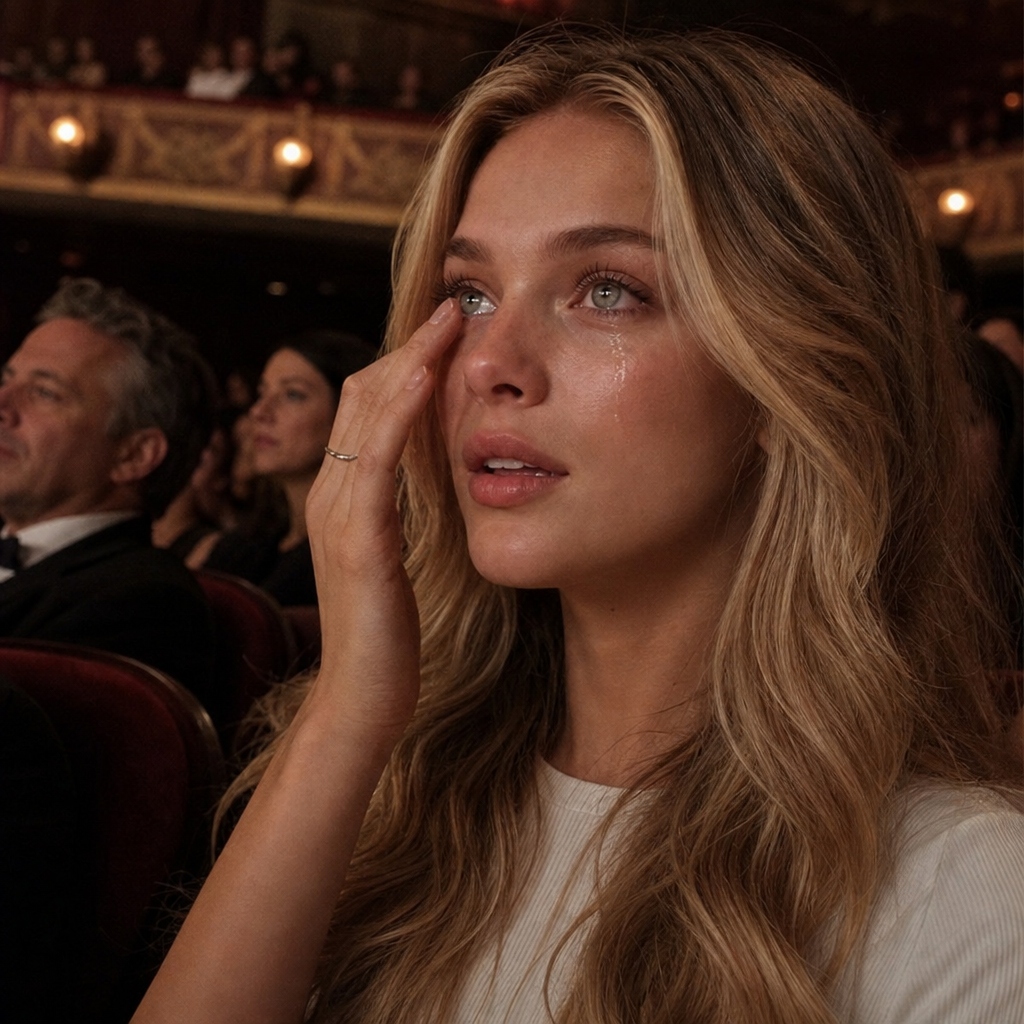
Realistic live theater broadcast screenshot-style documentary footage set in the audience stands of a grand opera house. The person is sitting in the plush theater seats, captured from a side angle. She is CAUGHT IN A DEEPLY MOVED EMOTIONAL MOMENT — eyes glistening with tears, one tear sliding down her cheek, her fingertip gently wiping it away from under her eye, lips slightly parted, an expression of overwhelmed awe directed at the unseen stage.
Overview
The "Opera" template leverages the capabilities of gpt-image-2 to generate realistic documentary-style images of an emotional moment captured in a grand opera house setting. This template is perfect for creators looking to evoke the grandeur and drama of a live theater experience from the audience's perspective.
What It Does
With the "Opera" AI Image Editor template, you can create still images that emulate the ambiance of being in the audience during a live opera performance. The template vividly captures emotions like awe and tears, allowing the viewer to feel a part of the scene. This can be especially effective when coupled with other AI Image Editor tools to enhance storytelling in marketing materials or personal projects.
Who It's For
This template is designed for content creators, storytellers, and marketers in the arts and entertainment industries. It's particularly useful for those in opera promotion, theater marketing, and similar fields who require impactful images to highlight the emotional power of their performances. Additionally, users of Image to Video tools may find this template helpful in crafting narrative visuals for multimedia presentations.
Summary
The "Opera" template provides a unique capability to generate emotionally charged images set in a grand theater environment. Utilizing the AI Image Editor suite, this template ensures your visuals evoke the sophisticated atmosphere and emotional moments of a live opera audience experience.
How To
Choose the Template

Customize Your Scene

Generate and Download

Use Cases
Theatrical Promotions
- Highlight key performers
- Feature upcoming shows
Artistic Storytelling
- Illustrate editorial pieces
- Enhance narratives with visual emotion
Social Media Content
- Post on Instagram or Facebook
- Enhance tweets with visually compelling scenes
Best Practices
Focus on Detail
Ensure your subject's emotional expressions are the focal point to fully engage viewers.Pair with Video Tools
Consider combining with AI Video Generator tools for multimedia storytelling.Use High-Quality Prompts
Provide detailed prompts to achieve the most accurate and compelling imagery.