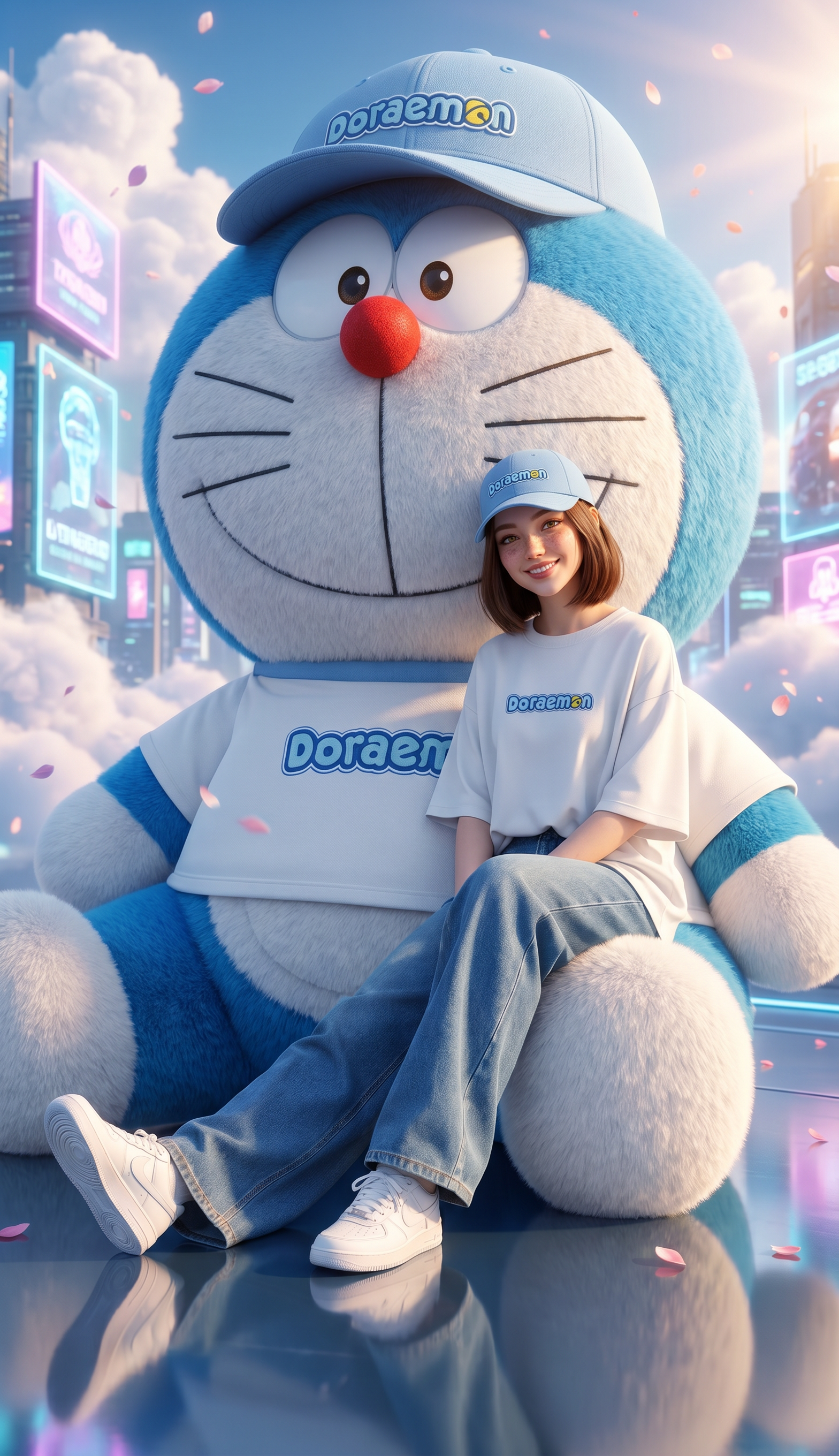
Giant Doraemon
Any aspect ratio
Ultra realistic cinematic fantasy portrait of the SAME girl from the uploaded reference image, preserve her facial features 100% accurately, identical face, identical eyes, identical lips, identical nose, identical hairstyle, identical soft expression, photorealistic skin texture, natural beauty, NOT anime, NOT cartoon, realistic human proportions. A gigantic fluffy Doraemon plush dominates almost the entire frame, extremely huge and filling the background from top to bottom, ultra detailed realistic plush fur texture, vibrant bright blue and white colors, adorable oversized proportions, dreamy luxury plush aesthetic. Doraemon is wearing a pastel blue baseball cap with the word “Doraemon” embroidered on it and a matching oversized white t-shirt with the word “Doraemon”. The woman is sitting exactly like the original reference image: sitting on one leg of giant Doraemon, leaning her back naturally against Doraemon’s body, body slightly tilted, relaxed elegant posture, both legs stretched outward naturally in front of her, same leg positioning and same sitting angle as the reference image, cozy fashion editorial pose. She is wearing a matching pastel blue baseball cap with the word “Doraemon”, oversized white “Doraemon” t-shirt, wide-leg denim jeans, and white sneakers. Background features a futuristic cyber fantasy city skyline with glowing holographic billboards, dreamy clouds, sparkling reflections, floating flower petals, cinematic sunlight rays, glossy reflective floor, magical atmosphere. Very vibrant colors, rich contrast, bright pastel blue tones, cinematic lighting, realistic shadows, shallow depth of field, centered composition, low angle full-body shot, luxury Korean fashion campaign style, hyper realistic photography, ultra detailed 8k, dreamy but realistic mood. NEGATIVE PROMPT: anime, cartoon, illustration, fake face, different face, altered facial features, doll face, CGI skin, blurry, low quality, distorted anatomy, extra fingers, bad hands, duplicated limbs, unrealistic eyes, poorly drawn Doraemon, watermark, logo distortion, washed out colors, dark image, plastic skin, deformed body
Tags
stylesOverview
Enter a world of cinematic fantasy with the Giant Doraemon AI Image Editor template, powered by the nano-banana-pro model. This template helps you transform a simple reference image into a hyper-realistic portrait featuring a colossal Doraemon plush in a whimsical setting. Every detail, from facial features to lighting, is meticulously crafted to create a visually stunning scene.
What It Does
The Giant Doraemon template uses advanced AI technology to preserve your subject’s facial features while introducing a gigantic, ultra-realistic Doraemon plush into the composition. It carefully maintains human proportions and integrates vibrant elements of a futuristic cyber fantasy city as the backdrop. Expect results that exhibit rich contrast, detailed textures, and cinematic lighting, perfect for luxury fashion or creative projects.
Who It's For
This template is ideal for digital artists, fashion brands, and creative professionals looking to produce striking visuals with a mix of realism and fantasy. Whether you're working on a luxury fashion campaign or a creative editorial featuring fantastical elements, this tool offers a unique visual style that stands out. Explore more with our AI Image Editor and enhance your visual storytelling.
Summary
Designed for capturing stunning, hyper-realistic fantasy scenes, the Giant Doraemon template combines advanced image editing with creative storytelling. Maintain identical facial features while placing your subject in a dreamy yet realistic environment with vibrant tones and a luxurious aesthetic. It’s an excellent choice for those aiming to bring imagination to life in high-resolution imagery. For a deeper dive into possibilities, the AI Image Generator is another helpful tool.
How-To
Choose Your Template

Customize Your Image

Generate and Download

Use Cases
Fashion Campaigns
- Showcase new clothing lines with captivating backdrops.
- Integrate mascots or characters like Doraemon into fashion shoots.
Creative Editorials
- Feature characters in futuristic settings for magazine spreads.
- Focus on high contrast and vibrant elements to stand out.
Digital Art Projects
- Develop artwork with a unique aesthetic combining realistic and fantastical features.
- Use the detailed textures to add depth to your digital art portfolio.
Best Practices
Maintain Originality
Ensure the subject’s facial features remain unchanged to maintain authenticity in your image.Focus on Lighting
Utilize the template's cinematic lighting options to enhance mood and atmosphere.Emphasize Detail
Pay attention to the plush texture and vibrant colors in Doraemon, as these small details significantly impact the overall image quality.