Overview
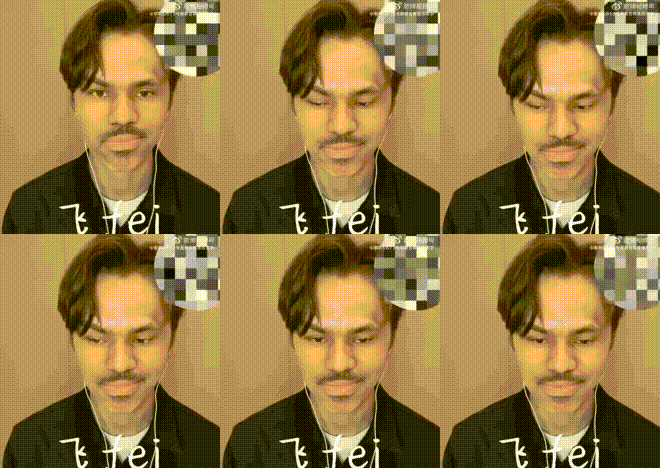
The Vernon from Seventeen Video Face Swap template offers an exciting way for K-pop enthusiasts and video creators to transform their projects. By swapping a face in your video with that of Vernon, one of Seventeen's charismatic members, you can enhance the appeal and engagement of your content.
What It Does
This template seamlessly integrates Vernon's face into your videos, creating a strikingly realistic face swap effect. Whether you're producing fan edits or testing creative concepts for promotional videos, the results are impressively lifelike.
For refining the surroundings around the swapped face, consider using the AI Image Editor to enhance the overall video aesthetic.
Who It's For
This tool is perfect for K-pop fans looking to produce entertaining fan content or individuals in the entertainment industry creating engaging promotional content. Video editors and content creators will find it valuable for various thematic projects.
For those interested in generating full-body transformations, the Full-Body Generator is another excellent option to explore.
Summary
The Vernon from Seventeen Video Face Swap template is a versatile tool for creating captivating K-pop-inspired content. Easy to use and highly effective, it can help you produce content that captures attention and enhances your creative projects.
Complement your creations by exploring the AI Talking Photo product, which can add another layer of animation to your videos.
How to Use
Choose Your Template

Customize Your Content

Generate Your Video

Use Cases
Fan Edits
- Highlight favorite Seventeen performances
- Incorporate into fan tribute videos
Social Media Content
- Trend-driven content creation
- Boost engagement with followers
Promotional Videos
- Dynamic advertisements featuring Vernon
- Reach a broader audience with creative visuals
Best Practices
High-Quality Source Videos
Ensure your source videos are of high quality to achieve the best face swap results.Lighting Consistency
Modify lighting and shadows during customization for natural integration.Preview Before Finalizing
Always preview the edited video to catch any misalignments or artifacts.