Overview
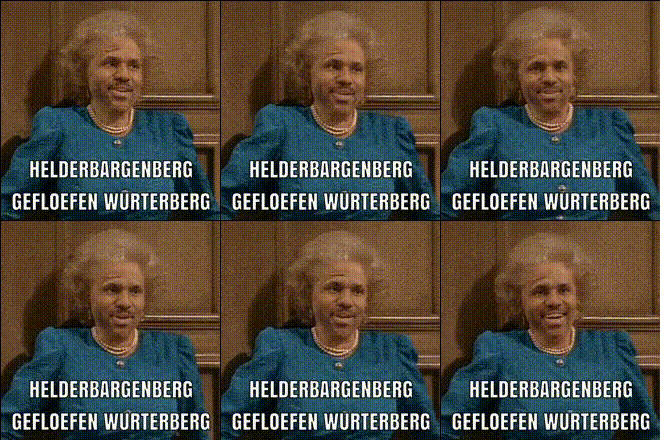
Step into the shoes of royalty with the Queen Elizabeth Video Face Swap template. Designed for video creators and content enthusiasts, this tool allows you to overlay faces onto video content featuring Her Majesty. The result is engaging videos that resonate with audiences intrigued by historical or comedic twists.
What It Does
The Queen Elizabeth Video Face Swap template offers a unique way to blend faces seamlessly into historical footage or personal videos. Utilizing advanced AI technologies, this tool ensures a natural look, matching skin tones and facial expressions effectively. It's perfect for content creators looking to make standout videos with a twist of historical character.
Combine this with our Face Swap product to explore even more creative possibilities, or consider the Body Swap for complete character transformations.
Who It's For
This template is ideal for social media influencers, digital marketers, and video content creators who want to add a playful or satirical edge to their videos. Educators and historians might also find value in using this to create engaging, educational content.
For those interested in experimenting with more advanced effects, our AI Talking Photo tool is a great complement to video face-swapping, allowing for the creation of animated portraits.
Summary
The Queen Elizabeth Video Face Swap template is an inventive tool within Magic Hour’s suite of creative products. This easy-to-use face-swapping feature brings historical and humorous context together, making it a prime choice for creating viral content.
Check out what else you can achieve with the Image to Video and AI Image Editor to further refine and enhance your video projects.
How-To
Select Template

Customize

Generate and Download

Use Cases
Social Media Content
- Engage your audience with royal-themed content
- Create trending videos inspired by historical figures
Education
- Overlay students' faces onto historical footage
- Create fun, engaging classroom materials
Entertainment
- Add a comedic twist to regular video blogs
- Create character-driven short films
Best Practices
Quality Input
For the best results, use high-resolution videos and images. This ensures that the AI can effectively map and merge facial features.Lighting Considerations
Ensure that the lighting conditions of both the source image and the video are similar for a seamless match.Experiment with Angles
Try using different angles and expressions for the face swap to find the most realistic or humorous effects.