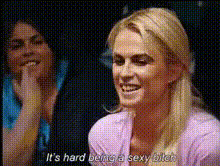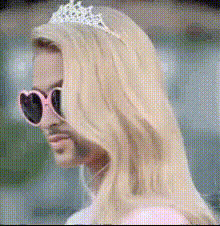
paris-hilton-sitting-on-couch
face-swap
Any aspect ratio
Tags
transformationsCreate Hyper‑Realistic Face Swap Videos in Minutes
This template was built with Magic Hour’s Face Swap Video workflow. It lets you swap any face into an existing video while preserving expressions, lighting, and motion—ideal for fast experiments, creative campaigns, and content prototyping.
Use it as-is, or remix it into your own reusable template for:
- Short‑form social content (TikTok, Reels, YouTube Shorts)
- Concept tests for campaigns and UGC ads
- Character tests for films, games, and animation
- Internal demos, pitches, and rapid mockups
What This Template Does
This Face Swap template is optimized to:
- Replace the original subject’s face with your chosen face
- Maintain realistic facial expressions and head movement
- Match skin tone, lighting, and camera angle as closely as possible
- Output a ready‑to‑publish video that requires minimal post‑production
Behind the scenes, Magic Hour’s Face Swap models use deep generative techniques similar to state‑of‑the‑art face reenactment research (e.g., Wav2Lip, FaceShifter, and related work in neural rendering), but packaged in a workflow that’s fast and accessible for non‑researchers.
How to Remix This Template in Magic Hour
You can duplicate this template and adjust it to your exact use case in a few steps:
Start from Face Swap Video
- Go to Face Swap Video.
- Upload your base video (the video whose body, motion, and scene you want to keep).
Upload or Generate the New Face
- Upload a clear face photo of the person you want to swap in (frontal, good lighting, minimal occlusion).
- No photo yet? Quickly create one with:
- AI Photo Generator
- AI Face Generator
- AI Headshot Generator for professional looks
- Avatar Generator for stylized characters
Align With Your Use Case
- For social content and UGC ads: Use vertical videos and expressive base footage.
- For character tests or storyboards: Combine with AI Image Generator and Image to Video to build scenes, then apply Face Swap.
- For memes and comedic content: Use this template together with AI Meme Generator and Face Swap GIF to produce quick variations.
Save as Your Own Template
- Once you have a result you like, save the workflow as your own “Face Swap Template” inside Magic Hour.
- Reuse it by simply changing the source face or the base video.
This turns a one‑off effect into a repeatable content pipeline for your brand or project.
Best Practices for High‑Quality Face Swaps
To get results that look production‑ready, focus on your inputs:
1. Choose the Right Base Video
- Stable lighting and minimal motion blur
- Face visible for meaningful portions of the clip
- Avoid extreme occlusions (hands fully covering the face, heavy masks)
- Higher resolution source videos generally produce better outputs
If you’re working with low‑quality footage, sharpen it first with:
- Video Upscaler
- AI Image Upscaler for still frames
2. Use Strong Reference Faces
- Front‑facing or slight 3/4 angle
- Even lighting; avoid harsh shadows and colored light
- No heavy filters that distort facial features
- For stylized looks, generate faces with:
3. Post‑Process if Needed
- Clean up background distractions with Image Background Remover or AI Remover.
- Enhance legacy or noisy footage with Unblur Image or Old Photo Restoration.
- Color match older clips with Photo Colorizer.
Combine Face Swap With Other Magic Hour Workflows
Power users often chain multiple tools to create full funnels or complex content systems. This template is a good starting point for:
Talking Avatars and AI Spokespeople
- Start with a static portrait (real or generated via AI Selfie Generator or Full Body Generator).
- Animate it with:
- Lip Sync to sync lips to your audio
- or AI Talking Photo
- Apply Face Swap on top using Face Swap Video to quickly test different identities or personas.
- Clone or generate a unique voice with AI Voice Cloner or AI Voice Generator.
This is useful for product explainers, localized messaging tests, or multi‑persona marketing experiments.
Character‑Driven Shorts and Animations
- Generate characters with AI Art Generator, Manga Generator, or Disney AI Generator.
- Turn keyframes into motion using Video to Video or Animation.
- Use Face Swap to “cast” real people’s faces onto stylized characters for concept demos or previz.
- Refine outfits via AI Outfit Generator or AI Fashion Generator.
Rapid Creative & Ad Iteration
For marketers and growth teams:
- Use one base performance video and test many faces (creators, customers, actors) via Face Swap.
- Localize content by generating different on‑screen characters while keeping scripting and editing identical.
- Auto‑subtitle variants with Auto Subtitle Generator.
- Generate platform‑specific assets like:
- Thumbnails via Thumbnail Maker
- Social gif loops via AI GIF Generator
- QR overlays with AI QR Code Generator
Technical & Ethical Considerations
Face Swapping is powerful and should be used responsibly:
- Consent & rights: Only swap faces of people who have given you permission and whose likeness you’re allowed to use.
- Misuse risk: Avoid deceptive or misleading content, especially in political, financial, or reputational contexts.
- Attribution & transparency: For commercial work, consider disclosing that AI was used. This aligns with emerging best practices in synthetic media governance (see initiatives like the Partnership on AI’s “Responsible Practices for Synthetic Media”).
For sensitive applications, consult your legal team and platform guidelines before publishing.
Who This Template Is For
This Face Swap template tends to be most useful for:
- Creators & influencers testing new concepts without reshooting
- Performance marketers running multi‑persona ad experiments
- Studios & startups prototyping characters, storyboards, and pilots
- Developers & product teams building AI‑driven interfaces, avatars, or assistants
- Designers & art directors exploring visual directions before committing to production
If you need full creative control over images before swapping, pair this template with:
- AI Image Editor for fine‑grained edits
- AI Face Editor to adjust facial features
- AI Clothes Changer to test outfits and branding
Build Your Own Face Swap System on Magic Hour
This template is a reference implementation you can adapt into a repeatable workflow:
- Define your base library: a set of “evergreen” base videos (talking heads, product demos, reaction shots).
- Maintain a face library: consented faces of creators, actors, team members, or AI‑generated personas.
- Use Face Swap Video to combine them on demand.
- Layer in:
- Text to Video for script‑driven variations
- AI Voice Changer to adapt voices
- AI Meme Generator for social‑native versions
Save your best configurations as new templates in your Magic Hour workspace so your team can reuse them without rebuilding from scratch.
Use this Face Swap template as a starting point, then iterate. The fastest teams treat it not as a single effect, but as a reconfigurable building block in a larger AI‑native content pipeline.