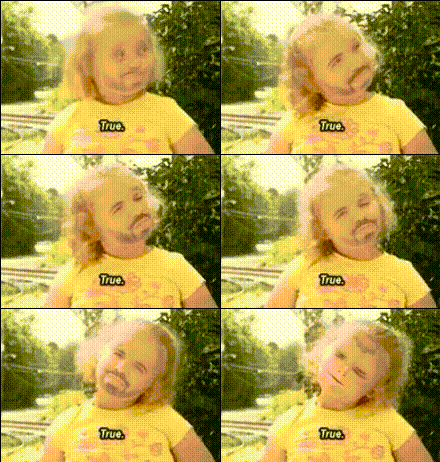
Overview
The "Little Girl With Sticker" template allows you to transform your videos through a playful Video Face Swap. By swapping the face of a little girl with a sticker, you can create delightful and engaging content for various platforms. This tool is ideal for anyone looking to add a touch of whimsy to their projects.
What It Does
This template utilizes advanced video face swap technology to replace the face of a little girl in your videos with a sticker. It's perfect for enhancing your playful or creative endeavors, making your content stand out. Learn more about similar technologies on our AI Video Generator page.
Who It's For
"Little Girl With Sticker" is designed for content creators, social media enthusiasts, and creative project builders. Whether you're a hobbyist creating fun social media posts or a professional curating content for campaigns, this template adds a unique flair. Explore other creative possibilities with our Body Swap tool.
Summary
Enhance your creative projects with the "Little Girl With Sticker" template. This Video Face Swap tool offers endless possibilities for personalization and fun. For further transformation options, you might also be interested in our AI Image Editor.
How To
Choose Your Template

Customize Your Inputs

Generate Your Video

Use Cases
Playful Social Media Content
- Viral video trends
- Engaging story posts
Creative Projects
- Digital art
- Marketing campaigns
Family and Friends Fun
- Family video montages
- Kids' birthday videos
Best Practices
Ensure Good Resolution
For optimal results, use high-quality videos where the face is clearly visible.Select Appropriate Stickers
Choose stickers that match the video's context to maintain theme consistency.Experiment with Settings
Test different sticker options and swap angles to find the best match for your video.