Overview
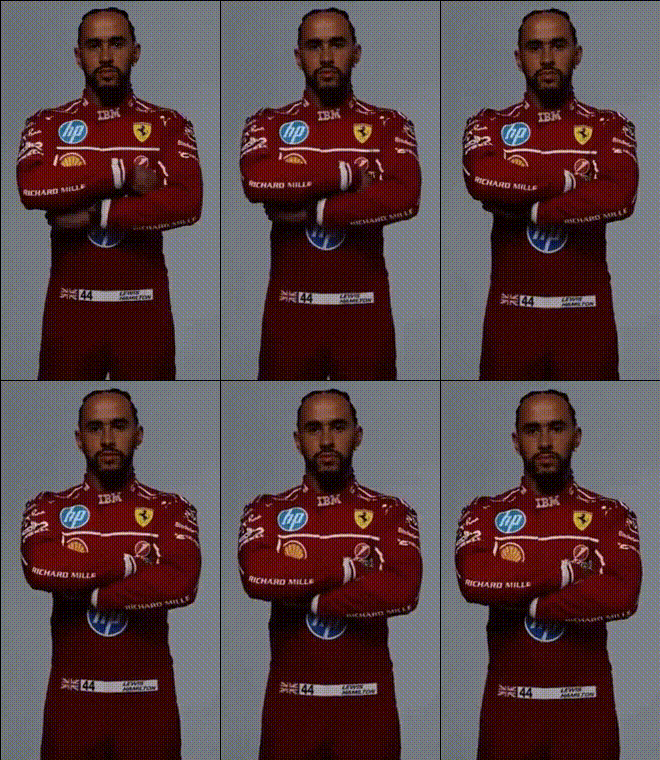
Transform your videos into thrilling experiences with our Lewis Hamilton Ferrari Suit Video Face Swap template. Whether you're a motorsport fan or just looking to add a unique twist to your clips, this template lets you incorporate the iconic racing suit into your video. Generate fun and engaging content that captures attention instantly.
What It Does
This template enables you to perform a video face swap, positioning your face on Lewis Hamilton's racing body, decked out in a Ferrari suit. Perfect for creating quick, engaging video content, this tool utilizes advanced algorithms to ensure the swap is seamless and realistic. After processing, you'll receive high-quality MP4 outputs ready for sharing.
Who It's For
Ideal for content creators, motorsport enthusiasts, or anyone looking to spice up their social media presence. Whether you're posting on Instagram, TikTok, or engaging in a conversation thread, turning an ordinary moment into a high-octane, adrenaline-pumping experience is now just a few clicks away.
Summary
The Lewis Hamilton Ferrari Suit Video Face Swap template is your gateway to embodying a racing superstar. Easy to use and capable of delivering stunning visual results, it provides an excellent way to create shareable and memorable content. Dive into our other tools like Face Swap, AI Image Editor, and AI GIF Generator for even more creative possibilities.
How To
Choose Your Template

Customize Your Inputs

Generate Your Video

Use Cases
Social Media Content
- Instagram Reels
- TikTok videos
- Facebook posts
Promotional Videos
- Personal branding
- Ad creatives
- Event promotions
Personal Projects
- School projects
- Digital art
- Personal vlogs
Best Practices
Ensure a Clear Video
When uploading your video, make sure your face is well-lit and clearly visible for the best swap results.Use Short Clips
Focus on short, impactful clips to maximize attention and keep file sizes manageable.Explore Background Options
Combine the face swap with additional edits using the AI Image Editor for a more dynamic video.