Overview
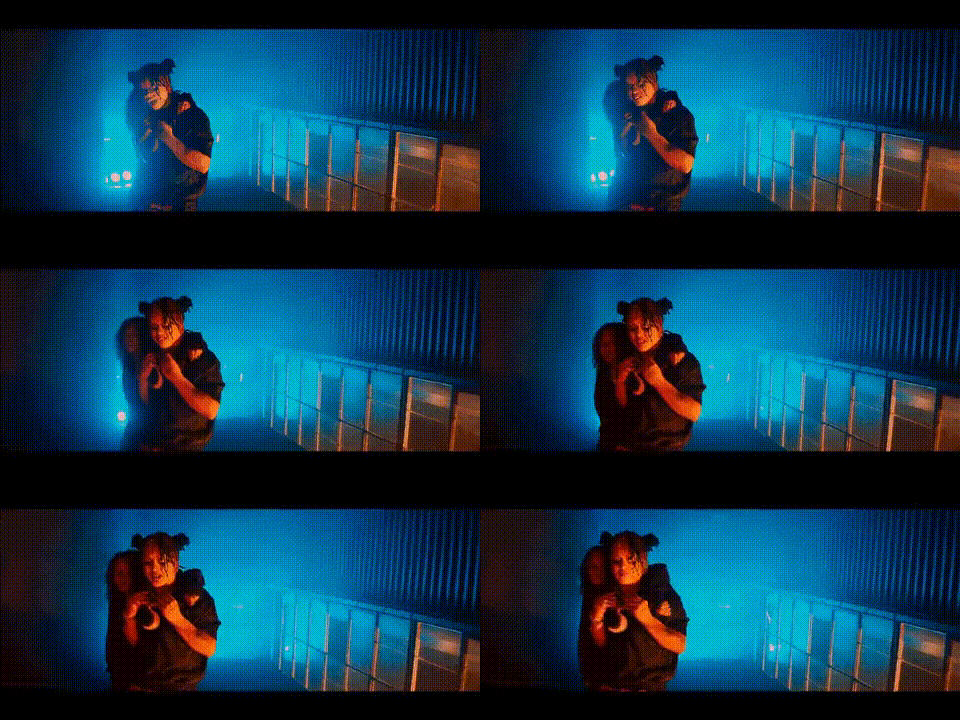
The "Kodie Shane Dancing With Woman" template offers a lively and engaging way to transform your videos. With this Video Face Swap feature, you can place your face onto Kodie Shane or her dance partner as they groove together, creating dynamic video content perfect for social media engagement. This tool is part of our Image to Video suite, ideal for personal use or marketing strategies aiming to capture attention.
What It Does
This template leverages advanced Video Face Swap technology to replace faces in a dancing scene featuring Kodie Shane. It's designed to maintain seamless alignment and facial expressions that match the body's movements. Whether you're aiming for humor, surprise, or simply a creative touch, this template delivers professional-grade swaps in a few clicks. Use it in tandem with our AI Video Generator to further enhance video production.
Who It's For
Content creators, social media influencers, and marketing professionals can benefit significantly from this tool. If you're part of an entertainment or lifestyle brand, using this template can boost your social engagement by adding personalized or branded content. It's also ideal for those involved in e-commerce needing to generate appealing social media ads.
Summary
Transform ordinary media into captivating content with the Kodie Shane Dancing template. This template is designed to facilitate creativity and engagement across various digital platforms. By utilizing the power of AI Face Editor, you can seamlessly integrate your identity or message into trending dancing videos. This makes it an excellent tool for both personal enjoyment and professional media campaigns.
How to Use
Choose Your Template

Customize Your Input

Generate Your Video

Use Cases
Social Media Content
- Enhance brand visibility with creative content
- Drive engagement through interactive media
Marketing Campaigns
- Attract potential customers with unique ads
- Create memorable marketing messages
Personal Entertainment
- Generate humorous content for personal enjoyment
- Explore creative possibilities for content creation
Best Practices
Select High-Quality Photos
For the best face swap results, ensure you're using high-resolution images for clearer and more accurate transformations.Check Alignment
Make sure the face insertion aligns well with the body in the template — small adjustments can lead to more realistic outputs.Experiment with Different Scenarios
Try different scenes and contexts by exploring other Video Face Swap templates to keep your content fresh and appealing.