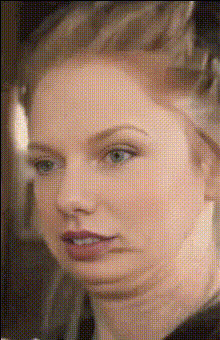
Jethalal Funny Face Gif
face-swap
Any aspect ratio
Tags
transformationsTransform any talking-head video into a face-swapped clip in minutes with this reusable Magic Hour template. Built on Magic Hour’s AI Face Swap Video engine, it’s designed for creators, marketers, and builders who need fast, realistic identity swaps without deep learning expertise.
What this template does
This template lets you:
- Swap the face in an existing video with any photo of a person or character
- Preserve the original video’s motion, lighting, and expressions
- Output a ready-to-share clip for social, ads, explainers, or UGC-style content
- Remix and adapt the workflow for your own brand, characters, or campaigns
Under the hood, Magic Hour’s Face Swap model uses neural face reenactment and blending to align the new face to the source video’s pose and expressions, while keeping the body, background, and camera motion the same. Modern face swap research (e.g., FSGAN, SimSwap, FaceShifter) shows that this approach can preserve identity and realism while minimizing artifacts, and Magic Hour applies similar principles at production scale.
How to remix this template in Magic Hour
You can treat this template as a starting blueprint. To create your own version in Magic Hour:
Open the template
- Start from this template in Magic Hour.
- Review the input slots: you’ll typically have a source video and a face image.
Replace the source video
- Upload your own talking-head or A-roll style video (ideal: clear face, good lighting, minimal occlusions).
- For best results, use footage where the subject faces the camera and is not heavily blocked by hands, glasses glare, or extreme motion blur.
Upload or generate the new face
- Use:
- A brand spokesperson or team member headshot
- A fictional character you’ve created
- A stylized portrait from tools like the AI Photo Generator or AI Anime Generator (when you want stylized content)
- If you need a new, photorealistic character first, generate one with:
- AI Face Generator for realistic faces
- Avatar Generator for profile-style avatars
- AI Selfie Generator for more casual looks
- Use:
Run the face swap
- Trigger generation to apply the new face to your video.
- Review the result and iterate by updating your source video or face image if needed.
Export and reuse
- Download the face-swapped clip for use in ads, content, product explainers, or social.
- Duplicate the template in Magic Hour to build a library of reusable workflows—e.g., one per brand persona, language, or content series.
Because Magic Hour templates are composable, you can also chain this with other tools (e.g., upscaling or subtitles) in separate steps of your workflow.
Practical use cases
This face swap template is optimized for serious, repeatable workflows, not just one-off memes. Common use cases:
UGC-style ads at scale
- Record one strong base script and reuse it for multiple “faces” or brand personas.
- Localize campaigns visually by swapping in region-specific presenters while keeping the same high-performing script and timing.
Founder / expert clones
- Turn your founder, PM, or subject-matter expert into a scalable on-camera persona.
- Use the same base footage and swap in slight variations of their face from AI Headshot Generator to test different looks.
Content personalization
- Create tailored intros or shout-outs by swapping in the viewer’s face (with consent) for onboarding videos, internal trainings, or community experiences.
Storytelling & character content
- Generate fictional or stylized characters with the AI Character Generator or Animated Characters Generator, then map them onto real motion for trailers, web series, or game content.
Rapid creative testing
- A/B test creators, gender, age, or style (combined with Gender Swap and AI Fashion Generator) while keeping script, pacing, and CTA identical.
If your goal is more meme-style or short-form content, you can also explore Face Swap GIF for looping reactions and shareable clips.
Tips for higher-quality face swaps
To get consistent, production-ready results:
Use clean, high-resolution inputs
- Sharper faces give better identity preservation and fewer artifacts.
- If your image is low-res or blurry, enhance it first with the AI Image Upscaler or Unblur Image.
- For older or damaged source photos, restore them before swapping with Old Photo Restoration.
Match angles and expressions when possible
- A face image that roughly matches the angle and neutral expression of the source video typically yields more seamless results (a principle reflected in many face reenactment studies).
Control background distractions
- If the source video is cluttered, clean up still frames with Image Background Remover or Remove Object from Photo, then reshoot or regenerate your footage as needed.
- For more stylized scenes, you can generate cohesive backgrounds via the AI Background Generator.
Mind lighting and color
- Even, soft lighting on the subject’s face generally works best and reduces mismatches between the source video and swapped face.
- Avoid extreme backlight or colored lighting unless you want a highly stylized look.
Extending this template into a full video workflow
Many teams use this template as one piece of a larger AI video pipeline. You can combine it with other Magic Hour tools to create end-to-end automation:
Turn static characters into full motion
- Generate a character with AI Art Generator or AI Image Generator.
- Animate them with Image to Video or Video to Video.
- Then apply this Face Swap template to map a real identity onto that motion for hybrid realistic/stylized content.
Sync voice and face together
- Clone or generate voiceovers with AI Voice Cloner or AI Voice Generator.
- Drive lip movement using the Lip Sync template or AI Talking Photo, then apply a face swap for the final identity.
- This mirrors pipelines used in virtual influencers and AI spokespeople.
Polish and package your final video
- Improve resolution and clarity with the Video Upscaler.
- Add subtitles automatically with the Auto Subtitle Generator.
- Create social thumbnails using the Thumbnail Maker or stylized covers with the Album Cover Generator or Book Cover Generator.
Experiment with stylization & genres
- For anime-style face-swapped content, combine this template with the AI Anime Generator or Disney AI Generator.
- For fantasy or sci-fi brand worlds, generate concepts with Dark Fantasy AI, Fantasy Map Generator, or Architecture Generator, then record in front of those environments and apply face swaps on top.
Responsible and ethical use
Face swap and generative media are powerful, and responsible use matters:
- Always respect privacy, image rights, and consent.
- Avoid impersonation, fraud, and misleading uses—especially around politics, finance, or health.
- Clearly disclose AI-generated or face-swapped content where it may impact user trust.
Large research and policy bodies (e.g., Partnership on AI, academic work on deepfake detection and media integrity) emphasize consent, disclosure, and transparent labeling as best practices. Build those into your workflows from day one.
When to use this template vs. other Magic Hour tools
Use this Face Swap template when:
- You already have a good base video and just want to change who appears in it.
- You need realistic motion and expressions from real footage.
- You want a repeatable workflow for multiple identities on the same script or ad.
You may prefer other Magic Hour products when:
- You want to generate video entirely from text → Text to Video
- You only need to edit still images → AI Image Editor, AI Face Editor, AI Clothes Changer
- You want simple meme-style outputs → AI Meme Generator
- You need advanced lip-sync or talking portraits rather than full face swaps → Lip Sync, AI Talking Photo
How to adapt this template to your own stack
For developers and technical teams:
- Treat this template as a reference pipeline:
- Inputs: source video + face image
- Core operation: video-based face reenactment and compositing
- Post-processing: upscaling, subtitles, thumbnails (optional)
- You can replicate similar flows programmatically by integrating Magic Hour products into your content pipeline while keeping editing logic (routing, asset management, versioning) in your own stack.
If you’re building internal tools or creator platforms, this template demonstrates a compact, repeatable configuration that non-technical teammates can operate without touching code.
Use this Face Swap template as your baseline, then remix it: swap different source videos, experiment with AI-generated faces, chain it with lip sync or voice cloning, and standardize it into your team’s “AI presenter” workflow.