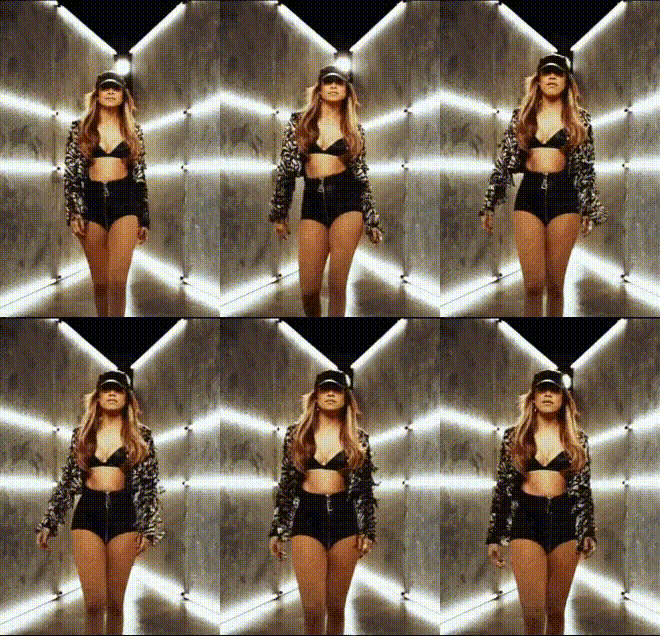
Overview
Our "Jennifer Lopez In A Hallway" template allows you to create captivating videos by swapping faces with the iconic Jennifer Lopez. This template is ideal for introducing a unique twist to your content, whether it's for social media posts or personal projects. With a setting that echoes JLo's style, this template enhances your creativity in a dynamic hallway environment.
What It Does
This Video Face Swap template replaces the face in your existing video with that of Jennifer Lopez. It's designed to integrate smoothly with your original footage, retaining facial expressions and movements for a natural look. The result is a seamless blend that makes it appear as though JLo herself is part of your scene.
By leveraging Magic Hour's advanced face-swapping technology, this tool provides high-quality transformations that are perfect for entertainment and personal branding. Visit our Face Swap page for more templates like this.
Who It's For
Content creators looking to add a celebrity touch to their videos will find this template invaluable. It's perfect for social media influencers aiming to boost engagement with fun, relatable content. Additionally, marketers can utilize this tool to create personalized video ads that draw in JLo's fanbase. Ideal for anyone who wants to stand out in the digital space.
Summary
The "Jennifer Lopez In A Hallway" Video Face Swap template from Magic Hour empowers you to transform ordinary footage into extraordinary experiences. By swapping faces with Jennifer Lopez, your videos gain a star-powered appeal. Discover the full range of possibilities at our Video Face Swap product page.
How To
Choose

Customize

Generate

Use Cases
Social Media Content
- Stand out with recognizable celebrity features.
- Boost engagement with creative concepts.
Marketing and Ads
- Capture audience attention quickly.
- Add value to digital marketing materials.
Event Highlights
- Add a celebrity touch to special occasions.
- Create a keepsake that participants will cherish.
Best Practices
Select Appropriate Footage
Ensure that the video you choose has clear and well-lit facial shots for the best swapping results.Align Faces Correctly
Carefully follow the alignment guides within the template to ensure a natural blend.Preview Before Finalizing
Always preview the face swap before finalizing to make adjustments if necessary. This will help you avoid any misalignment issues.