Overview
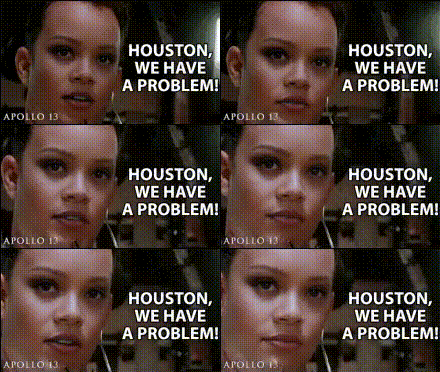
Imagine yourself on the Apollo 13 mission, but with a playful twist. Our Apollo 13 Astronaut Problem template uses Video Face Swap technology, allowing you to insert your own face into iconic scenes from the legendary space journey. Perfect for both entertainment and educational purposes, this tool offers a unique way to engage with a historical event.
What It Does
The template empowers users to swap faces in video clips from the Apollo 13 mission. Utilize the Video Face Swap functionality to transform footage with your own or others' faces. Output formats include common video file types, making it easy to share your creations across social media or in presentations.
Who It's For
This template is crafted for educators, content creators, and space enthusiasts who aim to create engaging content with a historical twist. Whether you're a teacher looking to captivate your students or an influencer wanting to bring humor to science, the AI Talking Photo tool complements this template by adding voice to your customized videos.
Summary
Delve into the thrilling world of Apollo 13 with a customized touch. This template merges the excitement of space exploration with the innovation of AI-driven AI Video Generator tools. Enhance your videos with a personalized face swap, bringing both education and entertainment to anyone who views your content.
How To
Choose Template

Customize Your Video

Generate and Share

Use Cases
Educational Engagement
- Incorporate into history lessons
- Explore space events creatively
Social Media Content
- Boost engagement with unique content
- Create viral memes
Corporate Training
- Enhance communication skills
- Make training memorable
Best Practices
Select Clear Images
For best results, use high-resolution images with clear facial features. This ensures the face swap appears natural.Consider Lighting
Match the lighting of your photo to the video for a cohesive look. This minimizes editing discrepancies.Preview Before Finalizing
Always preview your video before downloading to check alignment and make any needed adjustments.