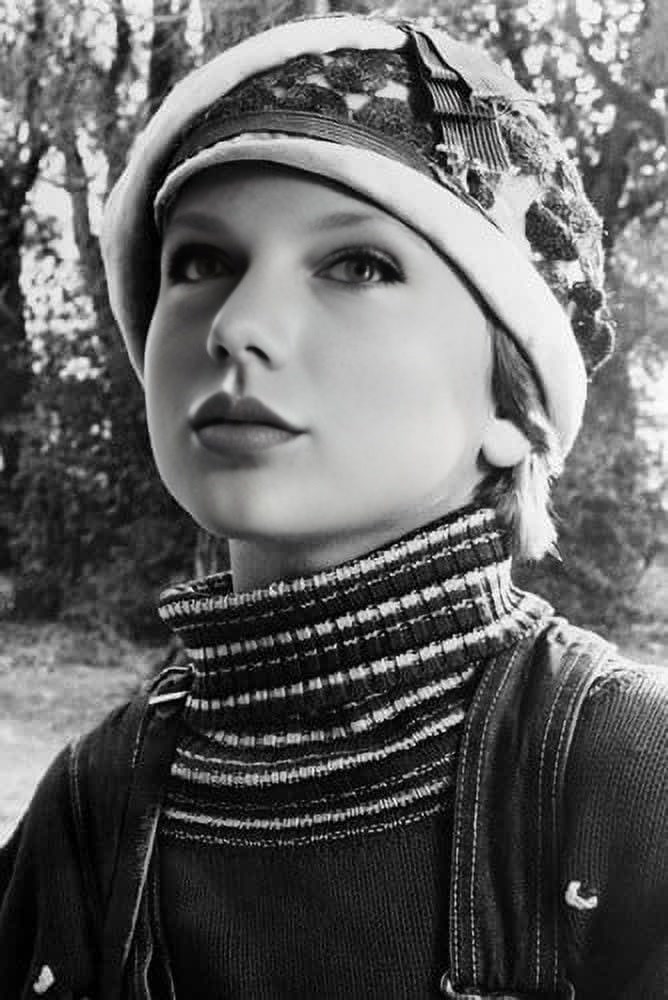
Tatum ONeal Paper Moon Studio Portrait
Any aspect ratio
Tags
transformationsOverview
Step into the classic studio portrait world of Paper Moon and transform your appearance with the Tatum O'Neal Video Face Swap template. This tool allows you to customize videos by swapping your face or someone else's seamlessly into this nostalgic setting, giving your creations a timeless Hollywood vibe.
What It Does
The Tatum O'Neal Paper Moon Studio Portrait template is a Video Face Swap tool that allows users to replace faces in a video clip with ease. Simply choose a photo of the face you want to introduce to the template, and the tool takes care of aligning facial features and maintaining visual consistency. The result is a flawless merge into this iconic backdrop.
Who It's For
This template is perfect for video creators looking to add a vintage flair to their projects, social media influencers who want to create engaging content, or fans of classic films interested in personalizing their favorite scenes. Even businesses can use it for unique product videos or branding projects requiring a historical edge.
Summary
Enhance your creative projects with the Tatum O'Neal Paper Moon Studio Portrait template. Whether you're a seasoned video editor or new to the world of video production, this tool offers a straightforward solution for professional-grade face swaps. For other transformative video options, also explore our AI Video Generator and AI Image Editor products.
How-To
Choose Your Template

Customize Your Video

Generate and Download

Use Cases
Social Media Content
- Boost engagement with unique studio portrait swaps
- Attract followers with trendy, vintage-style posts
Branded Videos
- Create distinct product advertisements
- Add a historical angle to brand storytelling
Fan Creations
- Add a personal twist to your favorite movie clips
- Share customized film moments with your community
Best Practices
Select High-Quality Images
Using high-resolution images will produce the best face swap results. Make sure the facial features are well-lit and clearly visible.Test Different Angles
Experiment with various face angles to find the best match for the template's scene environment.Consider Lighting and Shadows
Pay attention to the original lighting of the template to ensure that the swapped face appears naturally integrated.