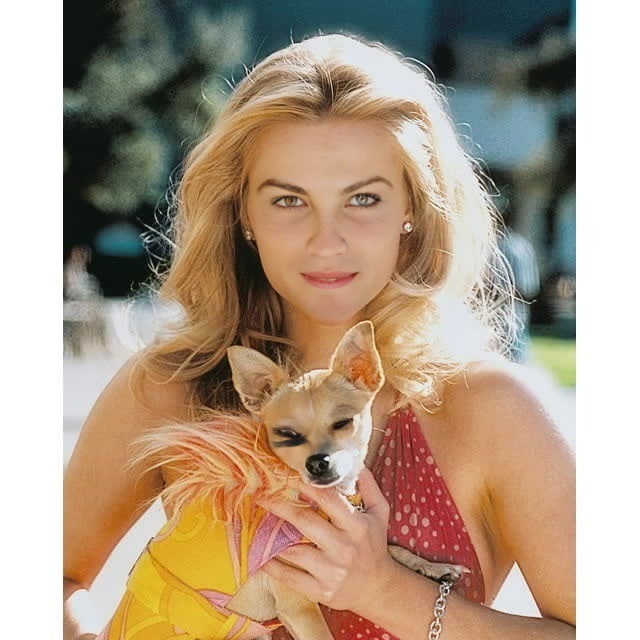
Reese Witherspoon Legally Blonde Press Portrait
Any aspect ratio
Tags
transformationsOverview
The Reese Witherspoon Legally Blonde Press Portrait template is a Video Face Swap tool designed for dynamic digital content creation. This template allows users to superimpose their faces onto the iconic press portrait of Reese Witherspoon from Legally Blonde, offering a unique and captivating twist for your videos.
What It Does
This template harnesses cutting-edge face swapping technology to replace the original face in a video clip with a selected face. Ideal for meme creators, marketers, and video content producers, it ensures high-quality results that fit perfectly and maintain all facial expressions.
Who It's For
Perfect for creators who want to add a touch of Hollywood glam to their projects. Be it YouTubers, TikTok influencers, or social media marketers, this tool is suited for those who aim to transform ordinary content into memorable clips. Use the AI GIF Generator to turn your video swaps into shareable GIFs for even more engagement.
Summary
With the Reese Witherspoon Legally Blonde template, you can enhance your content effortlessly by swapping faces in video press portraits. This tool takes advantage of advanced technology to deliver seamless overlays, ensuring that your content remains authentic and engaging. For those looking to expand beyond face swaps, consider exploring the Body Swap option for more creative potential.
How to Guide
Choose the Template

Customize with Your Own Inputs

Generate Your Content

Use Cases
Social Media Content
- Instagram stories
- TikTok videos
- Facebook ads
Marketing and Advertising
- Video commercials
- Banner ads
- Product demos
Cinematic Parodies
- YouTube skits
- Online shows
- Fan tributes
Best Practices
Choose High-Quality Inputs
Upload videos with clear facial features and good lighting for best results.Align Facial Features
Make sure the input face and template face have similar orientations to maintain natural motion.Experiment with Settings
Use the customization options to adjust color and lighting for a smoother blend, enhancing realism.