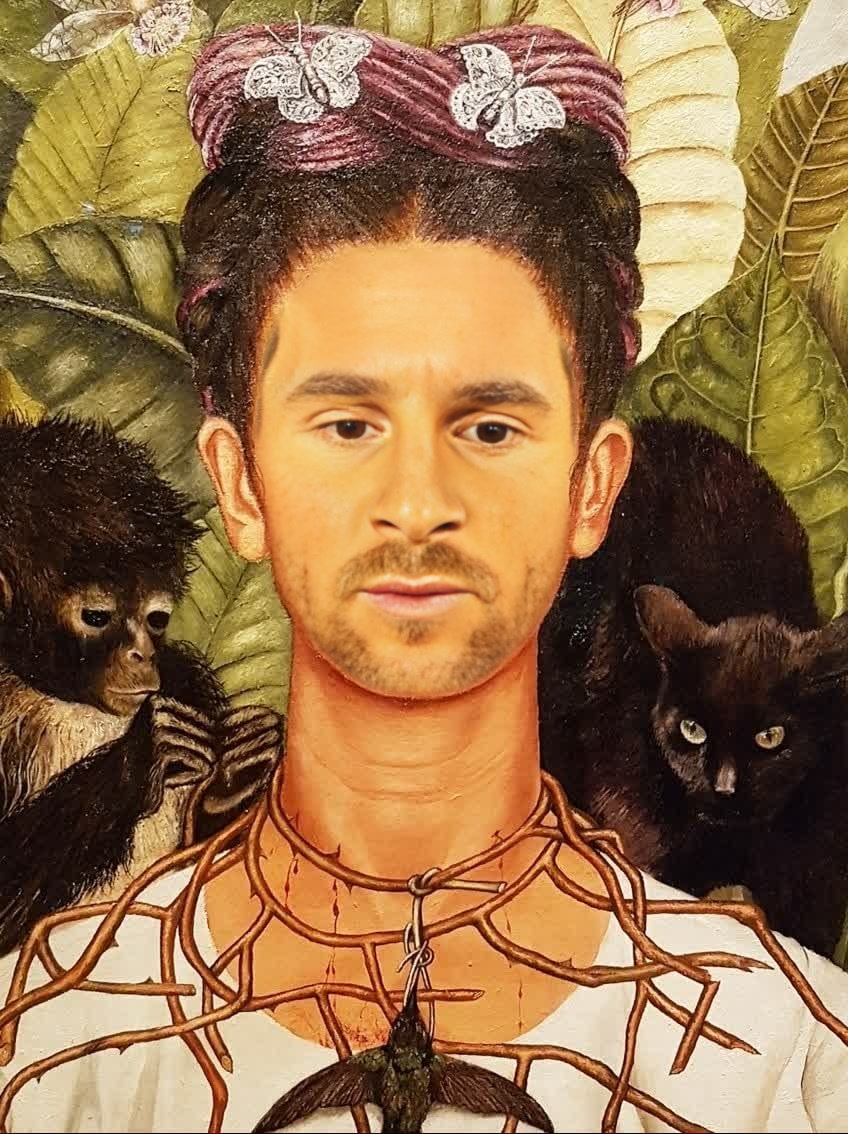
Self Portrait With Thorn Necklace Frida Kahlo Oil Painting
Any aspect ratio
Tags
transformationsOverview
Immerse yourself in the world of Frida Kahlo with the "Self Portrait With Thorn Necklace" template. This Video Face Swap experience allows you to step into the iconic Mexican artist's shoes, transforming your likeness into her renowned self-portrait. Perfect for art enthusiasts and creators looking to explore identity through digital art.
What It Does
The template utilizes advanced Video Face Swap technology to replace your face with Frida Kahlo's in her famous painting. This is achieved by mapping and blending your facial features with those of Frida's, ensuring a realistic overlay that captures her distinctive style and essence.
Leverage Magic Hour's Face Swap to create unforgettable art reimaginations.
Who It's For
This template is designed for artists, content creators, educators, and anyone interested in exploring art through a modern twist. It's a fantastic tool for creating engaging educational content, enhancing presentations, or simply having fun with art.
For video creators, this template offers a unique way to create content that stands out on platforms like TikTok or Instagram.
Summary
Discover the power of art digitization with our Frida Kahlo Face Swap template. Whether you're creating an educational video or exploring new creative avenues, this tool provides an immersive experience that brings you and Kahlo's artwork together seamlessly.
Learn more about our offerings in AI Video Generator or explore similar transformations with our Head Swap tools.
How To
Choose the Template

Customize Your Inputs

Generate Your Video

Use Cases
Art Education Tools
- Interactive art lessons
- Virtual museum tours
Social Media Content
- Viral art challenges
- Themed content creation
Creative Presentations
- Art in digital media talks
- Engaging conference visuals
Personal Exploration
- Identity exploration videos
- Artistic selfies
Best Practices
Ensure High-Quality Inputs
Use clear, high-resolution images or videos of yourself to achieve the best possible face swap results.Align Face Correctly
Make sure your face is properly aligned with the template. Take time to adjust your position to match Frida Kahlo's portrait properly for a more realistic output.Experiment with Angles
Try different angles or expressions in your input video/image to see which gives the most engaging transformation.