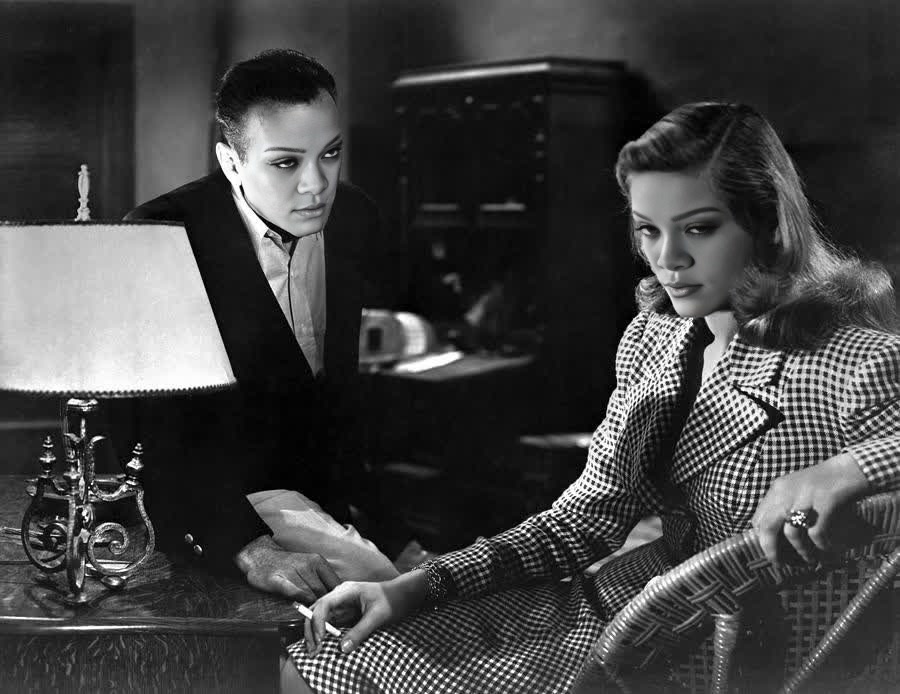
Lauren Bacall To Have And Have Not Studio Portrait
Any aspect ratio
Tags
transformationsOverview
Step into the golden age of Hollywood with our Lauren Bacall Video Face Swap template. This tool allows you to transform your own videos by swapping in the timeless face of Lauren Bacall, immortalized in the iconic To Have and Have Not studio portrait. Whether you're creating a playful homage or exploring creative possibilities, this template offers a unique way to infuse vintage glamour into your projects.
What It Does
The Lauren Bacall Video Face Swap template utilizes advanced AI to interchange faces in videos. It matches the facial features, expressions, and lighting of your source material to authentically place Lauren Bacall's image into your footage. Ideal for social media creators and vintage film enthusiasts, this tool can add a touch of classic cinema to modern projects.
Enhance your visual storytelling with additional tools like our Face Swap product line or experiment with creative disruptions using our AI Image Editor.
Who It's For
Film enthusiasts, aspiring directors, and social media artists will all find this template effective for injecting a bit of classic Hollywood glamour into their projects. It's perfect for anyone involved in UGC ads, social media advertising, or video style transfer who wish to blend modern content with vintage aesthetics.
For an extended palette of creative applications, consider our Image to Video tool, which complements face swapping by integrating still images into dynamic video content.
Summary
Using the Lauren Bacall To Have and Have Not Studio Portrait for a Video Face Swap not only brings a classic twist to your projects but also expands your creative toolkit with high-quality AI technology. This template ensures seamless integration, providing realism and creative versatility all in one package.
Explore additional capabilities and refine your projects with the AI Profile Picture Generator for crafting perfect visual introductions.
How to Use
Choose Your Template

Customize Your Inputs

Generate Your Video

Use Cases
Social Media Content
- Vintage cinema-themed Reels
- Face swap challenges
- Nostalgia-driven clips
Film Projects
- Retro film studies
- Inspirational content
- Creative film narratives
Advertising Campaigns
- Fashion campaigns
- Luxury brand advertisements
- Creative video ads
Best Practices
Ensure High-Quality Inputs
Use high-resolution video files for better face matching accuracy and realistic outputs.Match Lighting Conditions
Adjust the lighting in your video to closely resemble the original portrait for a seamless transformation.Leverage Ancillary Tools
Utilize tools like the AI Image Upscaler to improve video quality and ensure your project shines across platforms.