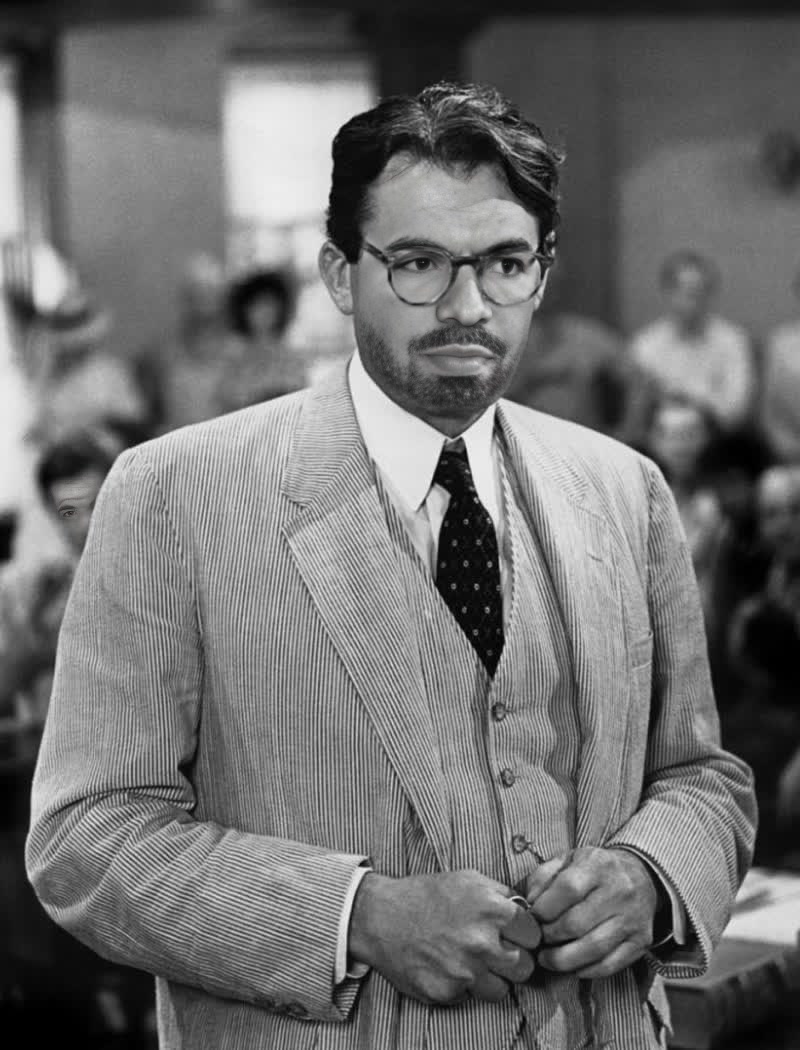
Gregory Peck To Kill A Mockingbird Studio Portrait
Any aspect ratio
Tags
transformationsOverview
This Video Face Swap template allows you to create a unique video featuring yourself or others in the iconic role of Atticus Finch, played by Gregory Peck in To Kill A Mockingbird. Capture the essence of this classic character by digitally placing new faces into a classic studio portrait setting. Perfect for projects requiring a touch of nostalgia and elegance.
What It Does
The template leverages the powerful face swap technology to intelligently map chosen faces onto Gregory Peck's character in a studio setting. It maintains the original portrait's timeless quality while providing a modern twist through face transformation.
For more dynamic transformations, consider exploring our Face Swap and Face Swap Video products to complement this template, allowing for even more creative flexibility in video projects.
Who It's For
This template is ideal for filmmakers, video editors, and content creators who value classic cinema and wish to incorporate iconic styles into their modern projects. It's also perfect for educators and marketers creating themed content and presentations that draw on historical film references.
Developers aiming to diversify content through accessible AI-based tools will find this template, along with our AI Image Editor, a useful addition to their workflow.
Summary
Utilize the Gregory Peck To Kill A Mockingbird Studio Portrait for sophisticated face swap projects that blend classic cinema with digital creativity. This template not only provides a unique transformation tool but also connects seamlessly with other Magic Hour offerings like the Image to Video product, fostering enhanced storytelling capabilities.
How To
Choose Your Template

Customize Your Inputs

Generate and Download

Use Cases
Historical Film Revivals
- Engage history enthusiasts with authentic portrayals
- Reintroduce classic cinema to younger audiences
Thematic Educational Content
- Illustrate literature lessons with visual aids
- Engage students with interactive content
Marketing Campaigns
- Appeal to nostalgia with classic film motifs
- Create memorable promotional material
Best Practices
Ensure Optimal Lighting
For best results, use faces captured in good lighting conditions to match the quality of the classic studio portrait.Focus on Expression
Choose input images where facial expressions align with the mood of Atticus Finch to enhance realism.Integrate with Other Tools
Consider combining this template with AI Clothes Changer for a complete character transformation experience.