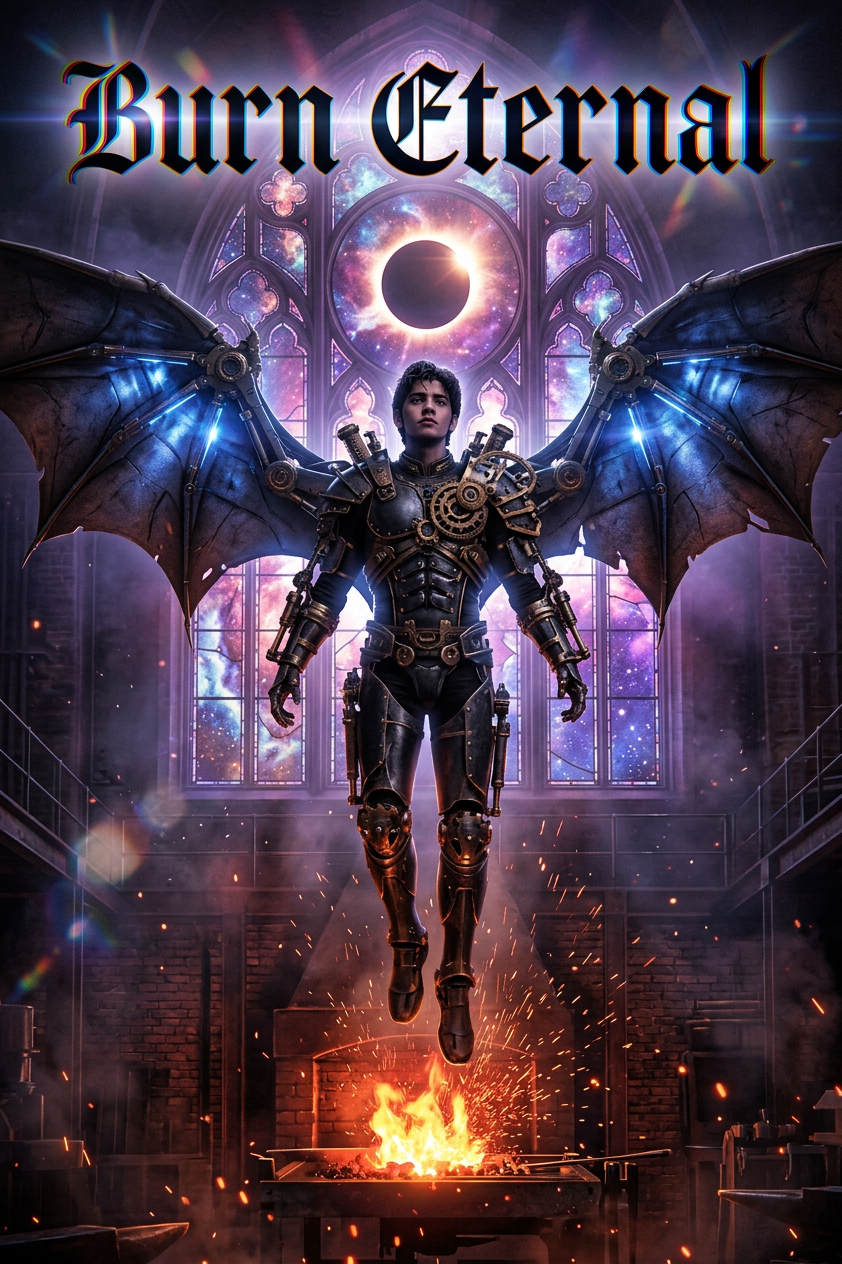
Burn Eternal
ai-image-editor
Any aspect ratio
Heavy metal album cover composition with gothic blackletter title “BURN ETERNAL” featuring chromatic aberration and lens flares. Centered, the subject as a dark-skinned winged figure with mechanical gear integrations, floating before a stained-glass window depicting a cosmic nebula and solar eclipse. Below, a blazing blacksmith’s forge with embers and sparks rising inside a dark industrial workshop of brick and metal structures. Dramatic high-contrast lighting—fiery orange/red glow from the forge against cool purple/blue ambient tones. Steampunk-infused, mystical, powerful, cinematic digital art.
AI Image Editor Template: Transform One Photo Into Dozens of On‑Brand Variations
This template shows how to use Magic Hour’s AI Image Editor to turn a single source image into multiple high‑quality variations—perfect for thumbnails, ads, social content, mockups, or concept exploration.
Use it as‑is, or remix it into your own custom editing workflow inside Magic Hour.
What This Template Does
This template is designed around three core use cases:
Clean edits
- Remove distracting objects or background elements
- Fix small issues (e.g., stray wires, blemishes, text artifacts)
- Restore or sharpen low‑quality sections of an image
Creative variations
- Change backgrounds, lighting, or overall style
- Try different aesthetics (studio, cinematic, anime, illustration, etc.)
- Test brand‑aligned color palettes and compositions for campaigns
Content repurposing
- Turn one hero image into multiple assets for different channels
- Generate variants for A/B testing (ads, email banners, landing pages)
- Adapt the same visual to different formats (portrait, square, landscape)
Because it uses the AI Image Editor, you keep full control of what changes and what stays the same—ideal for teams that care about consistency and brand safety.
How to Remix This Template in Magic Hour
You can create your own version of this template in a few minutes by remixing it inside Magic Hour:
Open the template in Magic Hour
- Click “Remix” on this page (inside the Magic Hour app).
- This duplicates the template into your workspace so you can customize it.
Swap in your own image
- Replace the sample image with your product shot, headshot, concept art, or brand visual.
- The AI will keep your core subject and adapt edits around it.
Define what should change
- Use the editor to specify areas you want to modify (e.g., background, clothing, props).
- Describe the desired look in natural language: “minimalist white studio background,” “sunset city rooftop,” “hand‑drawn manga style,” etc.
Generate multiple variants
- Run the template to create a batch of alternatives.
- Save the best versions as reusable assets for your brand kit or future workflows.
Refine or chain with other Magic Hour tools
- Use the strongest outputs as inputs to other products:
- Enhance resolution with the AI Image Upscaler
- Turn static images into short clips with Image to Video
- Create on‑brand avatars or characters with the AI Face Editor or AI Face Generator
- Use the strongest outputs as inputs to other products:
Every step is editable—so you can treat this as a starting workflow and evolve it into your own “house style” editor.
Practical Use Cases for Creators, Marketers, and Teams
For marketers and growth teams
Ad creative testing:
Quickly spin up multiple ad creatives from one hero image, then test them across platforms. Combine with:- Thumbnail Maker for YouTube and social previews
- AI Logo Generator to integrate or iterate on brand marks
- Album Cover Generator or Book Cover Generator for campaign visuals
Consistent brand visuals:
Apply a coherent style across product images, landing pages, and blog graphics by reusing the same remixed template with different inputs.
For product and startup teams
Fast design explorations:
- Try different UI mockup backgrounds, presentation covers, or pitch visuals without waiting on a full design cycle.
- Combine with the AI Background Generator for context images around your product.
Concept and character development:
- For games, stories, and branded content, generate stylistic variations using:
- AI Character Generator
- Animated Characters Generator
- DND AI Art Generator and Fantasy Map Generator for world‑building
- For games, stories, and branded content, generate stylistic variations using:
For solo creators and content teams
Social and creator brand kits:
- Build a reusable pipeline for thumbnails, channel banners, and post templates.
- Use:
- Avatar Generator for profile images
- AI Meme Generator for fast shareable content
- AI Art Generator and AI Illustration Generator for supporting visuals
Visual storytelling and comics:
- Generate multiple scenes based on the same characters or assets.
- Chain with the Comic Book Generator for panel layouts and narrative flows.
Advanced Workflows: Combining This Template With Other Magic Hour Tools
Because this template is built on the AI Image Editor, it integrates cleanly with Magic Hour’s wider ecosystem. Here are some high‑leverage combinations:
1. From edited image to motion and video
Talking avatars and explainers:
- Edit a portrait or character here, then animate it with:
- For more control, extend to full video with Text to Video or Image to Video.
Face‑driven content:
- After editing faces or expressions, you can:
- Perform Face Swap or GIF Face Swap
- Turn them into short animations using AI GIF Generator
- For template‑based video workflows, explore:
- After editing faces or expressions, you can:
2. Improving quality and cleaning up assets
Sharpen and upscale:
- Run your edited outputs through the AI Image Upscaler or Unblur Image to make them print‑ready or suitable for larger formats.
Cleanup and restoration:
- Use AI Remover or Remove Object from Photo to delete unwanted elements.
- Restore old or noisy sources before editing with:
3. Rapid style exploration
Genre and style shifts:
- Start with a base image, cleanly edit it with this template, then generate stylistic variations using:
Fashion and product visualization:
- For fashion, ecommerce, and lookbooks:
Tips for Getting Strong Results With the AI Image Editor
Start with the highest‑quality source you have
- Clear, well‑lit images give the AI more reliable structure to work with.
- If your source is low‑resolution or blurry, run it through Unblur Image or the AI Image Upscaler before editing.
Be explicit in your instructions
- Describe what should change and what must stay the same:
- “Keep the subject’s face and pose. Replace the background with a minimalist office.”
- “Same composition, but change the lighting to golden hour and apply a cinematic color grade.”
- Describe what should change and what must stay the same:
Iterate like a design process, not a one‑shot
- Treat each run as a draft. Save promising versions, then remix only those.
- Over a few iterations, you’ll converge on a visual language you can reuse across campaigns.
Use the template as a reusable “recipe”
- Once you like the style, keep the template and just swap the input images.
- This is especially effective for:
- Ad sets for multiple SKUs
- Social series (e.g., weekly posts, episode covers)
- Multi‑author content where you need a shared visual standard
Who This Template Is For
This AI Image Editor template is optimized for:
- Marketers and growth teams who need fast, testable creative while maintaining brand coherence
- Founders and product leads who want production‑quality visuals without a full‑time design team
- Content creators and influencers building a recognizable visual identity across platforms
- Designers and art directors who want a controllable AI baseline they can refine further in traditional tools
If you work with images and care about speed, quality, and consistency, this template gives you a strong starting point that you can customize and scale.
Next Steps
- Remix this template inside Magic Hour and plug in one of your real assets.
- Save the strongest outputs as reference images or a brand visual base.
- Chain with other tools—like AI Image Generator, AI Selfie Generator, or AI Headshot Generator—to build a complete, AI‑assisted visual pipeline.
Use this template as your starting point, then evolve it into your own custom AI image editing system inside Magic Hour.