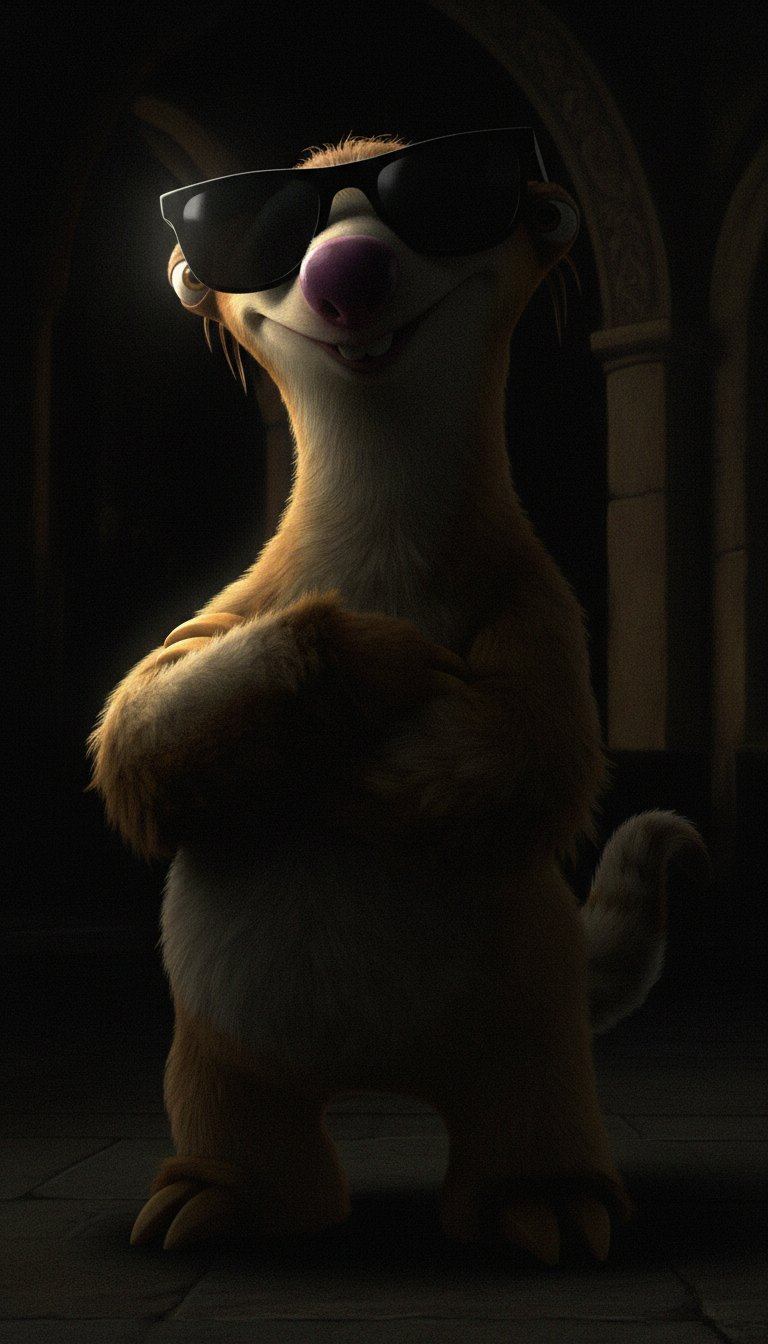
Chiaroscuro Masterpiece
ai-image-editor
Any aspect ratio
Extreme chiaroscuro lighting in Caravaggio style, single hard light from the left casting a sharp highlight across one side of the subject’s face, the other side in deep black shadow. Background mostly engulfed in darkness with minimal lit architectural details. 90% shadow, 10% light. Dramatic, painterly, baroque, tenebrist style, photorealistic.
AI Image Editor Template: Smart, Precise Edits in Minutes
Use this template to turn any image into a polished, on-brand asset with the AI Image Editor. It’s designed for fast, high-quality edits that feel professional but don’t require design skills or complex tools.
This page explains what you can do with the template, how to remix it into your own workflow, and how it connects with other Magic Hour tools.
What This Template Is For
This AI Image Editor–based template is built for:
- Founders and marketers who need clean, on-brand visuals quickly
- Creators and designers who want AI-assisted editing without losing control
- Developers and product teams building image-heavy apps, decks, landing pages, or demos
Common use cases:
- Clean up product photos and hero images
- Remove unwanted objects, text, or backgrounds
- Create multiple design variants for A/B tests
- Adjust faces, outfits, and styles to match your brand or campaign
- Prepare images for video, animation, or social content
Under the hood, AI image editing typically combines segmentation, inpainting, and generative models (see e.g. research like “High-Resolution Image Inpainting with Iterative Confidence Feedback,” CVPR; and diffusion-based editing methods used in Stable Diffusion and similar systems). Magic Hour abstracts this away so you can focus on results, not model details.
How to Use This Template in Magic Hour
You can either use this template as-is or quickly remix it to create your own version.
1. Start From the Template
- Open the template in Magic Hour.
- Upload the image you want to edit (product photo, portrait, artwork, screenshot, etc.).
- Follow the guided steps to apply the pre-configured edit workflow (e.g., object removal, background change, style adjustment).
The template is tuned to be:
- Fast — minimal steps from upload to export
- Repeatable — ideal if you want the same look across multiple images
- Beginner-friendly — but still powerful enough for advanced users
2. Remix the Template for Your Own Workflow
One of the strengths of Magic Hour is that almost any template can be turned into your own “micro-tool.”
To remix this AI Image Editor template:
- Duplicate the template in your Magic Hour workspace.
- Change the instructions to match your use case (e.g., “Convert product photos into minimalist, high-contrast ecommerce shots” or “Make LinkedIn-ready headshots from casual selfies”).
- Add guidance for your team: naming conventions, preferred aspect ratios, brand color notes, and what “good output” looks like.
- Save it as your own internal template so you and collaborators can reuse it consistently.
Over time, you can maintain a small library of specialized templates: one for product shots, one for thumbnails, one for ads, etc., all powered by the AI Image Editor.
Example Workflows You Can Build With This Template
Use this base AI Image Editor template as the core of more complex flows:
1. Product Image Cleanup and Conversion
- Start with this AI Image Editor template.
- Standardize product photos (consistent lighting, clean background).
- Use Image Background Remover or AI Background Generator to swap in branded or lifestyle backgrounds.
- Upscale the final image with AI Image Upscaler for crisp storefront or landing page use.
2. Portrait and Headshot Enhancement
- Use the template to refine lighting, remove distractions, or adjust framing.
- If needed, upgrade casual selfies into professional portraits with AI Headshot Generator or AI Selfie Generator.
- Correct backgrounds or remove clutter with AI Remover or Remove Object from Photo.
Result: fast, repeatable workflow for founder photos, team pages, and profile images.
3. Creative Concepting and Visual Iteration
For campaigns, product launches, or pitch decks:
- Start with a rough sketch or reference image.
- Use AI Image Editor to refine, extend, or restyle the image.
- Generate alternative concepts via AI Image Generator or AI Art Generator.
- Create thematic variations (e.g., “dark fantasy,” “manga,” “Disney-style”) using tools like:
This is powerful when you need many high-quality options quickly for stakeholders to review.
4. Turning Edited Images Into Video and Motion
Once your still image is ready, you can reuse it across video formats:
- Animate your character or portrait with AI Talking Photo or Animation.
- Convert your image into a short motion clip using Image to Video or Text to Video for storytelling and ads.
- If you’re working with existing footage, combine your edited images with:
- Video to Video to restyle or transform clips
- Face Swap Video or Face Swap for controlled identity swaps
- Lip Sync to match speech and facial motion
This lets you build image → video pipelines where the AI Image Editor is the starting point.
Practical Tips for High-Quality AI Image Editing
While you don’t need to understand the underlying models, a few principles help you get better results:
- Start with the highest-quality source you can. Low resolution, blurry, or heavily compressed images are harder to improve. If needed, pre-process with Unblur Image or Old Photo Restoration.
- Be explicit about the intent. When you remix the template, write clear, outcome-focused instructions (e.g., “Make this product look studio-lit on a neutral background with realistic shadows”).
- Keep edits consistent across a set. Use the same remixed template for a whole campaign so your brand visuals stay coherent.
- Iterate. For important assets (keynote covers, homepage hero images), run a few variations via the same template and pick the best version.
For more technical background on AI-based image editing, you may want to look up:
- Diffusion-based models for image editing (e.g., “Prompt-to-Prompt Image Editing with Cross Attention Control”)
- Inpainting and object removal in computer vision
- Super-resolution techniques for upscaling and restoration
These are the kinds of methods modern AI image editors, including Magic Hour, build on.
Related Magic Hour Tools Worth Combining
If you’re building a more advanced content pipeline around this template, these tools often plug in well:
Image generation & concepting
Branding & marketing assets
Photo cleanup and enhancement
Face, style, and fashion
Content with audio and voice
- AI Voice Generator
- AI Voice Cloner
- AI Voice Changer
- Auto Subtitle Generator for accessibility and internationalization
Social, memes, and interactive content
How Creators and Teams Typically Use This Template
For fast-moving teams, a practical pattern is:
- Define a small set of visual standards (background style, color usage, tone).
- Remix this AI Image Editor template to encode those standards in plain language.
- Share the template internally so everyone on the team (not just designers) can produce acceptable images.
- Chain it with 1–2 downstream tools (e.g., video generation, thumbnails, or social formats) for a complete pipeline.
Because it’s built on the AI Image Editor, you get a balance of control, speed, and repeatability that’s well-suited to founders, growth teams, and product marketers working under real-world time constraints.
You can start with the default version, then progressively refine it into a set of “house templates” that match your brand and workflow.