SOL 001 Transmission
Any aspect ratio
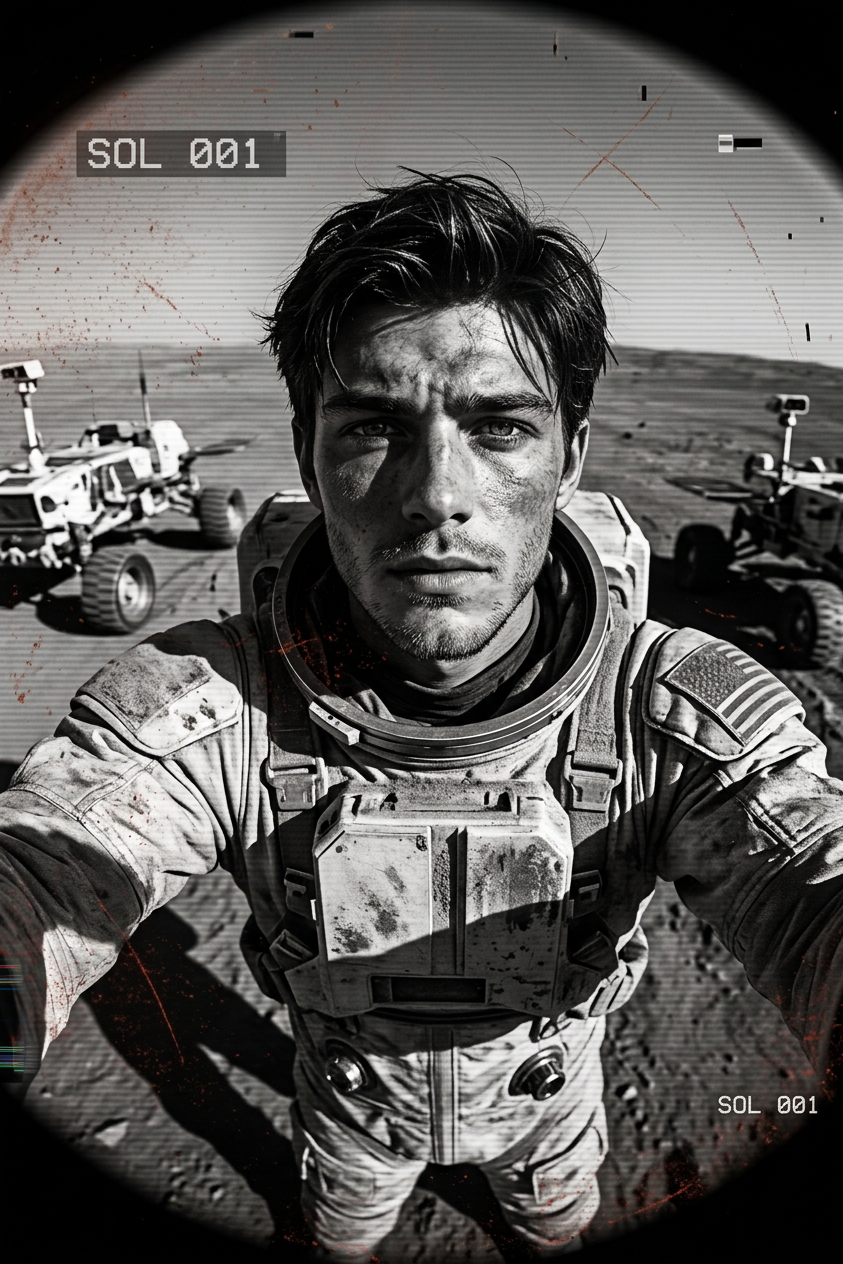
Subject wearing a dusty, scuffed futuristic spacesuit (helmet off), face weathered, unshaven, and sun-damaged. Captured as raw wide-angle engineering camera footage from the Mars surface with extreme fisheye distortion. Lens covered in red dust particles and scratches. Harsh direct sunlight casting deep black shadows. Low-resolution monochrome transmission with digital artifacts and timestamp overlay “SOL 001”.
Overview
Experience the expanse of space with the SOL 001 Transmission template, an AI Image Editor model designed for capturing the rugged and raw aesthetics of Mars exploration. Enhanced by the nano-banana-2 model, this template reproduces the essence of engineering camera footage with its signature fisheye distortion, dust clouds, and monochrome filter.
What It Does
Transform ordinary images into extraordinary visuals that transport viewers to the Martian surface. The template allows users to apply a realistic, weathered look to subjects wearing futuristic spacesuits, capturing the essence of a raw, low-resolution digital transmission with atmospheric effects. Leveraging AI Image Editor technology, it integrates digital artifacts and timestamp overlays to complete the scene's authenticity.
Who It's For
This template is ideal for filmmakers, graphic designers, and sci-fi enthusiasts who want to add a unique Martian aesthetic to their projects. It also benefits content creators who utilize AI-generated imagery for storytelling or educational purposes, providing an authentic depiction of what a Mars transmission might reveal.
Summary
Capture the harsh, captivating environment of Mars with the SOL 001 Transmission template. Designed for creators engaging with AI Product Photography, it adds a layer of gritty realism that's perfect for science fiction narratives or educational content. The blend of advanced imaging techniques results in stunning visuals that resemble real engineering footage from space missions.
How To
Choose

Customize

Generate

Use Cases
Science Fiction Storytelling
- Simulate authentic Mars exploration aesthetics
- Create detailed character storyboards
Educational Content
- Illustrate realistic space mission conditions
- Visual aids for space science courses
Creative Film Production
- Design extraterrestrial environments
- Augment background textures with digital artifacts
Best Practices
Focus on Lighting
Replicate harsh lighting effects for added realism. Adjust shadows and highlights to match the extreme conditions depicted.Use High-Resolution Source Images
While the output is low-resolution, starting with clear source images helps maintain subject integrity.Adjust Fish Eye Distortion
Tweak the distortion effect to align with the image's perspective, enhancing the overall authenticity.