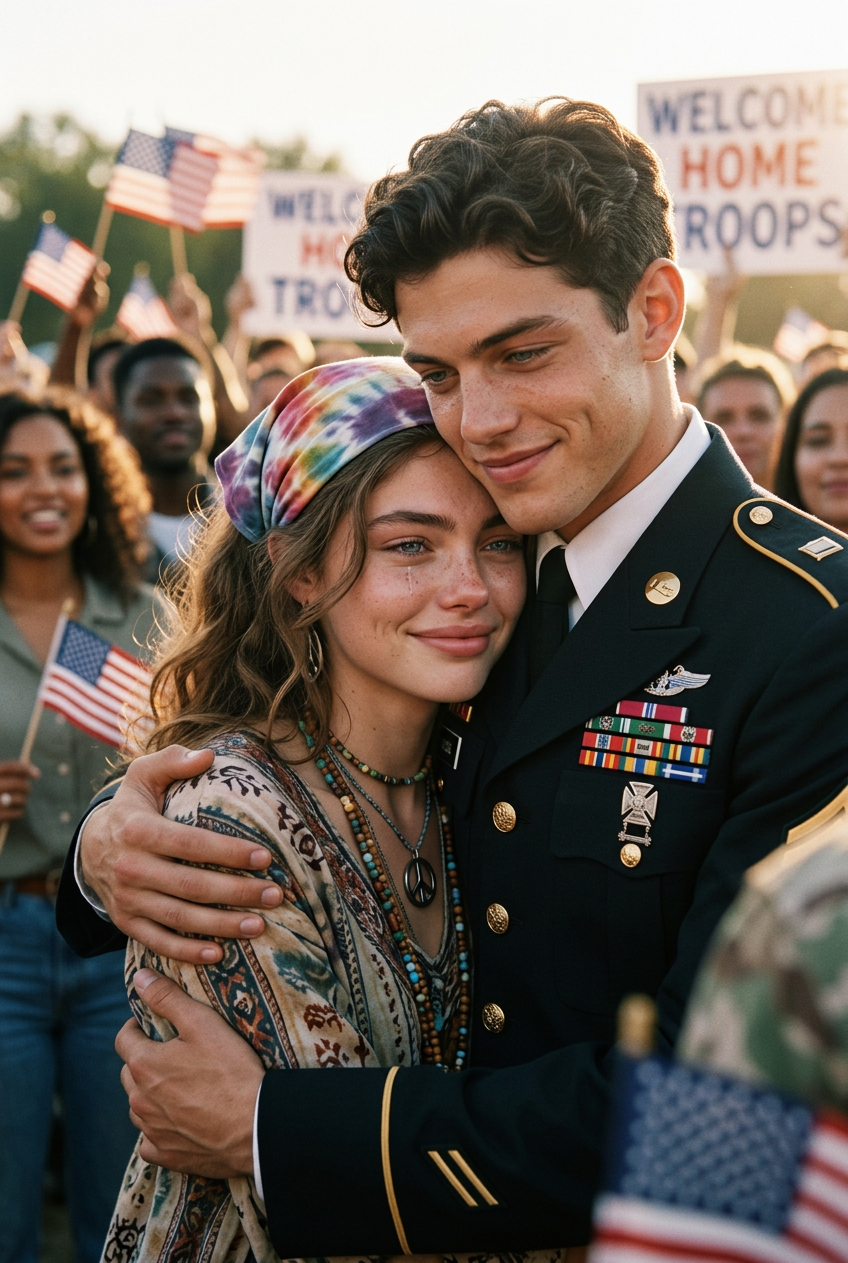
Peace Embrace Moment

Peace Embrace Moment

ai-image-editor

1 clip
4 uses

Any aspect ratio

Prompt

Close-up of a subject styled as a hippie girl hugging a subject in formal military dress uniform during a troop withdrawal celebration. Emotional embrace, soft smiles, nostalgic atmosphere. Background hints of crowd and flags, slightly blurred. Natural warm lighting, soft contrast, film grain, documentary-style realism, cinematic, high detail.

AI Image Editor Template: Precise, Fast Image Editing for Modern Creators

Use this AI Image Editor–based template to transform images in seconds: remove or replace objects, clean up backgrounds, improve composition, and generate on‑brand visuals without opening Photoshop. Ideal for content teams, indie builders, and technical creatives who need reliable, repeatable visual workflows.


What This Template Does

This template is built on Magic Hour’s AI Image Editor, optimized for:

  • Object removal & cleanup – Erase distractions (logos, people, wires, text, clutter) and auto-fill the space with context-aware pixels.
  • Background editing – Replace or refine backgrounds for product shots, social content, and ads.
  • Content replacement – Swap items (e.g., laptop screen content, signage, clothing details) while preserving lighting and perspective.
  • Polish & enhancement – Fix artifacts from other AI tools, refine compositions, and make assets production-ready.

The goal: a repeatable editing flow you can quickly remix into your own branded template inside Magic Hour.


When to Use This Template

This template is designed for high-signal, high-impact edits when:

  • You have a good base photo but need to adjust specific regions (not regenerate the whole image).
  • You need to iterate quickly on ad creatives, landing page hero images, app store screenshots, or pitch decks.
  • You’re combining workflows across tools—e.g., generating with the AI Image Generator or AI Art Generator, then refining with the AI Image Editor.
  • You want a reusable pattern for teammates or clients to apply the same kind of edits consistently.

How to Remix This Template in Magic Hour

You can easily create your own version of this template inside Magic Hour by:

  1. Choosing your starting image source

  2. Defining a clear editing pattern In your remix, be explicit about:

    • What area is typically edited (e.g., “remove background clutter”, “replace screen content”, “clean up logos”).
    • The desired outcome (e.g., “clean, high-contrast product shot on neutral background”, “minimalist social asset ready for overlay text”).
    • Any style constraints (e.g., “realistic lighting”, “flat illustration style”, “brand-neutral look”).
  3. Documenting your use case in the template’s description Use the template description to give future you (and your team) a quick playbook:

    • Who it’s for (performance marketers, founders, designers, UGC creators).
    • Input expectations (product photo, selfie, illustration, UI mockup).
    • Output expectations (ad-ready, deck-ready, marketplace-ready, etc.).
  4. Linking to adjacent tools in your internal workflow In your team docs or Notion, define a simple pipeline, for example:

This way, your remixed template becomes a reusable visual workflow, not just a one-off edit.


Practical Use Cases & Example Workflows

Below are common, production-grade scenarios where this AI Image Editor template shines, plus how to extend them with other Magic Hour tools.

1. Ad Creatives & Landing Pages

  • Start with a product or lifestyle photo.
  • Use this template to:
    • Remove busy backgrounds or distracting details.
    • Replace objects (e.g., generic cup → branded product, blank billboard → campaign slogan).
  • Then:

2. Social Content & Thumbnails

3. Product Photos & E‑commerce

4. Founder & Team Headshots

5. Brand & Campaign Experiments


Combining AI Image Editing with Video & Animation

If your workflow moves beyond static images, this template can be a building block for richer content:


Cleanup, Retouching, and Fine Control

For more controlled or specialized edits, pair this template with:

  • AI Remover – For targeted object or text removal.
  • Remove Object from Photo – When you want to erase a specific element and auto-fill the gap.
  • Watermark Remover – For removing your own watermarks from archived assets (e.g., repurposing past campaign material).
  • Unblur Image – To sharpen slightly soft or motion-blurred photos.
  • Photo to Sketch – To turn cleaned-up images into sketch assets for UX flows or pitch decks.

Character, Portrait, and Identity Edits

If your template is focused on people images (portraits, characters, avatars):

Once created, refine details (background, minor artifacts, props) with this AI Image Editor template.


Niche & Creative Templates You Can Remix From This

Because this template is based on the general-purpose AI Image Editor, you can remix it into highly specific templates, for example:


Workflow Tips for Teams, Builders, and Marketers

To get the most out of this template:

  • Standardize inputs and outputs:
    Decide what kind of starting images the team should use (e.g., raw product shots, mid-fidelity mockups) and what the final export should look like (e.g., “clean, text-safe area on the right for copy”).

  • Create internal “recipes”:
    Write short recipes like:

    • “UGC cleanup: remove clutter from background, keep natural lighting, maintain 4:5 framing.”
    • “Deck hero: simplify background, keep central subject, add neutral gradient for overlaid text.”
  • Chain AI tools intentionally:
    Example pipelines:

  • Preserve source assets:
    Keep originals alongside edited outputs so you can re‑run your template as you refine prompts and brand guidelines.


Related Magic Hour Templates You Might Use Together

If you like this AI Image Editor template, you may also find these template-enabled products useful in your stack:

  • Face Swap Video – Turn edited portraits into high-quality face-swapped clips.
  • Lip Sync – Sync edited faces or avatars to audio for shorts, explainers, or product videos.
  • Video to Video – Restyle existing video content while preserving motion and structure.
  • Animation – Animate characters, illustrations, or scenes that you first refine with the AI Image Editor.

Use this template as your base layer for precise, production-ready image edits, then remix it into specialized workflows for ads, pitch decks, product shots, avatars, or campaign experiments across the rest of Magic Hour’s tools.

More Like This