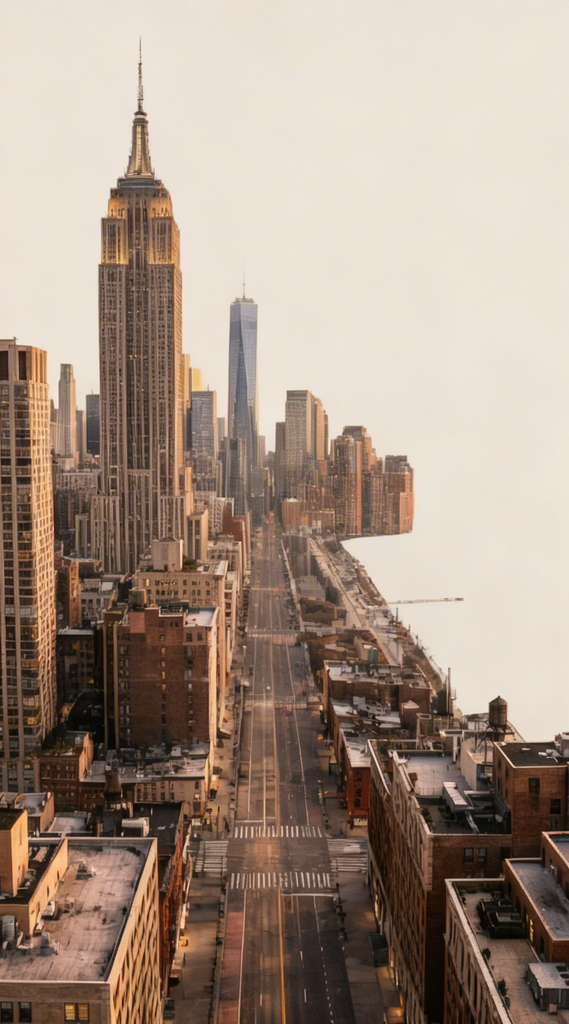
Isolated Urban Structures
Any aspect ratio
Remove all elements from the image except the buildings. Eliminate people, vehicles, vegetation, sky details, signage, and background clutter, leaving only the architectural structures cleanly isolated. Maintain the original perspective and lighting on the buildings, with a neutral or transparent background if possible. Ensure sharp edges, high detail, and photorealistic quality, focusing entirely on the form and texture of the buildings.
Overview
The Isolated Urban Structures template is an AI Image Editor tool designed specifically to highlight architectural elements within urban landscapes. Utilizing the seedream-v4 model, this template efficiently removes distractions such as people, vehicles, and background details to present a clean, isolated view of the buildings.
What It Does
This template functions by retaining only the buildings within an image, deleting all other elements like vegetation, signage, and background clutter. The urban structures are presented with maintained lighting and perspective, offering sharp edges and a photorealistic finish. This isolated view with a neutral or transparent background allows for effortless integration into various projects.
Who It's For
The Isolated Urban Structures template is perfect for architects, real estate professionals, and city planners who require high-quality images of urban buildings for presentations, promotional materials, or product videos. It's also ideal for artists and content creators focusing on modern urban themes.
Summary
By employing the AI Image Editor functionalities of the Isolated Urban Structures template, users can transform complex cityscapes into clear, focused visuals of architectural structures. This tool provides the precision needed for professional projects and aesthetic creations with seamless integration capabilities.
How To
Choose Your Template

Customize Your Settings

Generate Your Image

Use Cases
Architectural Presentations
- Showcase architectural design
- Enhance urban planning proposals
Real Estate Listings
- Highlight building features
- Improve visual appeal
Artistic Projects
- Focus on form and texture
- Create modern urban artworks
Best Practices
High-Resolution Input
For optimal results, begin with a high-resolution image to ensure details remain crisp after processing.Correct Image Orientation
Ensure the buildings are prominently featured in the foreground to improve the accuracy of the isolation.Lighting Consistency
Maintain consistent lighting between the photographed buildings and the intended background for seamless integration.