Daydream Sparkle Overlay
Any aspect ratio
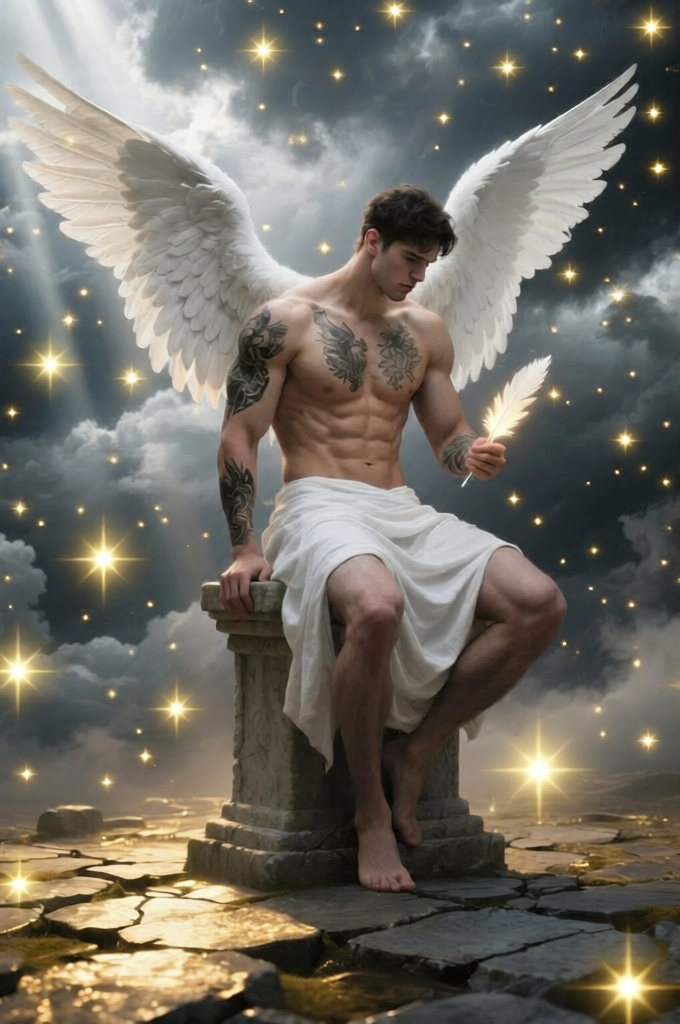
Add soft yellow sparkly star overlays across the photo to create a dreamy, daydream-like effect. Vary the size and brightness of the stars, with gentle glow and subtle blur. Blend them naturally into the scene by matching lighting, depth, and perspective so they feel integrated rather than artificial
Tags
visual effectsOverview
The "Daydream Sparkle Overlay" template allows you to apply a magical touch to your images with its AI-powered AI Image Editor model, specifically using qwen-edit. With just a few clicks, turn your ordinary photos into enchanting visual stories. This overlay introduces soft yellow sparkling stars into your images, creating a dreamy, daydream-like quality.
What It Does
Designed for the AI Image Generator realm, this template overlays shimmering stars that vary in size and brightness. Each star is blended into your scene using advanced lighting, depth, and perspective techniques, making them appear naturally integrated rather than artificial. Ideal for adding a whimsical atmosphere to any image.
Who It's For
Perfect for creatives, social media influencers, and photographers who want to add a touch of magic to their photos. This tool is also suitable for anyone in the e-commerce or advertising industries looking to make their visual content stand out. If your work involves visual storytelling, this overlay offers a captivating twist.
Summary
Overall, the "Daydream Sparkle Overlay" is an exceptional choice for those aiming to enhance their images with minimal effort. Utilize the capabilities of the AI Image Editor to infuse life and vibrancy into your visuals, and watch as your audience becomes mesmerized by the dreamlike effects you can achieve.
How To
Choose the Template

Customize Your Settings

Generate and Download

Use Cases
Social Media Content
- Instagram stories
- Facebook posts
- TikTok videos
Advertising & Marketing
- Banner ads
- E-commerce product images
Personal Photography
- Wedding photos
- Birthday images
Best Practices
Select Complementary Backgrounds
Choose images with backgrounds that suit a whimsical overlay for optimal results. This ensures that the stars blend seamlessly.Vary Star Features
Experiment with star size and brightness to make certain elements of the image pop while maintaining subtlety overall.Consider Image Lighting
Align the star overlays with the natural lighting in your images for an integrated look. Use the AI Photo Relighting tool if needed.