Pirate Wanted Relic
Any aspect ratio
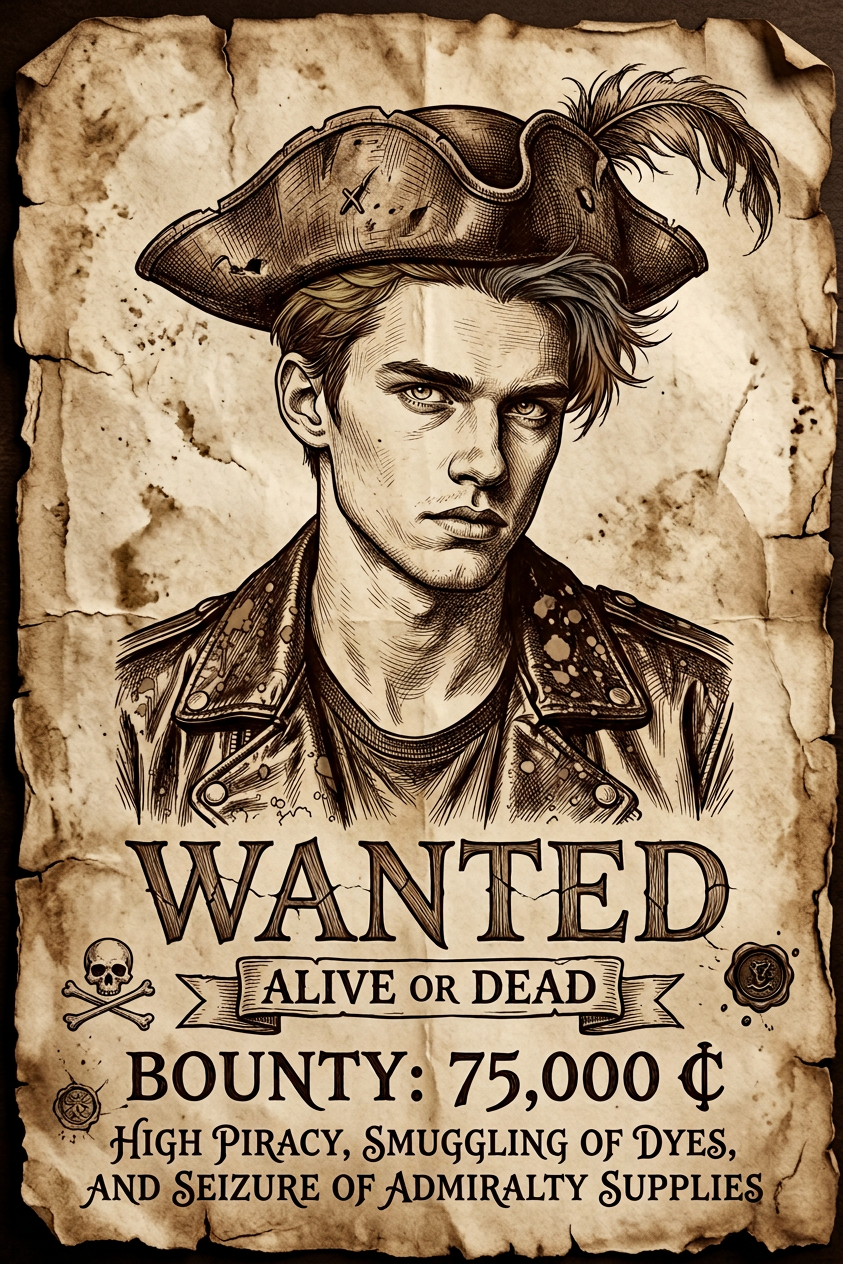
Recreate the image as a pirate wanted poster on aged parchment (brown monochrome, worn texture). Place a large close-up of the character at the top, keeping original details and adding a pirate hat. Use hand-drawn ink style. At the bottom, add a random bounty with a fictional currency, and below it write the crime in a fictional English script
Overview
Transform any character image into a dynamic pirate wanted poster with our Pirate Wanted Relic template. This tool employs a hand-drawn ink style to recreate images on aged parchment with detailed pirate-themed enhancements, including hats and fictional bounties.
What It Does
The Pirate Wanted Relic template exquisitely merges your original images with pirate-themed elements. It adds a fictional bounty and crime in an artistic English script. This enhances your image by embedding it in an imaginative world.
Combine this template's features with AI Image Editor capabilities for editing precision, ensuring that each poster captures the right mix of authenticity and creativity.
Who It's For
This template is ideal for content creators in the gaming and storytelling industries, especially those focusing on pirate-themed adventures. It also serves educators and marketers who want to inject creativity into video generation and visual storytelling tasks.
Summary
Use the Pirate Wanted Relic template for creating compelling and artistic pirate-themed images. Designed for any creative professional needing to add a touch of adventure to their projects, it turns ordinary images into striking wanted posters.
With potential integration into Text to Video workflows, storytellers can elevate their visual narratives beyond static images.
How to Use
Choose Your Template

Customize Your Inputs

Generate the Artwork

Use Cases
Game Development
- NPC wanted posters
- Quest clues
- Interactive environments
Storytelling Enhancements
- Character backstory posters
- Thematic visuals for story chapters
- Visual aids for interactive storytelling
Marketing Campaigns
- Adventure-themed brochures
- Social media teasers
- Event invitations
Best Practices
Image Quality
Use high-resolution images for better detail retention in the final poster. This ensures that intricate features are well-preserved.Consistent Styles
Blend the template with your project's visual style. Consider coordinating with other elements created using the AI Clothes Changer for a cohesive look.Varied Elements
Experiment with different fictional bounties and crimes. This adds variety and intrigue to multiple outputs, keeping each creation fresh and engaging.