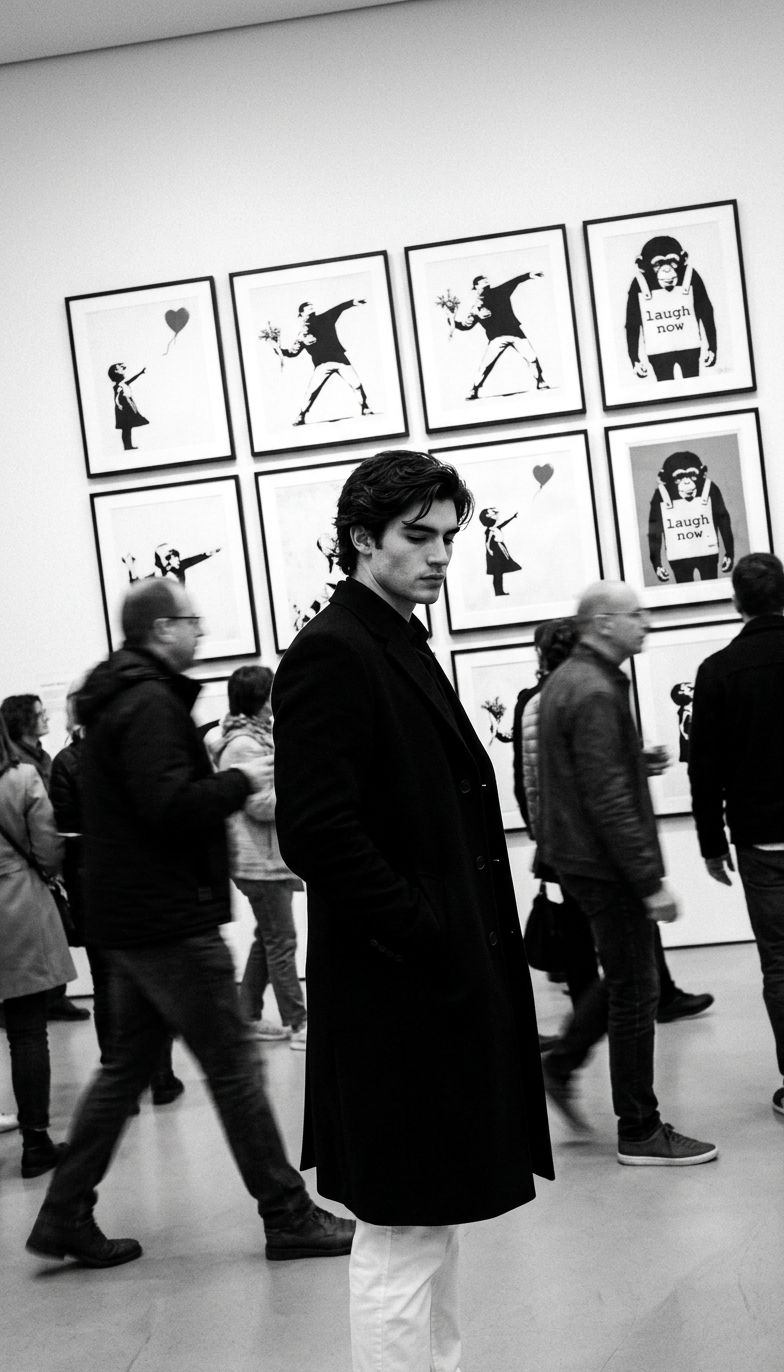
Stolen Moment Gallery
Any aspect ratio
Create a high-contrast black-and-white photo set in a modern art gallery. Capture a candid “stolen shot” of a person standing still among a blurred moving crowd. Use a slightly tilted angle, with the subject’s face partly turned. Frame as a 3/4 body shot (mid-thigh up). The subject wears a long dark coat with hands in pockets. In the background, display framed Banksy artworks arranged in a clean grid.
Tags
stylesOverview
Discover the "Stolen Moment Gallery" AI Image Editor template, designed to transform everyday scenarios into striking, high-contrast black-and-white artistic photographs. This template captures the essence of a fleeting moment within a modern art gallery, emphasizing individuality against dynamic backgrounds.
What It Does
This template uses the nano-banana-2 model to create visually compelling images that capture the stillness of a subject amidst a bustling crowd. The focus is on a person in a long dark coat, shown in a 3/4 body shot, while framed artworks like those by Banksy add context and depth to your compositions. Perfect for projects that require a professional, artsy look.
For more image manipulation options, explore our AI Image Editor. If you need a complete change of atmosphere, our AI Background Changer might suit your needs.
Who It's For
This template is ideal for photographers, marketers, and content creators who want to add an artistic flair to their photographic projects. Whether you're creating promotional materials, enhancing a personal portfolio, or crafting unique social media posts, this template helps you achieve a professional aesthetic quickly and efficiently.
Pair this with our AI Product Photography for enhanced visual storytelling.
Summary
The "Stolen Moment Gallery" template is your go-to solution for creating high-contrast, black-and-white images with an artistic twist. Its focus on candid moments within an art gallery setting encourages creativity and ensures that your subject stands out in any project.
How to Use This Template
Choose the Template

Customize Your Image

Generate & Download

Use Cases
Art Gallery Promotions
- Highlight art exhibition openings.
- Feature special events or private viewings.
Social Media Content
- Engage followers with artistic photo posts.
- Craft attention-grabbing Instagram stories.
Creative Portfolios
- Showcase photography skills with high-contrast images.
- Include artistic shots in your creative presentations.
Best Practices
Mind the Composition
Ensure your subject is positioned and framed as described to capture the intended artistic effect.Leverage Lighting
Utilize lighting to emphasize contrasts between the subject and the moving crowd.Select Background Wisely
Ensure the background artworks are recognizable and add value to the composition without overrunning the subject.