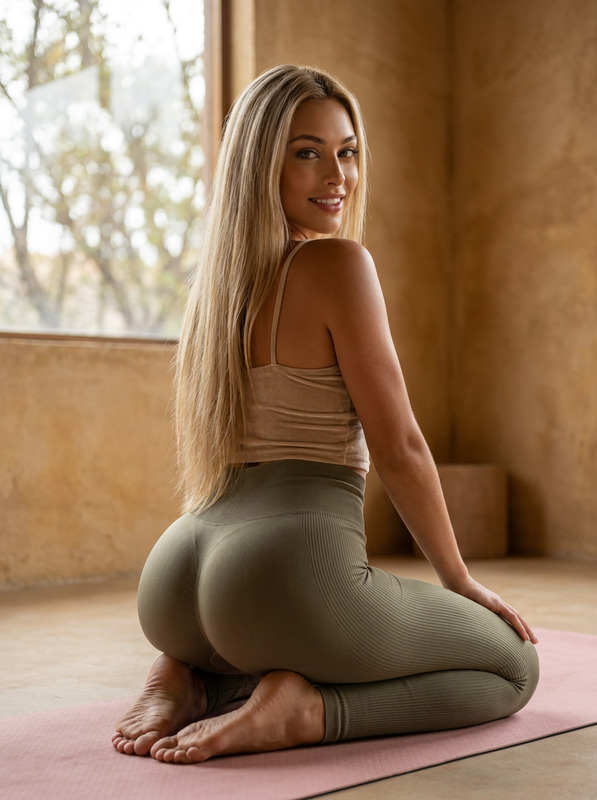
A fit woman is doing yoga with AI Analysis in her body

text-to-video

1 clip
1 uses

Any aspect ratio

Prompt

A fit woman in her mid-20s is doing yoga in a sunlit,cozy living room with soft beige furniture and wooden floors.The atmosphere is calm and minimalist,with indoor plants and natural light coming through sheer curtains.She moves smoothly through poses like Downward Dog and Warrior II on a black yoga mat.From the phone’s perspective (the phone is not visible),real-time AI analysis appears on her body — clean,semi-transparent white lines and dots at her joints,elegantly tracking her movement.The overlays adjust dynamically as she transitions between poses.A subtle glow or accuracy percentage may appear next to specific joints.Gentle ambient music enhances the peaceful,focused vibe.

AI Text-to-Video Template: Turn Any Script into High-Impact Video in Minutes

Use this template to transform plain text into polished, share-ready video content with Magic Hour Text-to-Video. Whether you’re a marketer, founder, educator, or solo creator, this is a fast, repeatable way to test ideas, ship content, and keep a consistent visual style—without cameras, crews, or timelines.


What You Can Do with This Text-to-Video Template

This template is designed for:

  • Marketing & Growth

    • Launch/product teasers
    • Feature explainers and onboarding videos
    • Social ads (TikTok, Reels, YouTube Shorts, LinkedIn)
    • Email or landing page hero videos
  • Founders & Startup Teams

    • Pitch or investor overview clips
    • Product walkthroughs for demos and sales
    • Founder updates and roadmap summaries
  • Educators & Content Creators

    • Micro-courses and how-to tutorials
    • Thought-leadership clips from blog posts or threads
    • Newsletter-to-video repurposing

Because it’s text-driven, you can iterate quickly: update your script, remix the template, and generate a new version in minutes.


How to Remix This Template in Magic Hour

You can recreate and customize this template with any script you already have (blog posts, pitch docs, Notion pages, email copy, Twitter threads).

1. Start from Text-to-Video

  1. Open Magic Hour Text-to-Video.
  2. Paste your script, outline, or bullet list. Short, punchy lines work best for social and ad-style content.
  3. Describe the overall visual style you want (e.g., “minimal, clean, product-focused B2B SaaS explainer” or “dynamic, cinematic startup launch reel”).

2. Structure Your Script for Strong Video

To get the best result from this template, structure your text like a high-performing video:

  • Hook (1–2 lines)
    • State a bold claim or problem: “You’re wasting 80% of your content by only publishing it once.”
  • Problem (2–4 lines)
    • Show the pain clearly and concretely.
  • Solution (2–4 lines)
    • Introduce your product, idea, or framework.
  • Proof / Examples (2–6 lines)
    • Use specific benefits, numbers, or scenarios.
  • Call to Action (1–2 lines)
    • Tell viewers exactly what to do next (sign up, try, book, download).

You can adapt frameworks like AIDA (Attention–Interest–Desire–Action) or PAS (Problem–Agitate–Solution) directly into your script format. Many top-performing video ads and explainers follow these patterns.

3. Generate and Iterate

  • Generate the video from your text.
  • Watch the result and identify what to refine:
    • Hooks not strong enough? Tighten the first 1–2 lines.
    • Too dense? Break long sentences into shorter beats.
    • Not brand-aligned? Adjust your tone in the script itself (formal, conversational, technical, playful).

Because the entire video is text-driven, every change in the script can yield a new version—use this to A/B test different hooks, angles, or CTAs rapidly.


Advanced Use Cases and Stacks

If you want to go beyond basic text-to-video, you can combine this template with other Magic Hour tools:

1. Create a Consistent Visual Identity

2. Add Faces, Characters, and Talking Scenes

If your text-to-video piece would benefit from people or characters:

You can integrate these elements into your storyboard, then let Text-to-Video assemble your narrative around them.

3. Voiceovers and Audio

Combine this text-to-video template with voice-driven tools for more lifelike content:

  • Clone your own voice or a brand voice with AI Voice Cloner.
  • Generate natural-sounding voiceovers directly from your script using AI Voice Generator.
  • If you already have a talking head or dialogue, use Auto Subtitle Generator to add captions for social platforms where muted autoplay is the norm.

You can use your text script both as the basis for the video and as input to voice tools, keeping everything consistent.


Remixing This Template for Specific Formats

You don’t need a new template per channel—remix this single text-to-video structure for different use cases:

Short Social Clips (Reels, TikTok, Shorts)

  • Condense to 5–9 lines total.
  • Use an especially strong first line: a question, bold claim, or contrarian statement.
  • Focus each clip on one idea or feature.
  • Create multiple variants by re-writing only the first 2–3 lines, then regenerate.

Product or Feature Explainers

  • Use your product’s core jobs-to-be-done as sections in your script.
  • Add short, clear examples: “For example, a sales rep can…”
  • Where relevant, highlight adjacent AI workflows powered by Magic Hour:

Educational / Thought Leadership Content


Workflow Ideas for Teams and Startups

This template fits cleanly into a pragmatic content pipeline:

  1. Ideation & Drafting

    • Start with existing assets: pitch decks, FAQs, internal docs, blog posts.
    • Turn each asset into a 10–20 line video script.
  2. Visual Direction

    • Use the AI Art Generator to quickly explore stylistic directions (minimal, cyberpunk, “Apple-style” product, comic, anime, etc.).
    • Lock in one or two visual styles for your brand.
  3. Generation & Review

    • Use Text-to-Video with this template structure to generate first passes.
    • Gather quick feedback from your team and iterate on the script (this is faster than manual video editing).
  4. Polish & Distribution

    • Enhance clarity with subtitles using Auto Subtitle Generator.
    • If needed, upscale final assets with Video Upscaler for higher-resolution outputs.
    • Export cutdowns for different platforms or audiences by slightly re-writing intros and CTAs, then regenerating.

Related Magic Hour Templates and Tools to Explore

If you like this text-to-video template, you may also want to experiment with:


Tips for Getting the Best Results

  • Write for the viewer, not the document. Short, simple sentences outperform dense paragraphs.
  • Use concrete language. Instead of “improve performance,” say “ship video ideas 10x faster than manual editing.”
  • Limit each line to one idea. Each line is a potential beat or shot in your video.
  • Iterate systematically. Change one variable at a time (hook, proof, CTA) and compare outputs.
  • Keep a library. Save versions of scripts that perform well and reuse them as internal templates for your team.

Use this template as your base pattern: clear hook, specific problem, sharp solution, concrete proof, direct CTA—then let Magic Hour Text-to-Video handle the heavy lifting of production. From there, remix, stack with other Magic Hour tools, and build a repeatable, scalable video engine for your brand.

More Like This